Free EAN-13 Barcode Generator
Create scannable EAN-13 retail barcodes right in your browser. Type your 12 digits and the check digit is added automatically. Download as PNG, SVG or PDF — free, no signup, no watermark.
EAN-13 settings
#000000
#FFFFFF
Preview
The free LabelInn app places your EAN-13 on a full product label with the name, price and logo, then prints directly to Zebra, TSC and other thermal printers — including bulk printing a different code per row from Excel.
01
What is an EAN-13 barcode?
EAN-13 (European Article Number, now standardised by GS1 as the GTIN-13) is the 13-digit retail barcode you see on almost every packaged product in shops and supermarkets. It lets a point-of-sale scanner identify the item and pull up its price. This generator draws a fully scannable EAN-13 to the correct module structure, with proper quiet zones and the human-readable digits underneath — and it computes the check digit for you. Nothing you type is uploaded anywhere; the barcode is rendered entirely in your browser with the bwip-js engine.
02
The 12 + 1 digit structure
An EAN-13 is thirteen digits split into two parts: 12 data digits plus a 1 check digit. The data digits are made of a GS1 company prefix (assigned to the brand owner) followed by an item reference that the brand owner allocates to each product. The final digit is a mathematically derived checksum.
| Part | Digits | Meaning |
|---|---|---|
| GS1 prefix | First 2–3 | Numbering region / GS1 member organisation (e.g. 400–440 = Germany, 500–509 = UK, 869 = Türkiye) |
| Company prefix + item reference | Positions up to 12 | Your licensed GS1 company prefix plus the product number you assign |
| Check digit | 13th | A modulo-10 checksum that guards against mis-scans (added automatically) |
Note: the leading digits are numbering prefixes, not "country of origin" — they identify the GS1 organisation that issued the company prefix, not where the product was manufactured.
03
Automatic check-digit calculation
The 13th digit is a modulo-10 check digit. Working from the right, alternate digits are weighted ×3 and ×1, the weighted values are summed, and the check digit is whatever value raises that sum to the next multiple of 10. Get it wrong and scanners simply reject the barcode. With this tool you don't have to do the maths:
- Enter just the 12 data digits and the correct check digit is appended automatically.
- Or paste a full 13-digit number and it is validated — a bad check digit is flagged so you can fix it before printing.
04
How to generate an EAN-13 barcode
- The tool above is already set to EAN-13. Type your product number into the Data field (12 digits, or 13 including the check digit).
- Adjust size, bar height and quiet zone so the code prints crisply on your label.
- Keep human-readable text on so the digits appear under the bars (recommended for retail).
- Download as PNG, scalable SVG or print-ready PDF.
05
Where to get a real GTIN for retail
This generator renders any valid number into a scannable barcode, but it does not assign ownership of that number. For a product you sell at retail, the EAN-13/GTIN-13 must come from a GS1 company prefix that you license from your national GS1 member organisation — that is what makes the number globally unique and keeps two different products from colliding at the till. Use this tool to render, preview and print a GTIN issued to your own prefix. For internal or in-store-only labelling that never crosses another retailer's scanner, you can use your own numbering scheme.
06
Printing EAN-13 product labels
For reliable checkout scanning, print EAN-13 at an adequate size (retail nominal is roughly 37.29 × 25.93 mm at 100%; avoid shrinking it too far), keep dark bars on a light background for strong contrast, and preserve the quiet zones on both sides. Thermal printing at 203 or 300 dpi works well for product and shelf labels.
Just need a QR code instead? Use the dedicated QR code generator. Need other symbologies like Code 128, UPC-A or GS1-128? The all-types barcode generator has them. Designing a whole label around the barcode? Try the browser label maker.
07
Embed this EAN-13 generator on your site
Free to embed — just keep the attribution link. Handy for supplier portals, product onboarding pages and internal help centres where teams need to create EAN-13 barcodes.
Need other barcode types? Use the all-types barcode generator or the dedicated QR code generator. Prefer to design a full label around your EAN-13? Try the label maker, or download the free LabelInn app.
THE PROBLEM, THEN THE FIX
EAN-13: it looks right on screen, so why will it not scan?
A code that is slightly too small, too tight or the wrong type is the usual reason a scanner refuses it.
The problemThe code is drawn at a size that suits the screen, not the scanner.
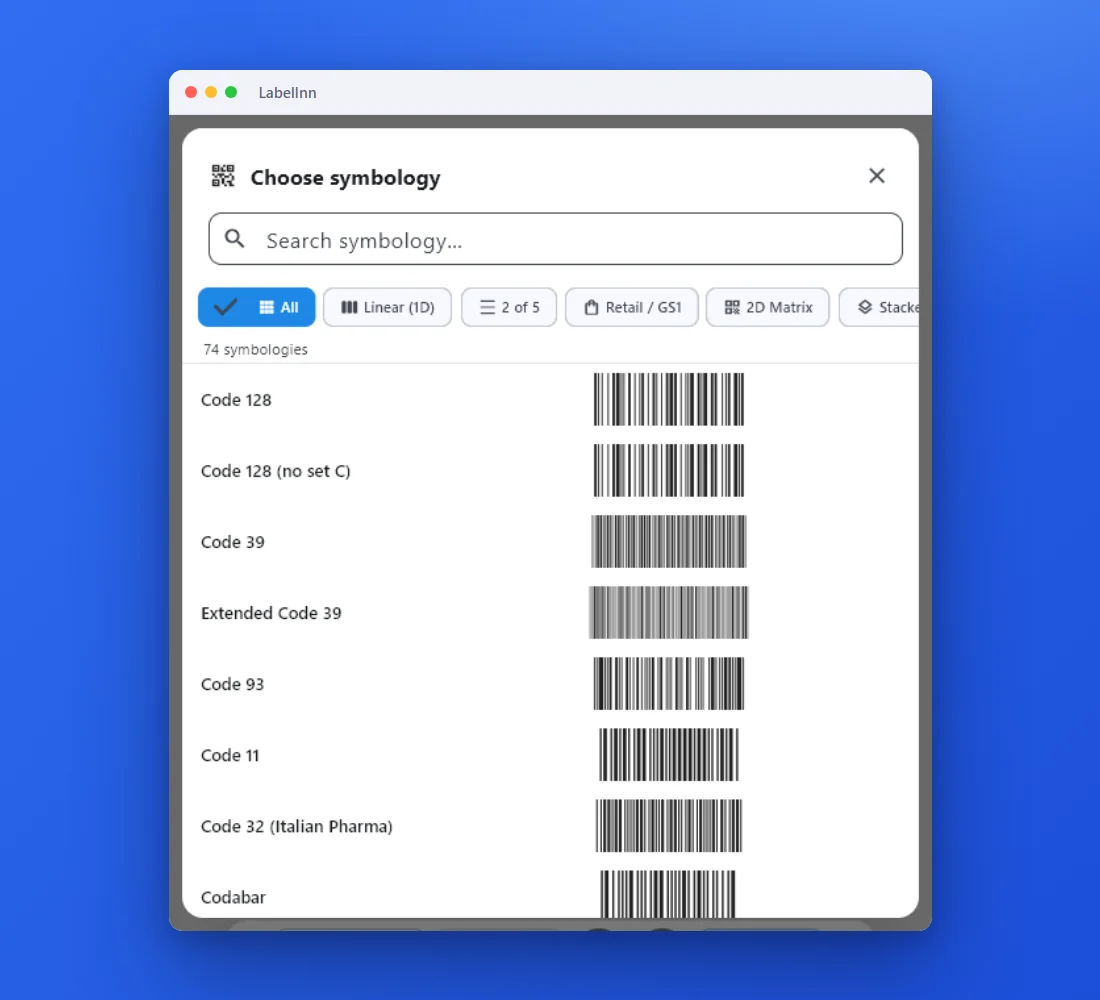 1Choose from 74 symbologiesEvery entry shows a live preview, so you pick the code by sight instead of by name.
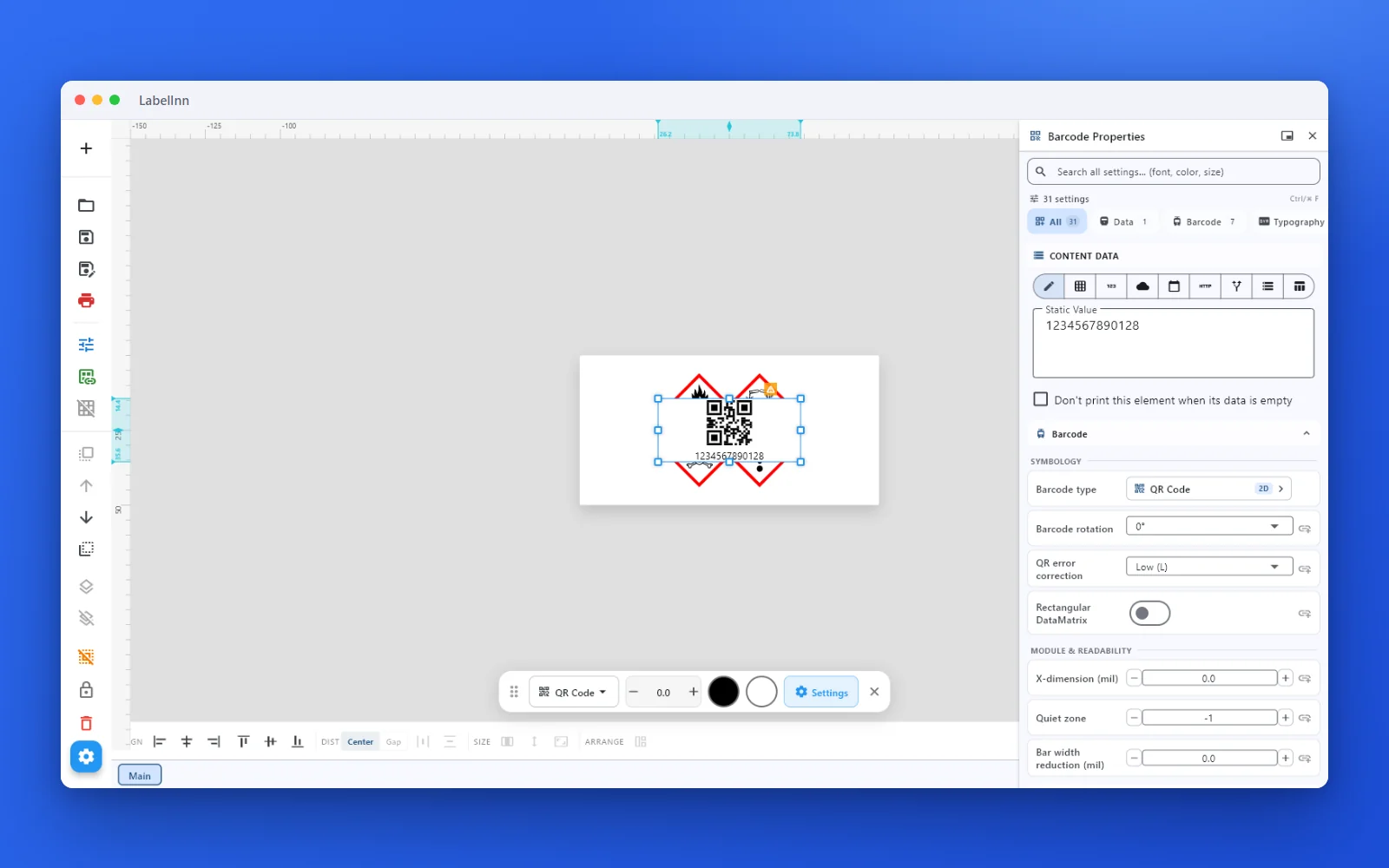 2Set the data and the readability rulesStatic value, spreadsheet column, database field or counter, plus X-dimension and quiet zone.
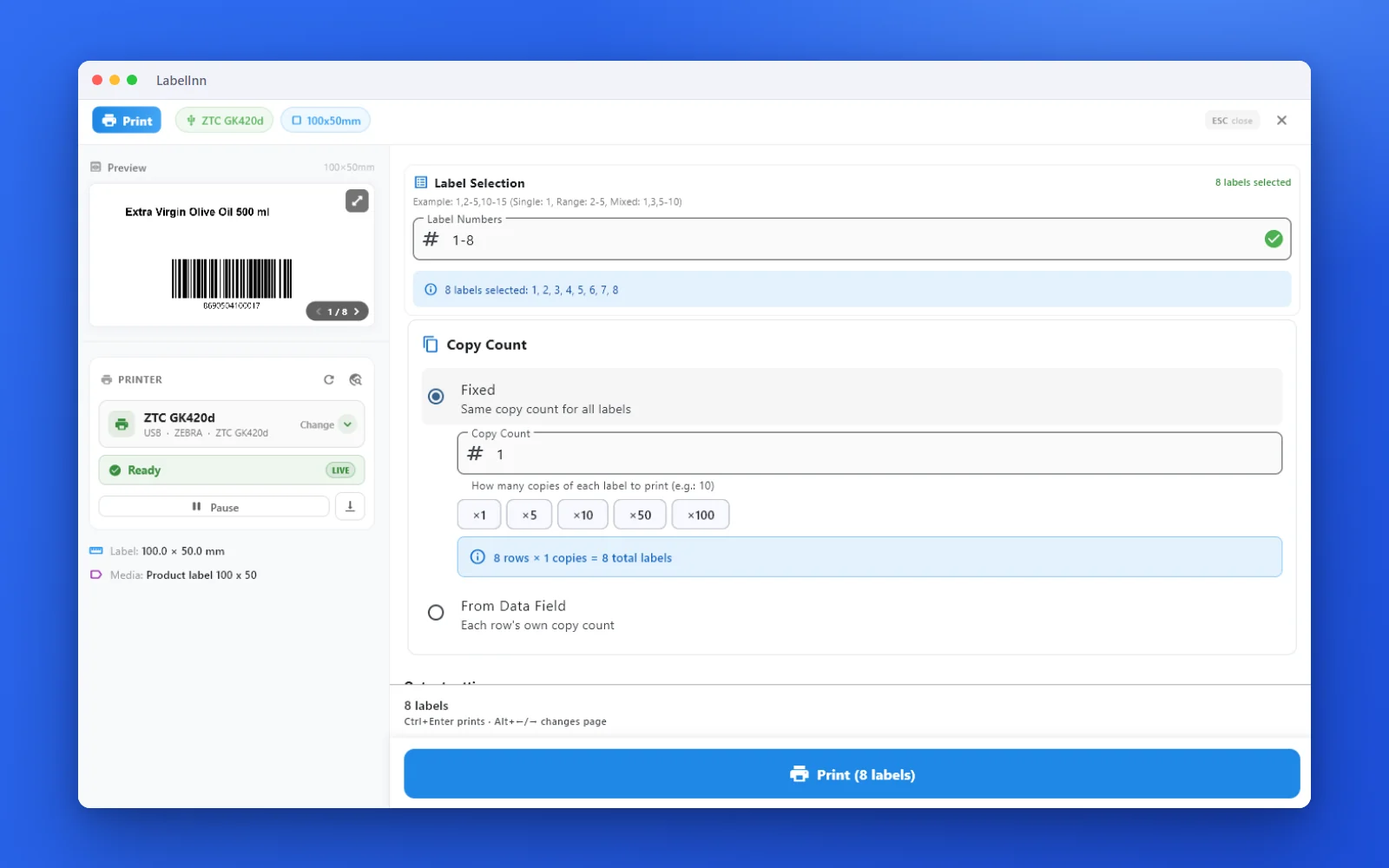 3Preview, then printCheck the real label, choose the printer and the number of copies, and print.
The fixPick the symbology from a preview list, set the module width and quiet zone, and check the real label before you print.Get LabelInn free
QUESTIONS / FAQ
Frequently asked questions
What is an EAN-13 barcode?
It's the 13-digit retail barcode (GS1 GTIN-13) printed on products in shops and supermarkets. It encodes a GS1 prefix, your item number and a check digit so POS scanners can look the product up.
How many digits does an EAN-13 have?
Thirteen — 12 data digits plus 1 check digit. Enter just the 12 and this tool adds the check digit for you, or paste all 13 and it validates them.
How is the check digit calculated?
By a modulo-10 weighted sum (alternating ×1 and ×3). The check digit brings the total to the next multiple of 10. It's computed and verified automatically.
Where do I get a real EAN-13 for my product?
From a GS1 company prefix licensed via your national GS1 organisation. This tool renders any valid number, but a genuine, unique GTIN must come from your own GS1 prefix.
Will these codes scan at a till?
Yes — they're drawn to the correct EAN-13 structure with proper quiet zones and readable digits, so they scan on standard retail POS scanners when printed at adequate size and contrast.
How do I print EAN-13 onto product labels?
Download the image, or use the free LabelInn app to place the code on a full product label and print directly to Zebra, TSC and other thermal printers — including bulk runs from Excel.