Free QR Code Generator
Create a QR code for a URL, WiFi login, vCard contact, plain text, email or phone right in your browser. Download as PNG or SVG — free, no signup, no watermark, and the QR code never expires.
QR code settings
#000000
#FFFFFF
Preview
The free LabelInn app places your QR code on a real label with text, logos and prices, then prints directly to Zebra, TSC, Brother and Bixolon thermal printers — including bulk printing from Excel.
01
Generate a free QR code — no account, no expiry
This QR code generator runs the full bwip-js engine directly in your browser, so nothing you type is uploaded and the QR code you make is static — the data is baked into the pattern itself. That means it never expires, never needs an account, and keeps scanning forever. Type a URL, WiFi login, vCard or plain text, pick an error-correction level, and download it as a crisp PNG or a scalable SVG in seconds.
02
What you can put in a QR code
| Use case | What to enter | Result when scanned |
|---|---|---|
| Website / URL | https://labelinn.com | Opens the link in the browser |
| WiFi login | WIFI:T:WPA;S:MyNetwork;P:MyPassword;; | Joins the network — no password typing |
| vCard contact | BEGIN:VCARD … END:VCARD | Adds the contact to a phone |
| Plain text | Any text or a serial / batch code | Shows the text |
mailto:support@labelinn.com | Starts a new email | |
| Phone | tel:+15551234567 | Pre-fills the dialer |
03
How to generate a QR code
- Type your data — a URL, a
WIFI:string, a vCard, or any text. - Choose an error-correction level (see below).
- Adjust size, colors and the quiet zone (the blank margin scanners need).
- Download as PNG, SVG or PDF.
04
Error-correction levels explained
QR codes carry redundant data so they still scan when part of the symbol is dirty, smudged or covered by a logo. Higher correction = more resilience but a denser code:
- L (Low) — recovers ~7%. Best for clean screens and short URLs where you want the sparsest pattern.
- M (Medium) — recovers ~15%. The sensible default for most printed QR codes.
- Q (Quartile) — recovers ~25%. Good for labels that may get scuffed.
- H (High) — recovers ~30%. Use this if you place a logo in the middle or print on rough thermal media.
05
How to print a QR code label with LabelInn
Downloading the image is fine for a screen or a sticker sheet, but if you need the QR code on a real product or shipping label, the free LabelInn app places it on a full label alongside text, prices and a logo, then prints directly to Zebra, TSC, Brother, Bixolon and other thermal printers over USB, network or Bluetooth — no extra driver hunting. You can also bulk-print a unique QR code per row straight from an Excel sheet.
06
Embed this QR code generator on your site
Free to embed — just keep the attribution link. Great for help centers, event pages and supplier portals.
Need a different symbology? Use the full barcode generator for Code 128, EAN-13, Data Matrix and more — or try the free label maker. Also: Free GS1 Digital Link Generator (URL + QR Code).
THE PROBLEM, THEN THE FIX
QR Code: it looks right on screen, so why will it not scan?
A code that is slightly too small, too tight or the wrong type is the usual reason a scanner refuses it.
The problemThe code is drawn at a size that suits the screen, not the scanner.
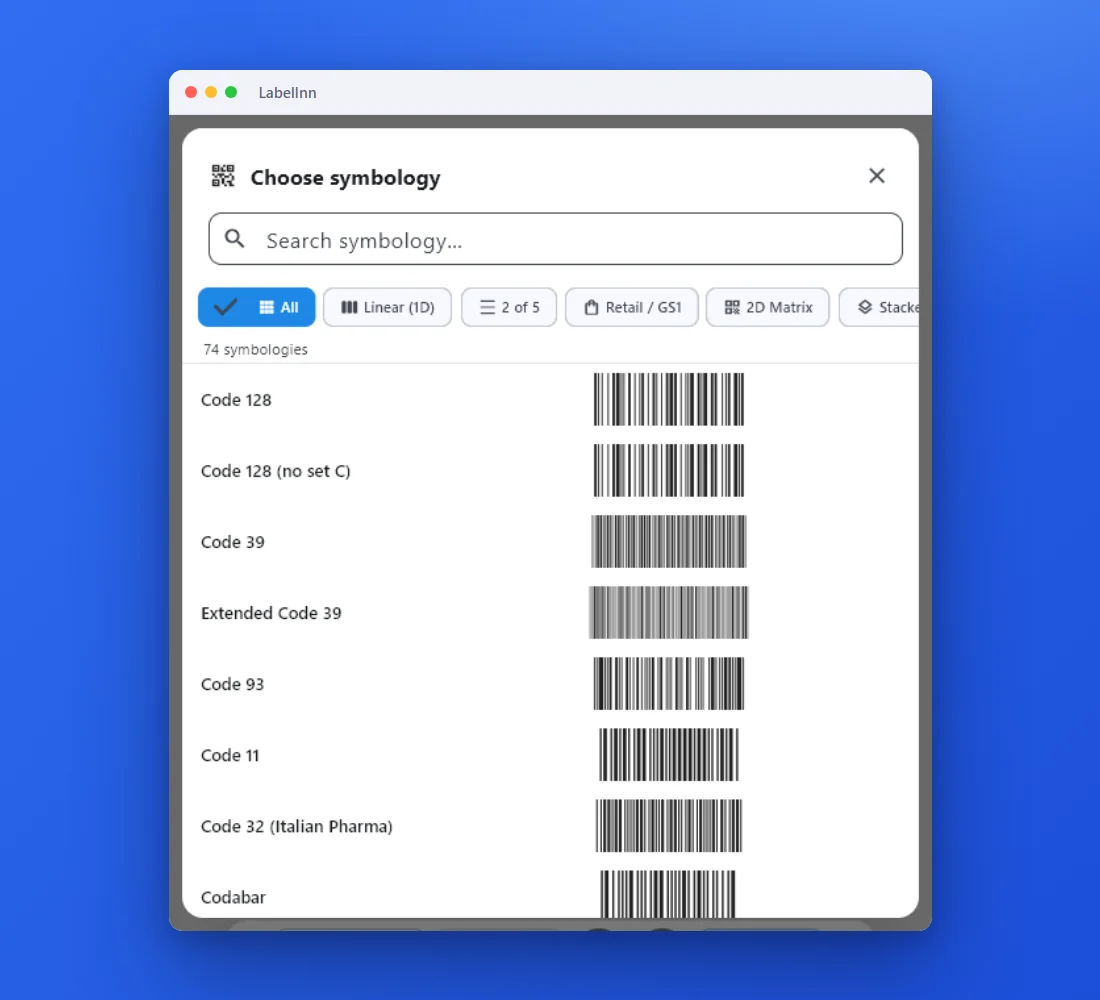 1Choose from 74 symbologiesEvery entry shows a live preview, so you pick the code by sight instead of by name.
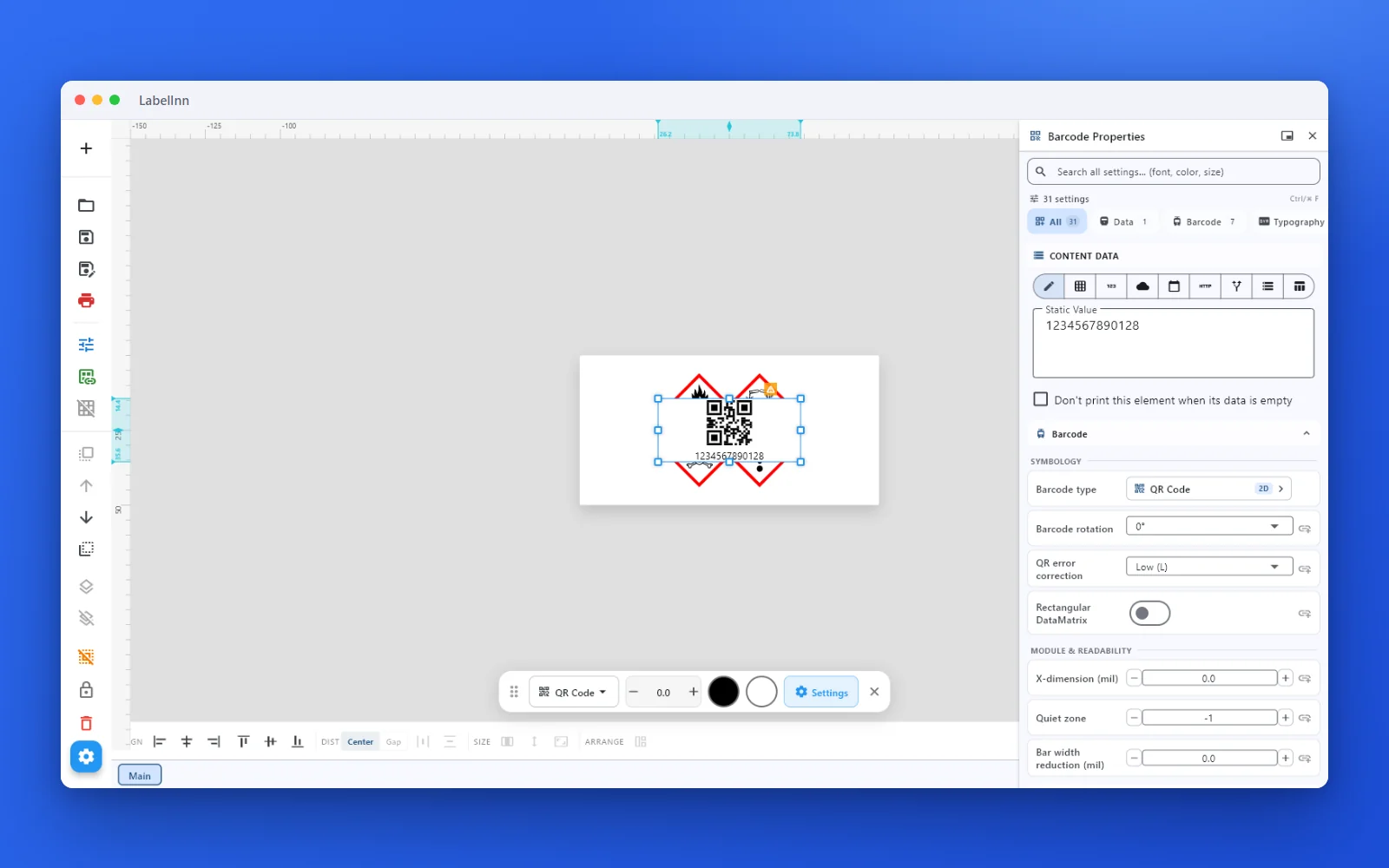 2Set the data and the readability rulesStatic value, spreadsheet column, database field or counter, plus X-dimension and quiet zone.
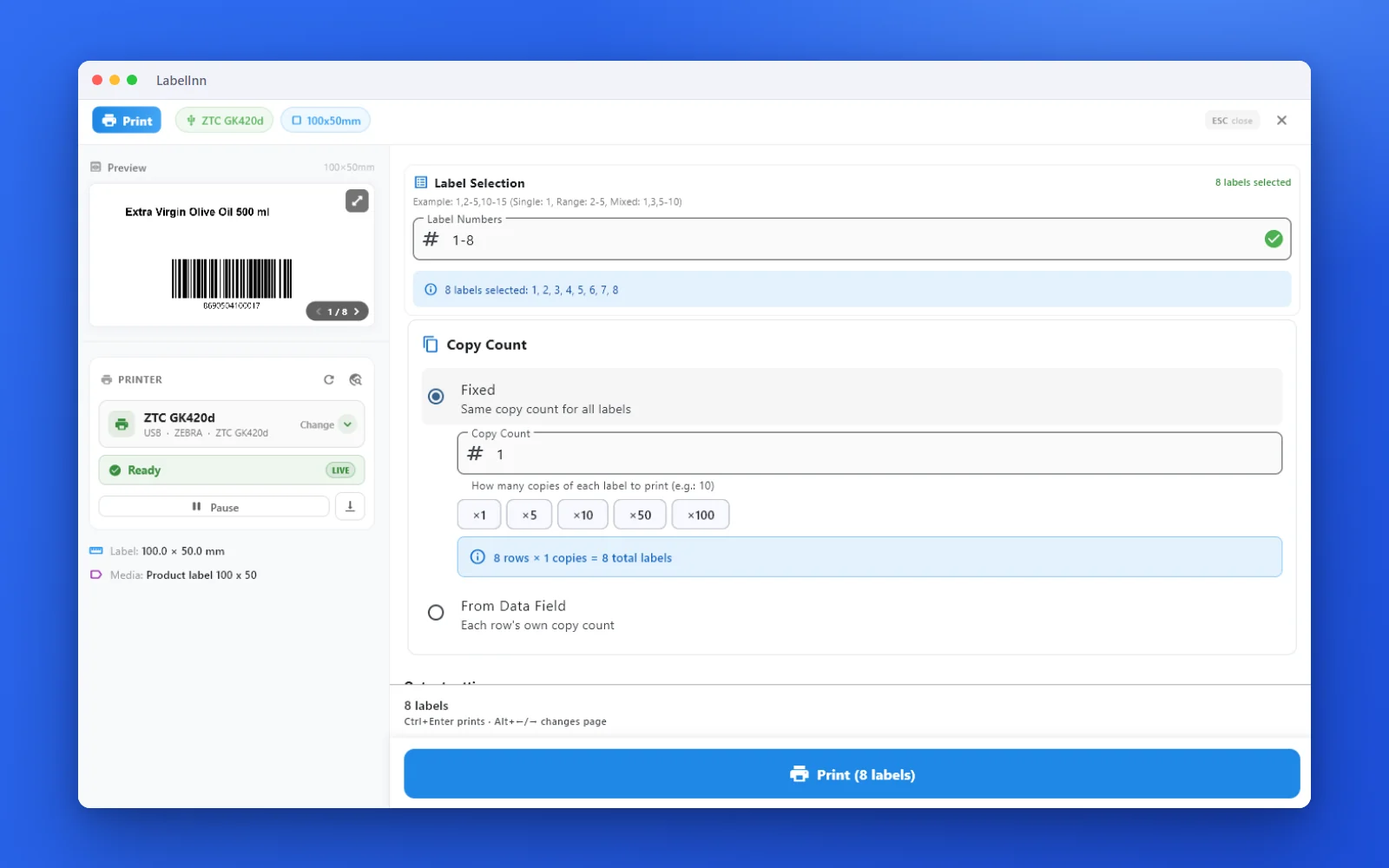 3Preview, then printCheck the real label, choose the printer and the number of copies, and print.
The fixPick the symbology from a preview list, set the module width and quiet zone, and check the real label before you print.Get LabelInn free
QUESTIONS / FAQ
Frequently asked questions
Is this QR code generator really free?
Yes — no signup, no watermark, no scan limits. Everything runs in your browser, so nothing you type is uploaded.
Does a static QR code expire?
No. A static QR code encodes the data directly in the pattern, so it never expires and works forever with no account. Only dynamic QR codes that redirect through a third-party server can stop working if that service shuts down.
How do I make a WiFi QR code?
Enter WIFI:T:WPA;S:YourNetwork;P:YourPassword;; — anyone who scans it joins your WiFi without typing the password.
Can I download it as SVG or PNG?
Yes. Download as scalable SVG, high-resolution PNG, or a print-ready PDF.
How do I print a QR code on a label?
Download the image and print it, or use the free LabelInn app to place the QR code on a full label and print directly to Zebra, TSC and more — including bulk runs from Excel.