AI ASSISTANT / INSIDE THE APP
Describe the label. The AI builds it in your editor.
Below are real conversations with LabelInn’s AI, word for word, next to the screens they produced. Nothing was retouched: every label on this page came from one or two typed sentences.
01 / ONE SENTENCE
Say what the label is for
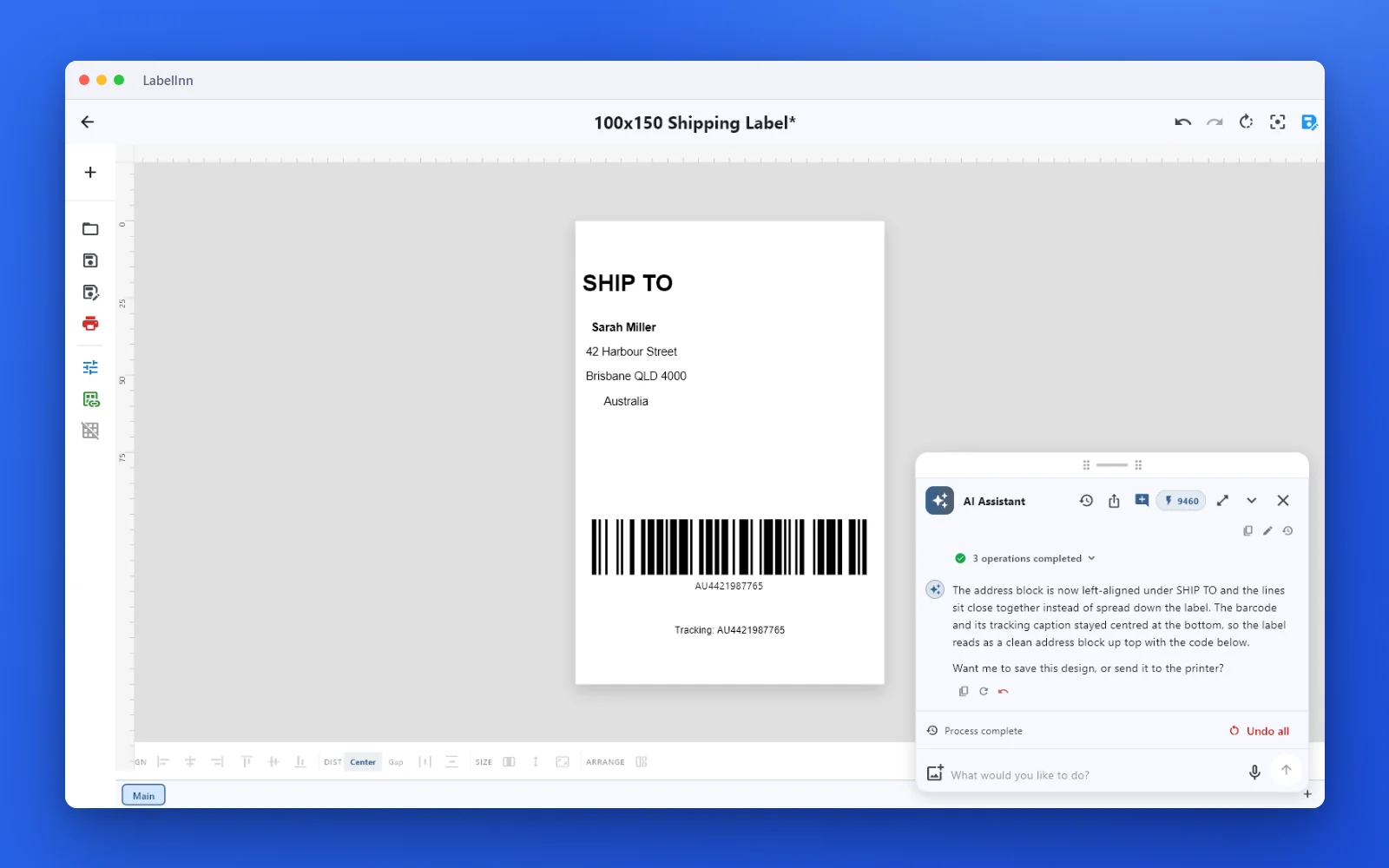
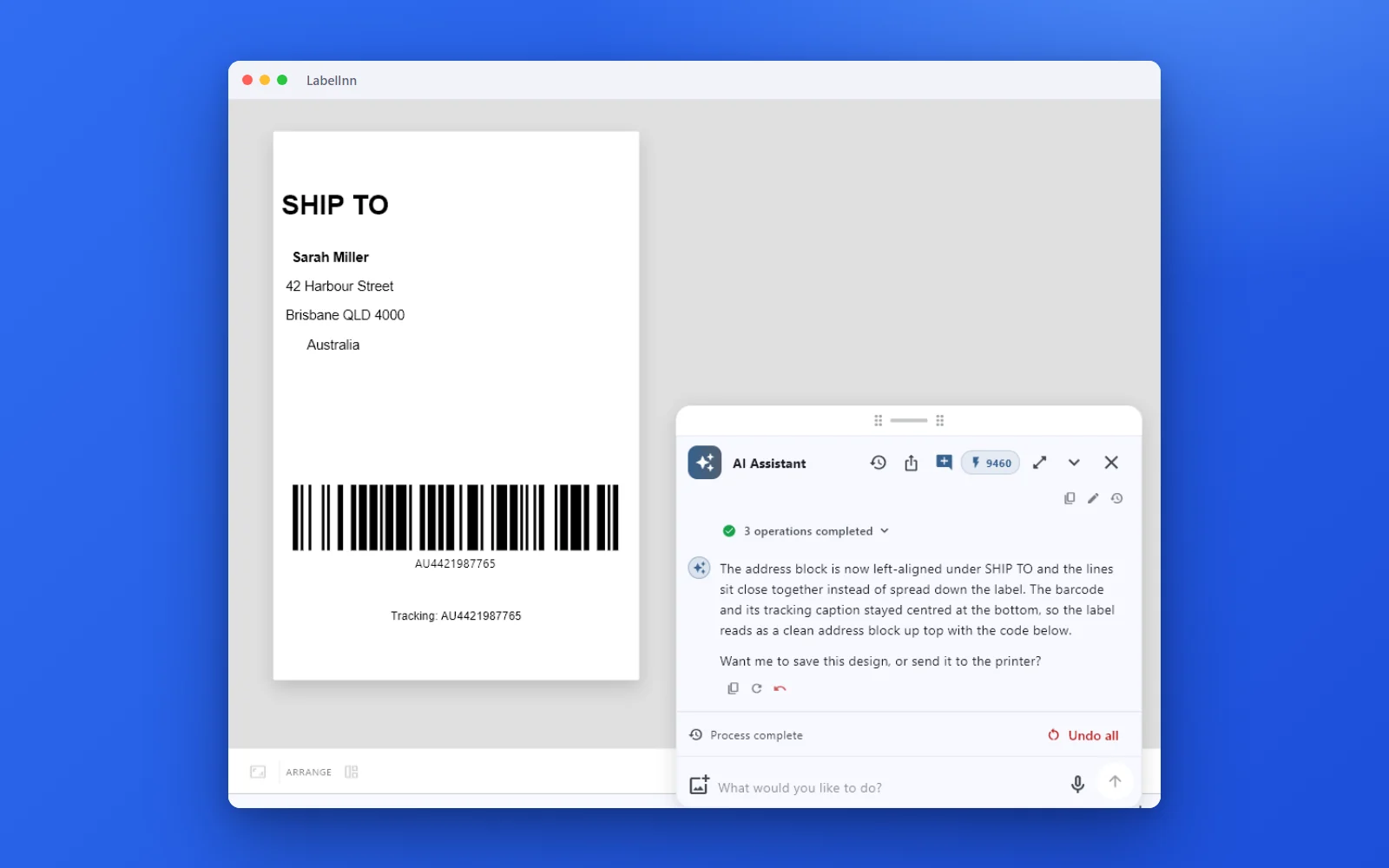
A shipping label from one sentence, then a correction in plain words. The second request changes the same design instead of starting over.
YouI need a 100x150 mm shipping label. Ship to: Sarah Miller, 42 Harbour Street, Brisbane QLD 4000, Australia. Tracking number AU4421987765 as a barcode.
The 100x150 mm shipping label is on the canvas: "SHIP TO" as the heading, Sarah Miller's address (42 Harbour Street, Brisbane QLD 4000, Australia) centred beneath it, and a Code 128 barcode with the tracking number AU4421987765 plus its caption below. The address is typed as fixed text — if this label will be reused for other shipments, I can bind those fields to live order data instead. Want me to add shipping icons (fragile, this-way-up) or send it to the printer?
YouLeft-align the address under SHIP TO and close up the gaps between the lines.
The address block is now left-aligned under SHIP TO and the lines sit close together instead of spread down the label. The barcode and its tracking caption stayed centred at the bottom, so the label reads as a clean address block up top with the code below. Want me to save this design, or send it to the printer?
02 / YOUR DATA
Drop in a spreadsheet, get one label per row
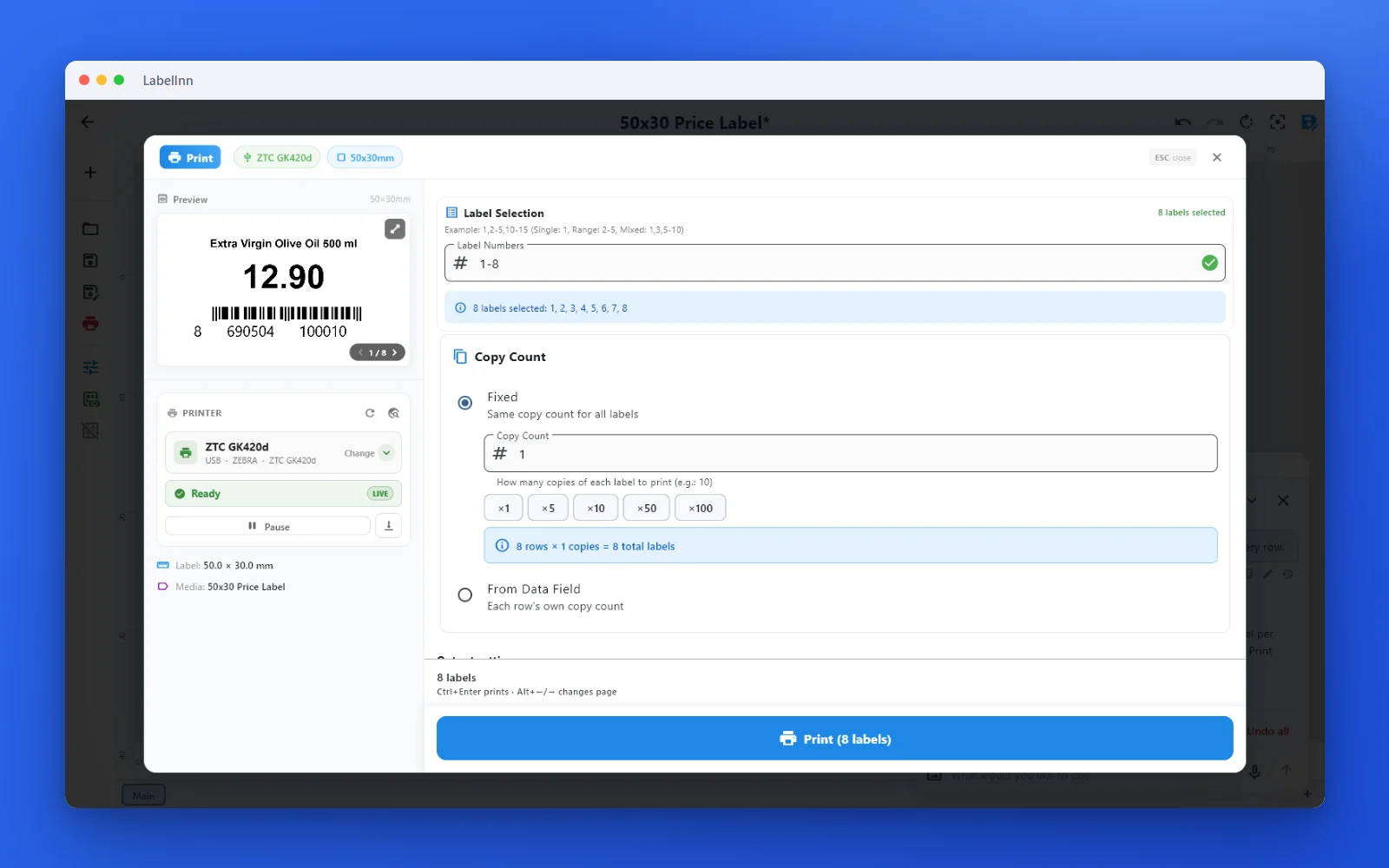
Attach a CSV or Excel file in the chat. The AI binds the columns to the fields, then opens the print dialog with every row selected.
YouMake 50x30 mm price labels from this file: product name, price and the barcode from each row.
The label is built on a 50x30 mm thermal layout: the product name on top, the price as the large bold hero in the middle, and the EAN-13 barcode from the file underneath — all three bound to the columns of demo-products.csv, so each of the 8 rows prints its own label. Want me to open the print dialog for all 8 rows now?
YouPrint one label for every row.
The print dialog is open with all 8 rows queued — one label per product, each with its own name, price and barcode. Press Print there to start the run.
03 / DATES
Dates that fill themselves in
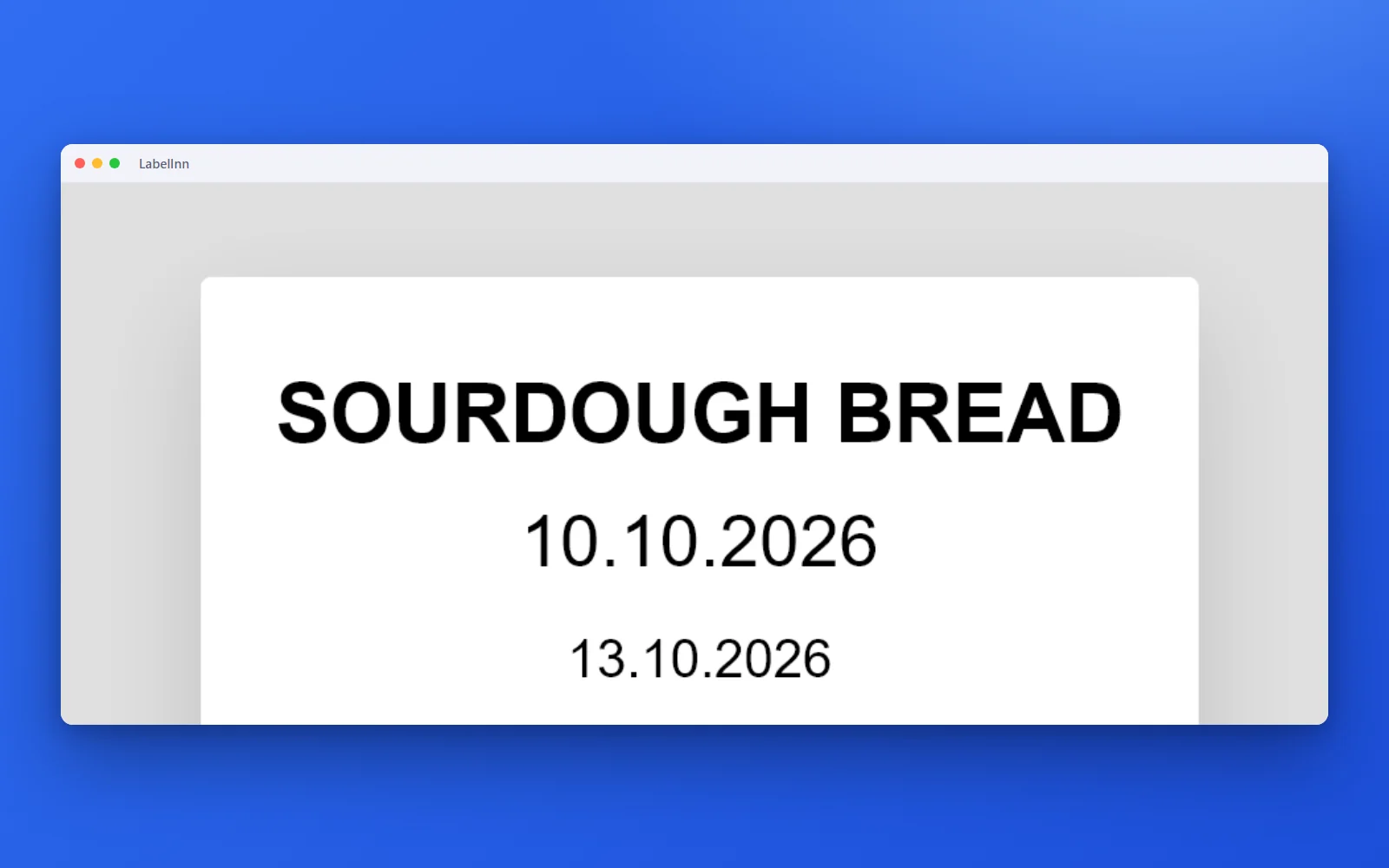
Ask for “baked today, best before 3 days later” and the dates are live fields, not typed text.
You50x30 mm label for sourdough bread: baked today, best before 3 days later, keep in a cool dry place.
The sourdough label is on the canvas: a bold "SOURDOUGH BREAD" heading, the baking date, the best-before date three days later, and "Keep in a cool, dry place" underneath. Both dates are live, not typed — the baked date always shows today and the best-before date always shows today plus three days, so the label stays correct tomorrow and the day after. Want me to save it under a name, or print a batch?
04 / SERIALS
Numbers that count up on every label
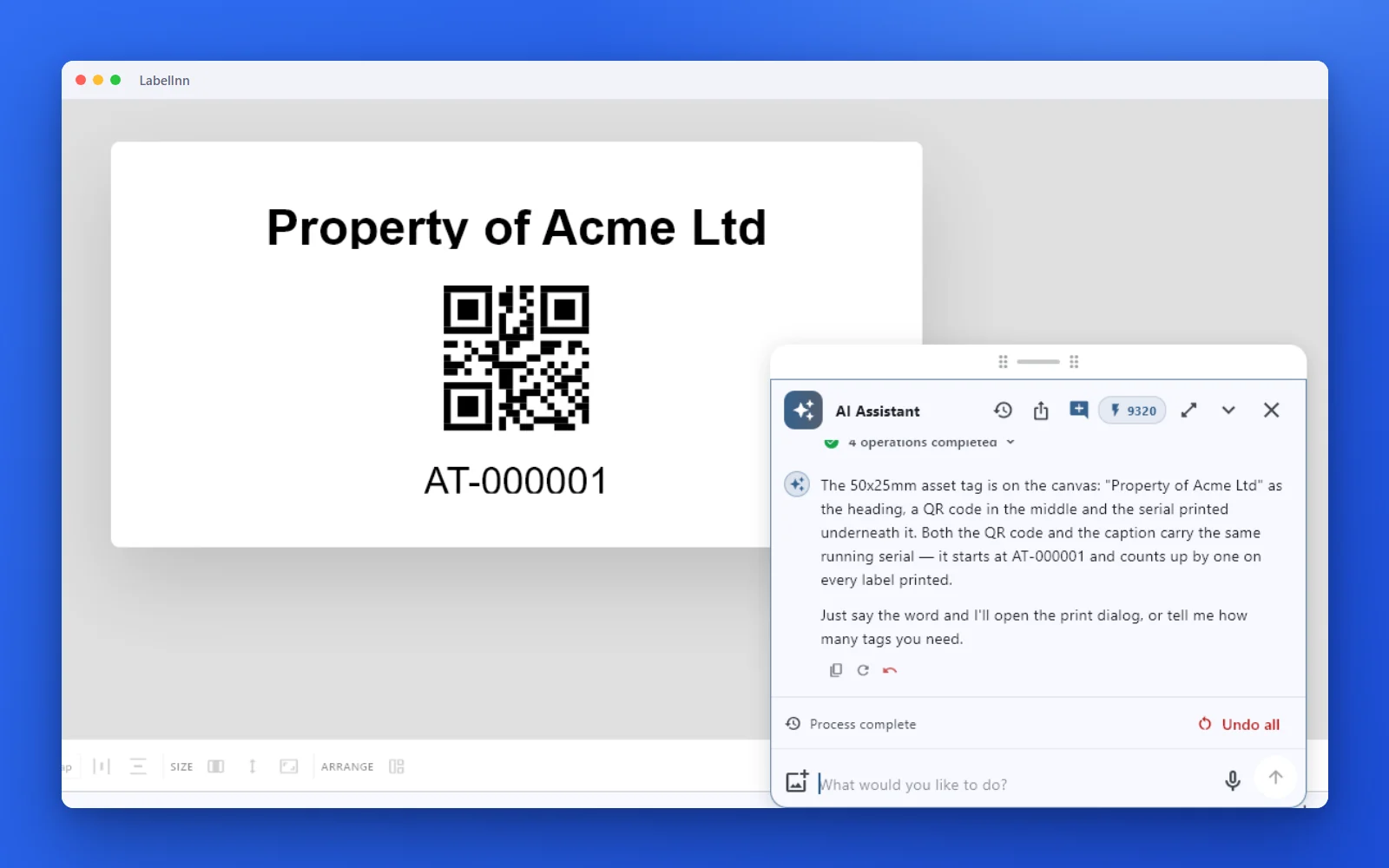
Asset tags with a QR code and a printed serial that both advance by one per label.
YouAsset tags, 50x25 mm: "Property of Acme Ltd" and a QR code with the serial AT-000001 that counts up on every label.
The 50x25mm asset tag is on the canvas: "Property of Acme Ltd" as the heading, a QR code in the middle and the serial printed underneath it. Both the QR code and the caption carry the same running serial — it starts at AT-000001 and counts up by one on every label printed. Just say the word and I'll open the print dialog, or tell me how many tags you need.
05 / AUTOMATION
And it can run without you
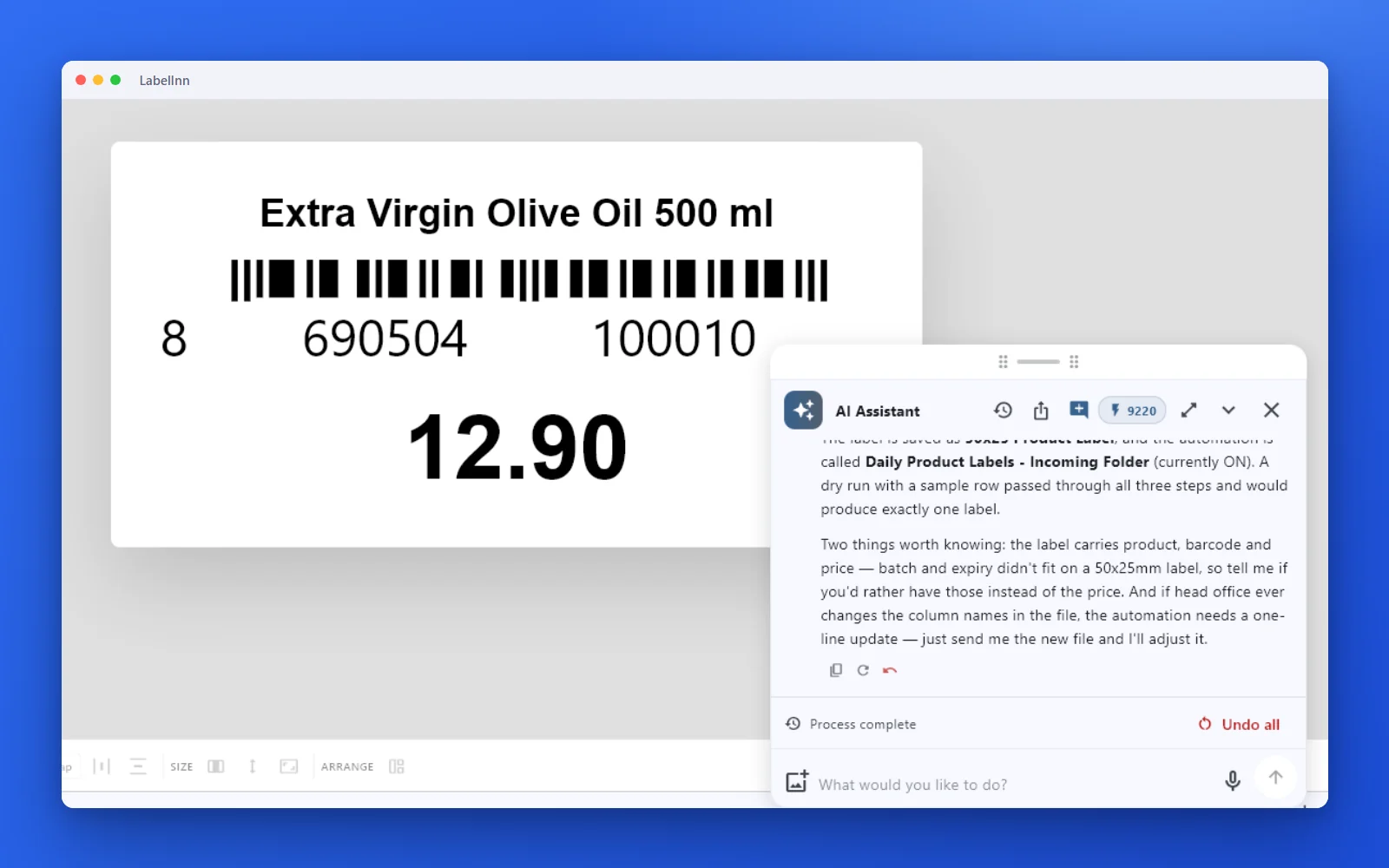
Head office sends the same spreadsheet every morning. Tell the AI where you save it, and it sets up a watched folder that prints one label per row and moves the file aside afterwards.
YouYes. I save the file to C:\LabelInn-demo\incoming
Yes — it's set up and switched on. What happens now: every time a spreadsheet lands in C:\LabelInn-demo\incoming, LabelInn reads it and prints one 50x25 label per row on the ZTC GK420d — product name, EAN-13 barcode and price, filled from the file's own columns. No clicking. Once a file has been printed it is moved to C:\LabelInn-demo\incoming\arsiv, so the same file can never print twice, and a half-written file is only picked up when it's complete. The label is saved as 50x25 Product Label, and the automation is called Daily Product Labels - Incoming Folder (currently ON). …
06 / PLANS
Included in every plan
The assistant runs on AI credits included in every plan: 100 a month on Free, 250 on Starter, 500 on Pro and 1,000 on Enterprise, and a new account gets 100 welcome credits once on top. Each step it takes on your label (building it, binding a column, opening the print dialog) uses 10 credits; reading your printers and files is free.
FAQ
Frequently asked questions
Does the AI print by itself?
No. It opens the print dialog with the printer, the rows and the copies already set, and says nothing has been printed yet. You press Print.
Is the result a normal LabelInn design?
Yes. It is built in the same editor you use by hand, so you can move anything, change the font or bind another column, and save it like any other design.
Can I correct what it made?
Yes, in plain words. In the shipping example the second request (“left-align the address and close up the gaps”) changed the same label instead of starting again.
How does it use my spreadsheet?
Attach the CSV or Excel file in the chat. The fields are bound to its columns, so each row fills its own label, and the print dialog counts the rows for you.
Which printers does it work with?
The ones LabelInn drives: Zebra (ZPL), TSC, Xprinter and Godex (TSPL), Toshiba TEC (TPCL) and Epson ColorWorks. The examples here were set up for a ZTC GK420d.
Can I use it from my own AI tools?
Yes. LabelInn also has a hosted MCP server, so Claude, Cursor and other agents can create and print labels.
KEEP GOING
Related pages
NEXT STEP / LABELINN
Describe your first label
Download LabelInn, open the AI panel and type what the label is for. · Free plan · No credit card required · Windows, macOS, Android, Web