Hash-Chained Audit LogSHA-256 hash-chained and per-company HMAC-signed, self-verifying audit log. Tampering breaks the chain.
ALL FEATURES
Everything You Need for Professional Labeling
Design once, connect live business data, automate the handoff, and send native output to your label printers — from the app or your own systems.
FREE PLAN · NO CREDIT CARD · WINDOWS / MAC / LINUX / WEB

Design · Visual label editor
Connect · Excel · SQL · API
Automate · Cloud · edge · workflow
Print · Native printer output
01
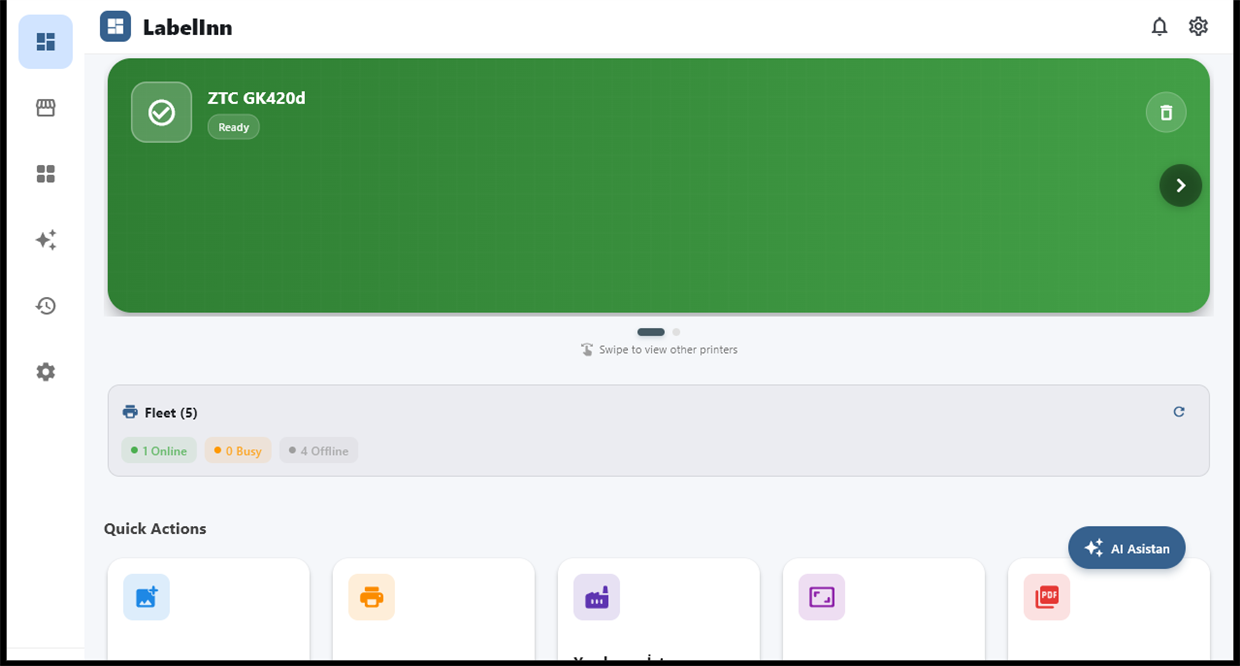
Programmable Print API
Print from any system you own. One canonical endpoint — POST https://labelinn.com/v1/print/jobs — turns LabelInn into programmable label infrastructure for your stack.
For Developers
- Idempotency Keys — Safe retries; the same key never double-prints
- Scheduled, Batch, Retry & Reprint — Queue now or later, in bulk, with reprint
- Webhooks — Get notified on print status changes
- Scoped API Keys —
sk_live_/sk_test_, hashed, scoped, rate-limited - OAuth2 PKCE — "Sign in with LabelInn" for third-party apps
- Audit-Grade Capture — Raw print payloads captured for traceability
- SDKs & OpenAPI — Node, Python, Go, C# helpers plus an OpenAPI spec
02
AI & MCP — Agents That Print
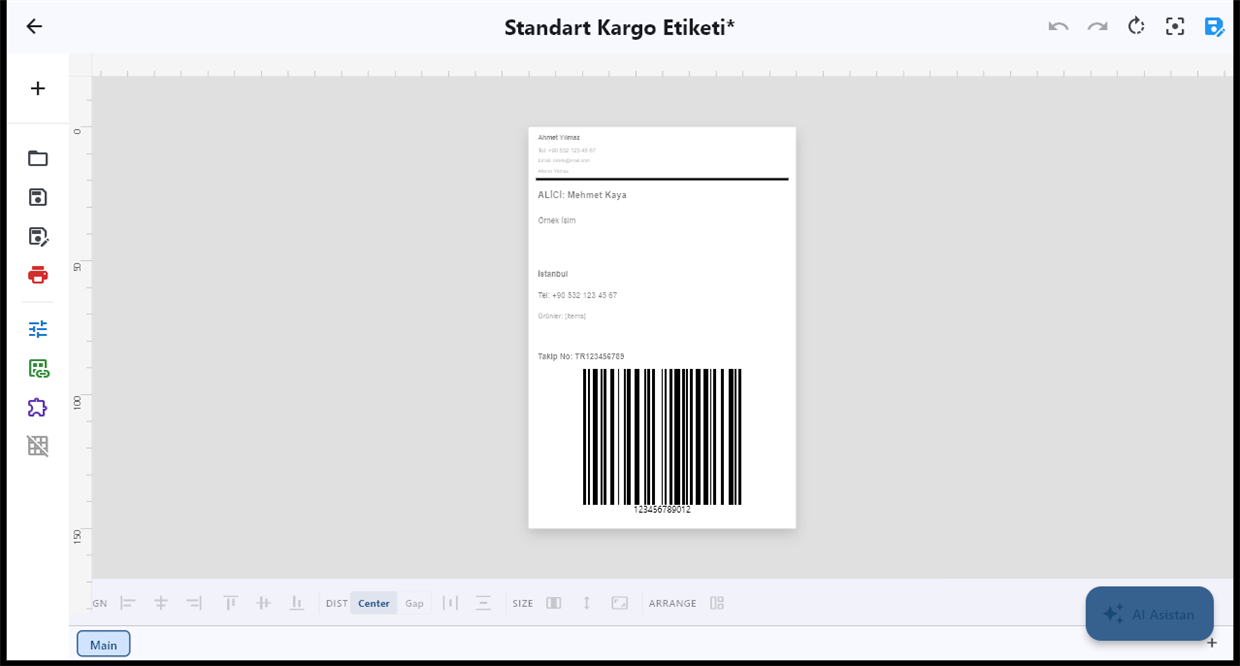
LabelInn ships a Model Context Protocol server, so AI agents don't just draft a design — they physically print it. The first label platform built for the agentic era.
Agent-Native
- Hosted MCP Server —
https://labelinn.com/v1/mcpwith 50 tools - Local stdio MCP — ~120 tools for full local control
- Works with Claude, GPT, Copilot & Cursor — Agents design and print
- In-App AI Assistant — Agentic design with Google Gemini, 100+ canvas tools
- AI Image Generation & Vision Review — Generate art (Imagen) and let AI review designs
03
Speaks Every Printer's Native Language
- Native ZPL — With Z64 image compression for Zebra and all ZPL printers
- Native TSPL / TSPL2 — TSC and compatible printers
- Native Toshiba TPCL — With TOPIX compression, hardware-verified on B-FV4 / BV400
- Native Epson ESC/Label — Full color (e.g. ColorWorks)
- USB, TCP/IP 9100 & Bluetooth — Driverless raw USB (Windows + macOS), network, SPP + BLE
- Bidirectional Status Readback — Cover, paper, head, ribbon and paused states across all four languages
- Driverless OR Windows v4 Driver — Included, code-signed XPSDrv driver set up for you; print from Word, Edge, Chrome and PDFs, with app coverage expanding. No driver hunting →
04
Visual Workflow & Rules Engine
Wire up how labels get chosen and printed with a visual node graph — no code. Runs in the cloud or on an on-prem edge runtime.
- Node-Graph Builder — Router, Design-selection and Print nodes on a visual canvas
- Router Logic — Route each record to the right design automatically
- Workflow Linter — Catches broken or unwired graphs before they run
- Cloud + On-Prem Edge Runtimes — Same workflow, online or on the LAN

05
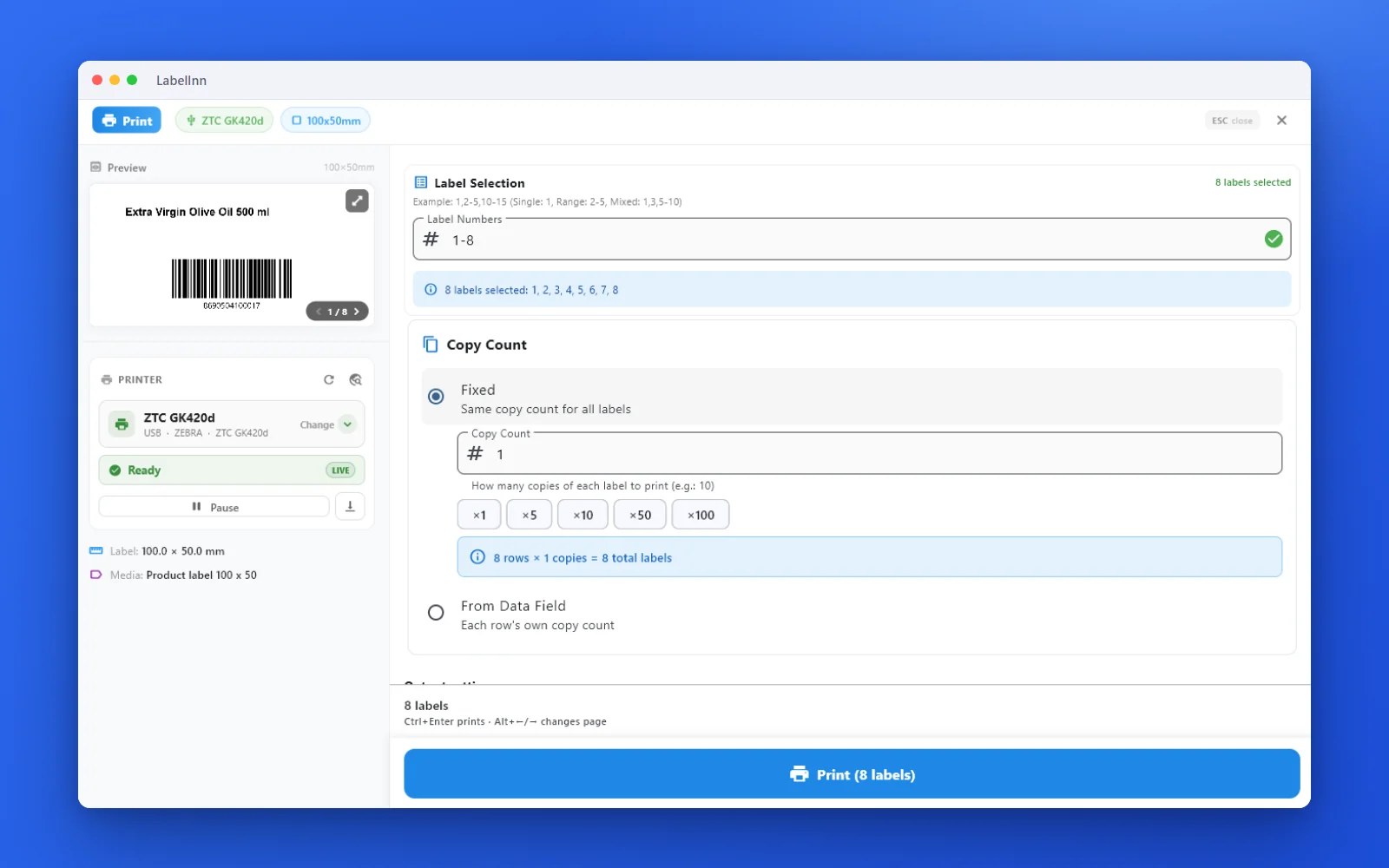
Customizable Print Dialog
The operator checkpoint, tailored to your floor. Decide exactly what your team sees and can change at print time.
- Section Toggles — Show or hide each part of the dialog per workflow
- Pinned Values — Lock fields so operators can't change them by mistake
- Database Lookups — Pull live values into the dialog at print time
- LOT → Design Swap — A LOT or batch input swaps to the matching design
06
Compliance & Traceability
Immutable Print HistoryEvery print is recorded and database-rule enforced — it can't be silently edited or deleted.
E-Signature ApprovalApprovals require a fresh re-authentication, in FDA 21 CFR Part 11 / EU Annex 11 style.
Saved-vs-Printed CapturePer-element capture of what was saved versus what actually printed, for full provenance reconstruction.
GHS / CLP Label EngineH-codes + P-codes + container size + language → compliant hazard label: pictograms, CLP Article 26 precedence, Annex I sizing, signal word, 25+ EU languages, Annex VIII UFI. Output is a draft for your competent person to verify.
Provenance ReconstructionRebuild the full story of any label — who, what, when, and from which data.
07
Enterprise Data Connectivity
Print straight from your system of record. A read-only on-prem db-bridge sidecar connects your databases without your credentials ever leaving the machine.
- Oracle, SQL Server, PostgreSQL, MySQL/MariaDB — Read-only connectors
- Credentials Stay Local — On-prem loopback bearer-auth sidecar; secrets never leave the machine
- SELECT-Only SQL Guard — Read-only by design; no writes can reach your database
- Local Query Audit — Every query is logged on your own machine (hash of the statement + row count, never the SQL text or the rows)
- AI Query Builder — Describe the rows you need in plain English; it writes dialect-correct, read-only SQL (Oracle, SQL Server, PostgreSQL, MySQL, SAP HANA)
- Any System Can POST — SAP and other systems print via the REST API; HANA on a bring-your-own-driver basis
08
Live HTML & Charts on Labels
Go beyond static text and barcodes. Render live HTML and data-driven charts directly onto your labels.
- Live HTML Rendering — Bring rich, styled content onto the label
- Data-Driven Charts — Turn values into charts right on the label
- Lossless Render — Same output across desktop, web and cloud
09
Design in Your Browser + Role-Based Team Access
A full WYSIWYG label designer lives right in the web dashboard — included for your whole team, never a separately licensed add-on. Control who can do what with role-based access.
- Browser WYSIWYG Designer — Text, barcode, QR, shapes, image and PDF
- Lossless Round-Trip — Edit in the browser, desktop or cloud — same design
- Role-Based Access Control — Owner, admin, editor, operator, viewer
- Invite by Email — Add teammates instantly; PII-gated, enforced server-side
10
Powerful Design Tools
Create professional labels with an intuitive drag-and-drop editor. No design experience needed.
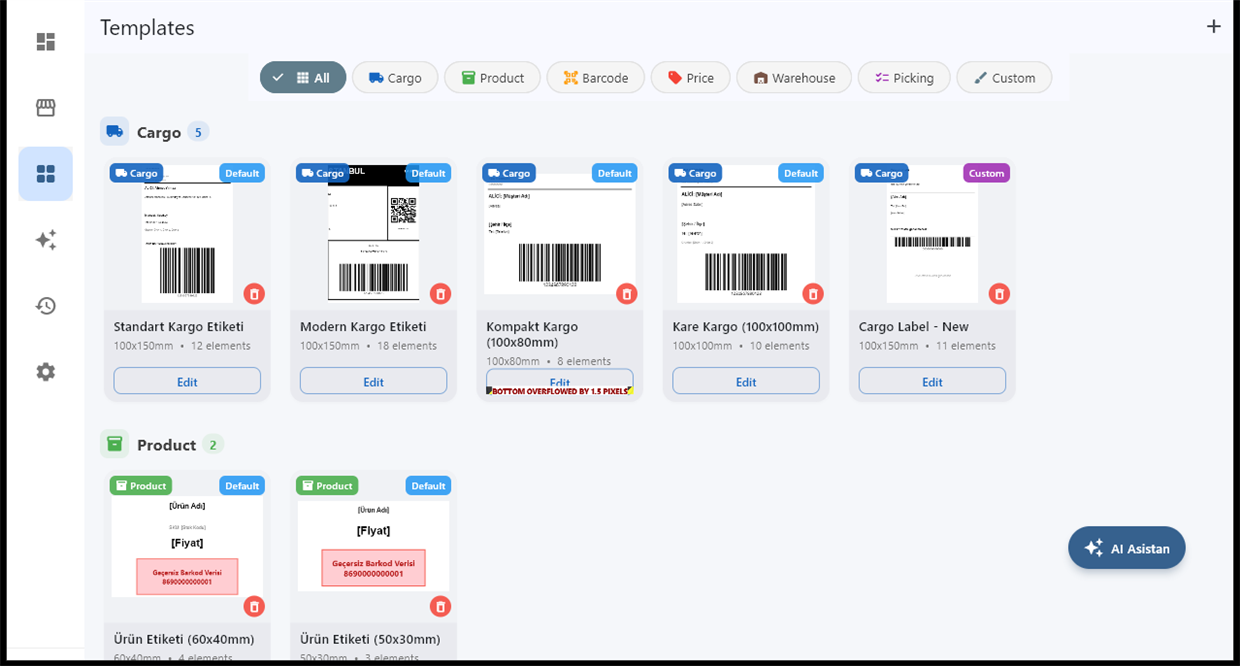
- Drag & Drop Editor — Text, images, shapes, barcodes
- 20+ Barcode Formats — EAN-13, Code 128, QR Code, DataMatrix, PDF417
- Template Library — Ready-made templates to get started fast
- Real-Time Preview — WYSIWYG editing, see changes instantly
- Variable Data — Print hundreds of unique labels from Excel/CSV
- Chemical Warning Symbols — Built-in GHS/CLP symbol library
11
AI Label Design Assistant
Tell the AI what you need, and it creates professional label designs automatically. Like having a graphic designer on demand.
AI-Powered
- AI Label Design — Describe your label, AI creates it
- AI Message Reader — Extract name, address, phone from WhatsApp/Instagram messages
- Voice Commands — "Print shipping labels for today's orders"
- AI Setup Helper — Step-by-step printer configuration guidance
- Design Marketplace — Buy designs from real graphic designers
12
50+ Printer Support — No Drivers Needed
- Auto Discovery — Finds printers on your network automatically
- Manual & IP Add — Add by IP address or USB when needed, no drivers
- Native Protocols — ZPL, TSPL, Toshiba TPCL & Epson ESC/Label auto-detected
- Auto Media Detection — Detects label roll size automatically
- Bluetooth, Wi-Fi, USB — All connection types supported
- Zebra — ZD220, ZD420, ZD621, ZT410, ZT230 & all ZPL
- Epson — ColorWorks C4000, C6000, C8000, TM series
- TSC — Alpha, TTP, TE series & TSPL protocol
- Brother — QL, TD series
- Toshiba — B-EV4, B-FV4 series & TPCL
- Bixolon — SLP, SRP, XD series
- Honeywell — PC42, PC43, PM series
- Argox — CP, OS, iX series
- SATO — CL, CT series
- Godex — G500, EZ series & EZPL
13
13 Marketplace Integrations
- Auto Order Sync — Orders pulled automatically from all platforms
- One-Click Labels — Select orders, print all shipping labels at once
- Auto Shipment Creation — Create shipments & get tracking numbers
- Order Management — Filter, search, sort orders from all stores
- Picking Lists — Auto-generated picking lists for warehouse
- Auto-Print Rules — Automatically print when new orders arrive
- Trendyol — Marketplace
- Hepsiburada — Marketplace
- Amazon — Marketplace
- Shopify — E-Commerce
- WooCommerce — E-Commerce
- Etsy — Marketplace
- ikas — E-Commerce
- N11 — Marketplace
- Çiçeksepeti — Marketplace
- Pttavm — Marketplace
- eBay — Marketplace
- Ozon — Marketplace
- Bol.com — Marketplace
14
Build Your Shipping Connection
- Define Shipment Creation — Map the carrier endpoint and request body you are authorized to use
- Normalize Tracking — Map provider responses into tracking, barcode and label fields
- Preview First — Inspect a secret-redacted request before enabling live side effects
- Write Back Safely — Use confirmation and idempotency for shipment and marketplace updates
- REST API
- OpenAPI
- cURL Import
- Bearer Auth
- API Key Auth
- Dry Run
- Idempotency
- Tracking Map
- Barcode Map
- Writeback
15
PDF Import & Batch Printing
Import PDF files and print them directly on your thermal printer. Supports batch operations for high-volume workflows.
- Quick PDF Print — Drag-and-drop or share a PDF, auto-sized to your label roll
- Smart PDF Cropper — Auto-crops multi-page PDFs to label size
- Variable Data Printing — Hundreds of unique labels from Excel/CSV
- ERP Integration — Connect Netsis, Logo, Micro or custom databases
- Progress Tracking — Real-time view of print queue and status
16
Apps and Browser, One Account
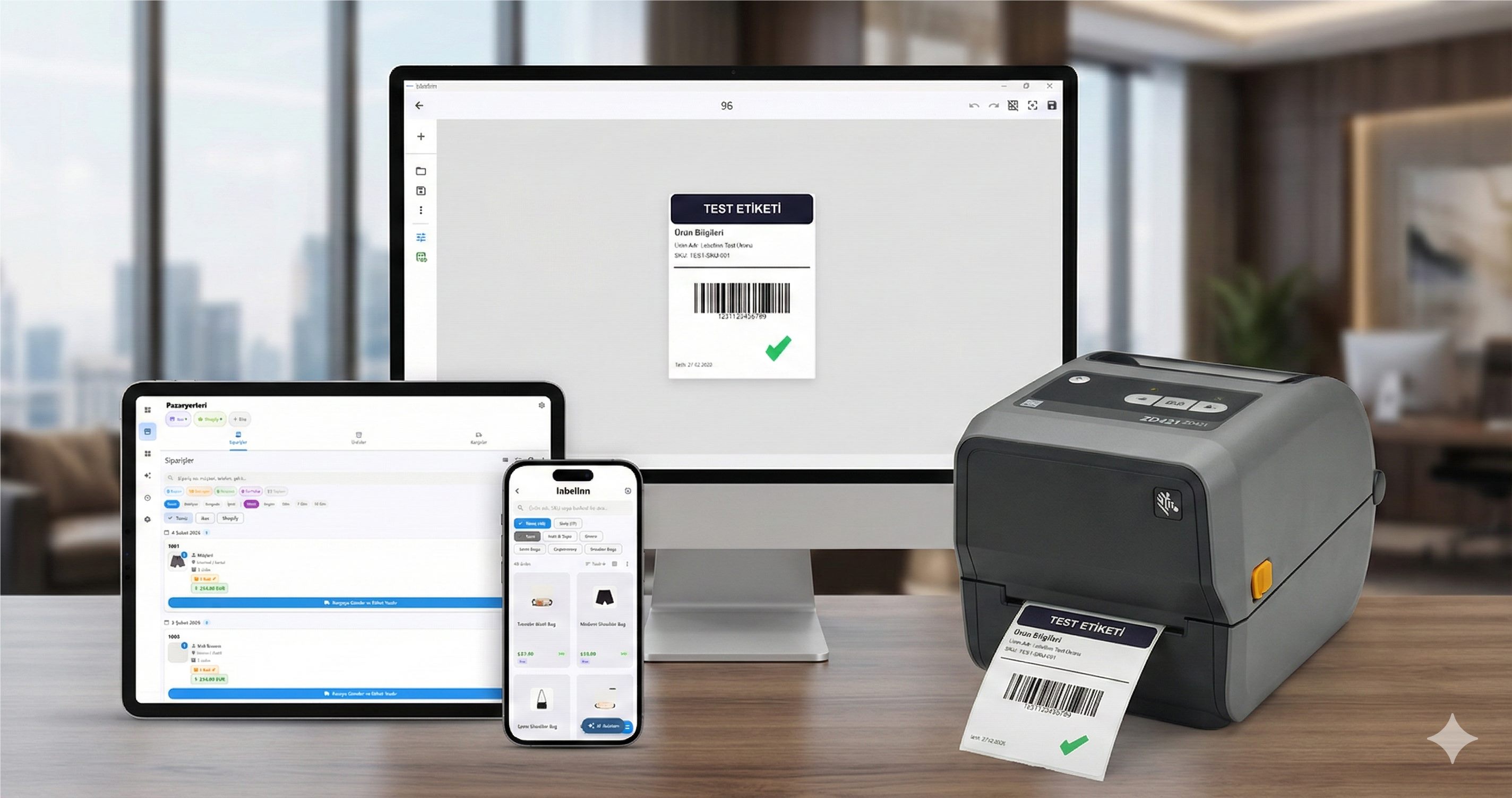
Native apps for Android, Windows and macOS, plus the browser designer. Keep designs in sync and print from a supported app.
- Mobile App — LabelInn for Android phones and tablets
- Desktop Apps — Native Windows and macOS apps
- Cloud Sync — Same data across all your devices, instantly
- Remote Print — Print from your phone to a PC-connected printer via cloud
- Offline Mode — Works without internet connection
17
Old Method vs LabelInn
The Old Way
- Install separate drivers for each printer model
- Use different apps for design, printing, and orders
- Manual printer setup and media configuration
- Only works on Windows — no mobile support
- No marketplace integration — manual data entry
- Pay $500+/year for basic label software
The LabelInn Way
- No drivers — auto-discover your printer, start printing
- One app for design, print, orders, and shipping
- Auto setup — network discovery and auto media detection
- Works on Android, Windows, macOS and the web
- 13 marketplace integrations with auto-sync
- Free plan available; Starter from $7.99/month, Pro $24.90/month
18
Enterprise Features
Multi-User & RolesUnlimited users with role-based access control. Define who can print, design, or manage orders.
Multi-Printer ManagementManage dozens of printers from one panel. Health monitoring, usage stats, and alerts.
Analytics DashboardPrint reports, cost analysis, usage trends, and team productivity metrics.
Employee PermissionsControl which printers and labels each team member can access.
Printer Health MonitoringRibbon/ink levels, error states, and maintenance schedule alerts.
Usage ReportsHow many labels printed, error rates, consumable usage — detailed reports.
19
Built for Speed & Reliability
Layered RenderingStatic backgrounds rendered once, dynamic data per label. Up to 70% faster.
Parallel ProcessingMultiple label renders in parallel. Hundreds of labels in minutes.
Smart CacheFirst 10 labels proactively cached, rest lazy-rendered. Zero memory leaks.
Progress TrackingReal-time print queue with labels printed, remaining, and ETA.
NEXT STEP / LABELINN
Ready to Simplify Your Labeling?
Try all features with a 14-day free trial. No credit card required.