Free ITF-14 Barcode Generator
Create ITF-14 barcodes for shipping cartons and outer cases from a 14-digit GTIN. Bearer bars, automatic check digit, and clean PNG, SVG or PDF output — free, no signup, no watermark.
Barcode settings
#000000
#FFFFFF
Preview
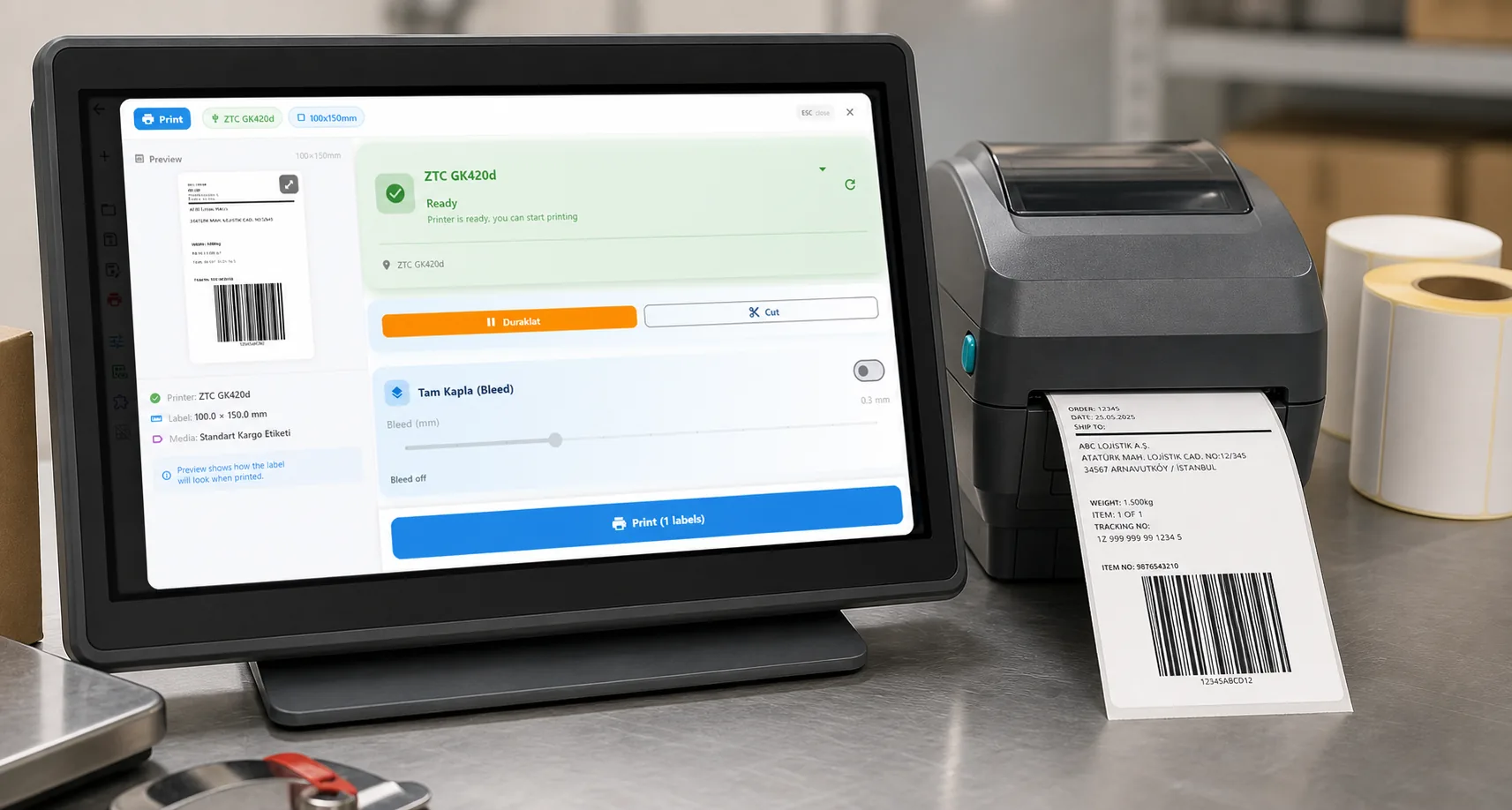
The free LabelInn app places your ITF-14 barcode on a full case label with product text, a case count and your logo, then prints directly to Zebra and TSC thermal printers — including bulk case labels from an Excel sheet of GTINs.
01
What an ITF-14 barcode is — and when to use it
An ITF-14 barcode encodes the 14-digit GTIN of a shipping carton or case: the outer box that holds a fixed number of retail units. When a full case moves through a warehouse or distribution centre, a scanner reads the ITF-14 to identify the whole carton at once — not the products inside it. If you sell "6 units per box," the case gets its own GTIN-14, and this is the symbology that carries it. The generator above defaults to ITF-14 (bcid itf14), so you can type your carton GTIN and download a print-ready code right away.
ITF-14 is a fixed-length application of Interleaved 2 of 5 (I2of5) restricted to exactly 14 digits and wrapped in a bearer-bar frame. Because it is a coarse, high-tolerance 1D code, it prints and scans reliably on rough corrugated board where a fine retail barcode would smear and fail.
02
The 14 digits: how the number is built
An ITF-14 number is always exactly 14 digits, laid out like this:
| Part | Digits | What it means |
|---|---|---|
| Packaging indicator | 1 | 1–8 = a defined case quantity/level; 0 = the case holds mixed items; 9 = variable-measure trade item. |
| GS1 company prefix | varies | Assigned to the brand owner by GS1; identifies who owns the product. |
| Item reference | varies | The rest of the base number identifying the specific product. |
| Check digit | 1 | A mod-10 checksum. Enter 13 digits and it is calculated for you; enter all 14 and it is verified. |
A common shortcut: take the retail unit's 13-digit GTIN base (the EAN-13 without its check digit), put the packaging indicator in front, and recompute the check digit — that is exactly the ITF-14 for a case of that product. The tool does the check-digit math automatically, so you never have to work it out by hand.
03
Why cartons use ITF-14 instead of EAN-13
EAN-13 and UPC-A are for point-of-sale. They identify one retail unit and are printed finely so a checkout scanner can read them at close range. Put that same fine barcode on a shipping carton and two things go wrong: it scans as the individual product (wrong quantity for the warehouse), and the fine bars smear on corrugated board.
ITF-14 solves both. It gives the case its own GTIN so a scan means "one case of N units," and its wide bars survive coarse printing directly on brown board. That is why ITF-14 is the standard on outer packaging and EAN-13/UPC-A stay on the retail unit inside. Need the retail codes too? Generate an EAN-13, UPC-A or Code 128 on the full barcode generator.
04
Bearer bars and printing on corrugated
The thick frame around an ITF-14 is the bearer bar. On Interleaved 2 of 5, a scan that clips the edge of the symbol can read a shorter, wrong number; the bearer bar forces the scanner to see the whole code or nothing, and it also evens out print pressure so ink or thermal transfer lands consistently across a rough surface. Keep it — an ITF-14 without a proper bearer bar and quiet zone is a common cause of misreads.
For reliable carton scanning:
- Do not shrink it. ITF-14 is designed to be printed large (a nominal symbol is roughly 142 mm wide at 100%). Give it room; tiny ITF-14 codes fail on corrugated.
- Keep a generous quiet zone. Leave clear space on both sides — the margin slider above controls this — so the scanner can find the code's edges.
- Print with enough bar height. A taller code tolerates a skewed hand-scan; the bar-height slider lets you match your label.
- Prefer black on white. High contrast on a smooth label face beats printing straight onto dark board. Applying a white thermal label gives cleaner scans than direct-to-corrugated ink.
05
How to generate an ITF-14 barcode
- The tool already opens on ITF-14 — no need to change the barcode type.
- Enter your 14-digit carton GTIN in the data box (or 13 digits and let the check digit calculate).
- Adjust bar height, quiet zone and size so the code fits your case label.
- Download as PNG for quick use, SVG for crisp scaling to full carton size, or PDF for a print-ready file.
06
Print ITF-14 case labels with LabelInn
A raw barcode image is only half a carton label. The free LabelInn app lets you drop the ITF-14 onto a full label with the product name, case quantity, lot/date text and your logo, then print it directly to Zebra (ZPL) and TSC (TSPL) thermal printers over USB, network or Bluetooth — no driver juggling. Have a spreadsheet of carton GTINs? Bulk-generate one case label per row straight from Excel. Explore the free label maker to see the full label workflow.
07
Embed this ITF-14 barcode generator on your site
Free to embed — just keep the attribution link. Handy for supplier portals, packaging-spec pages and warehouse intranets where staff need to run off a carton code.
Need a different symbology? Use the full barcode generator for EAN-13, UPC-A, Code 128 and GS1, the dedicated QR code generator, or the free label maker to design the whole carton label.
THE PROBLEM, THEN THE FIX
ITF-14: it looks right on screen, so why will it not scan?
A code that is slightly too small, too tight or the wrong type is the usual reason a scanner refuses it.
The problemThe code is drawn at a size that suits the screen, not the scanner.
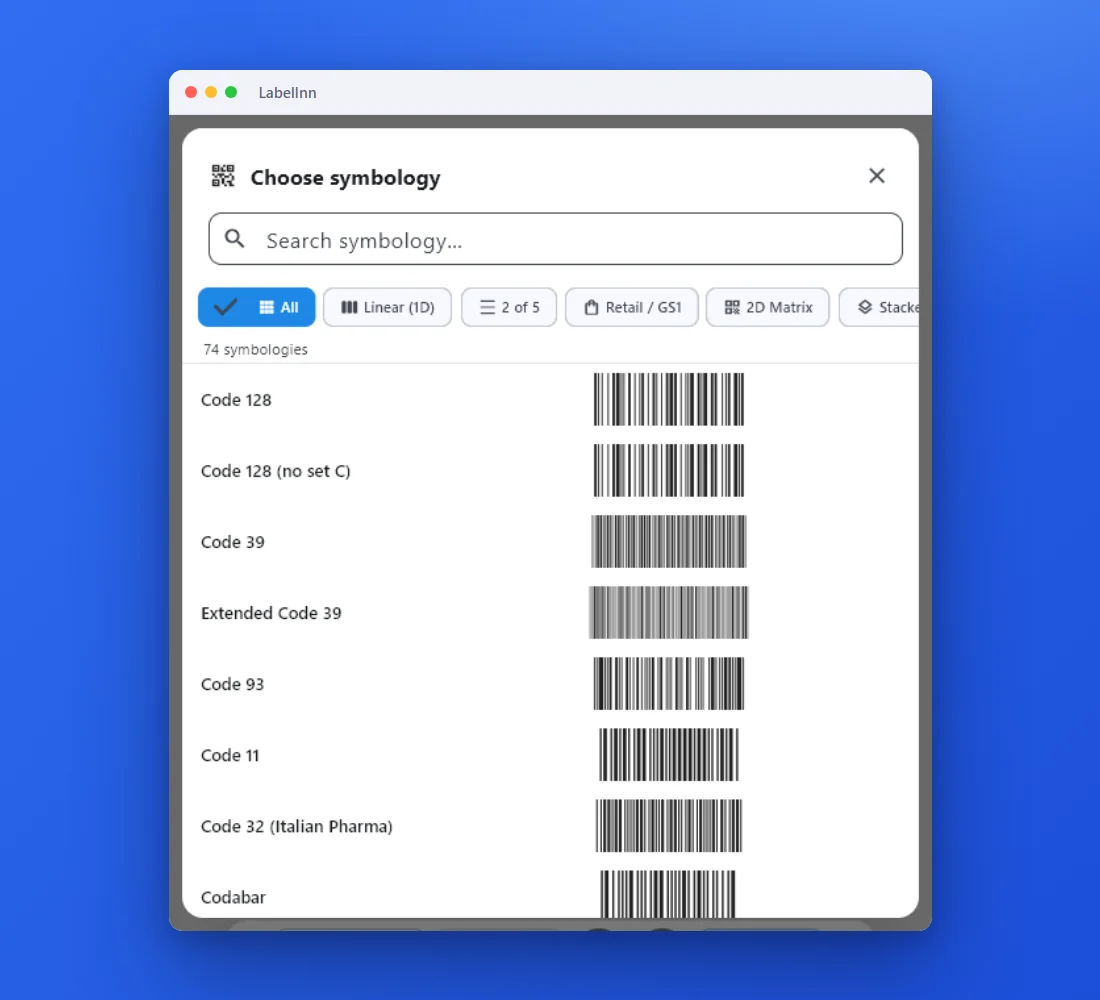 1Choose from 74 symbologiesEvery entry shows a live preview, so you pick the code by sight instead of by name.
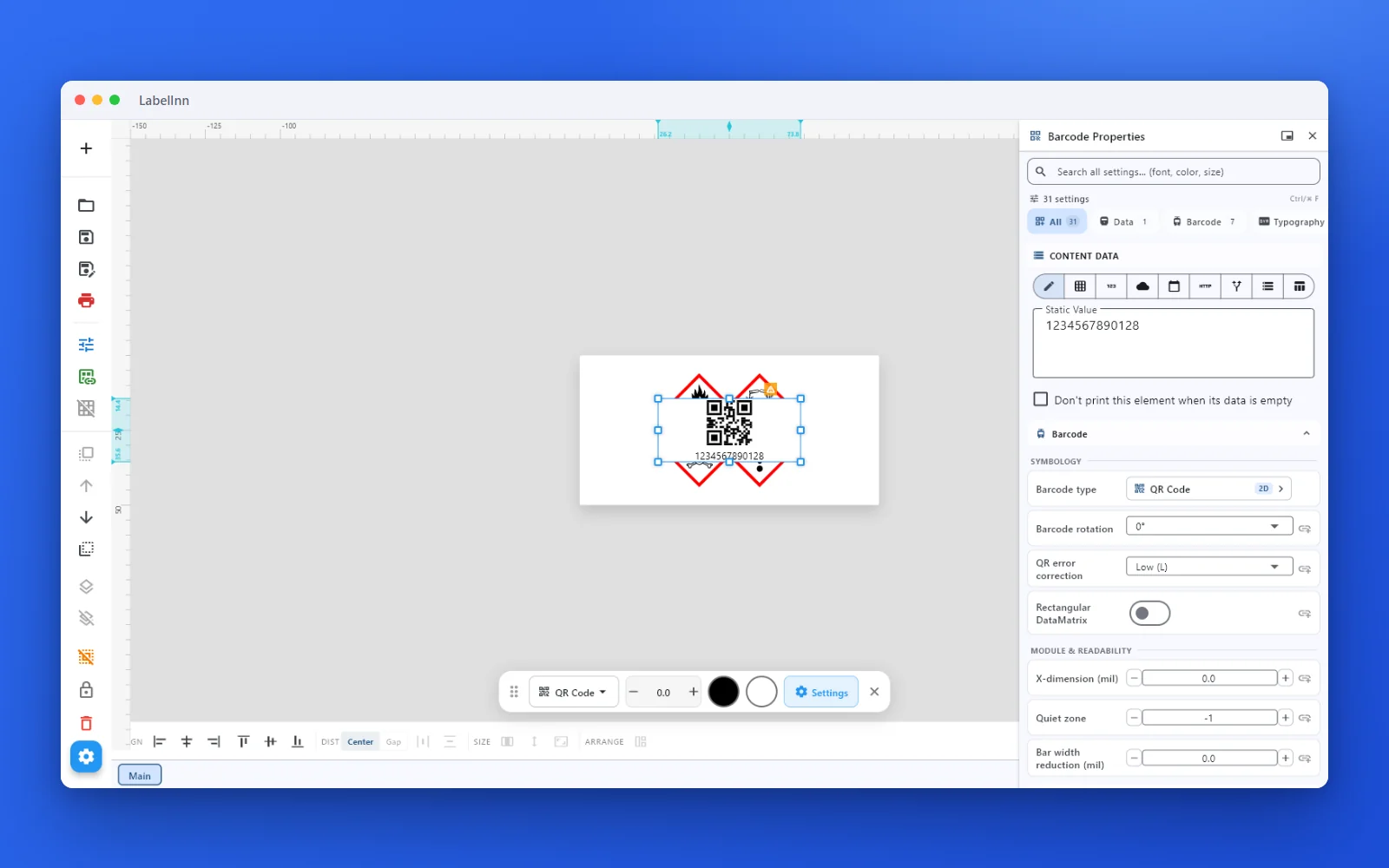 2Set the data and the readability rulesStatic value, spreadsheet column, database field or counter, plus X-dimension and quiet zone.
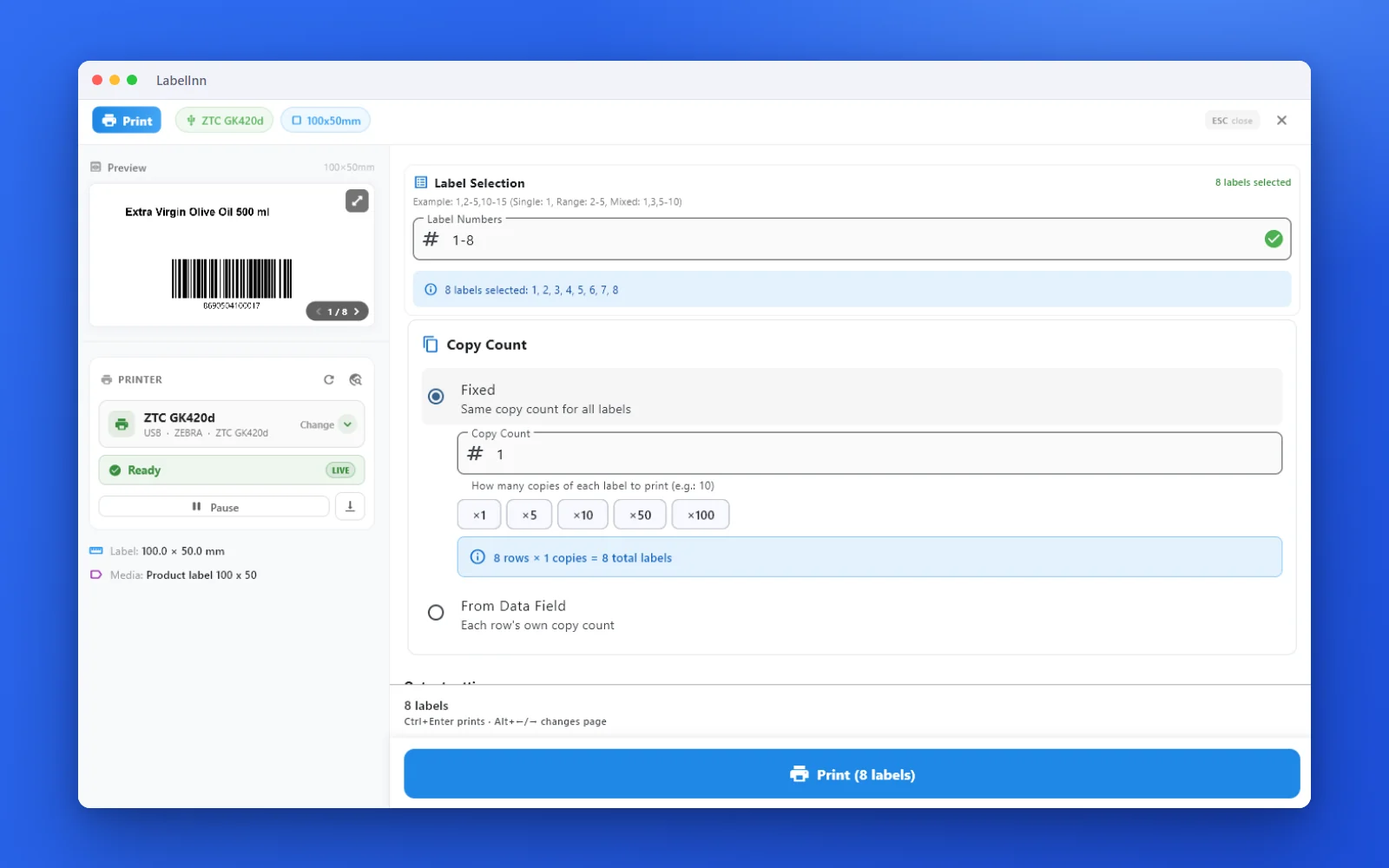 3Preview, then printCheck the real label, choose the printer and the number of copies, and print.
The fixPick the symbology from a preview list, set the module width and quiet zone, and check the real label before you print.Get LabelInn free
QUESTIONS / FAQ
Frequently asked questions
What is an ITF-14 barcode used for?
It encodes the 14-digit GTIN of a shipping carton or case — the outer packaging that holds several retail units. Warehouse and distribution scanners read it to identify a whole case, not the item inside.
How many digits does ITF-14 have?
Exactly 14: a 1-digit packaging indicator, a 13-digit GTIN base, and a check digit. Enter 13 digits and the check digit is calculated automatically; enter all 14 and it is verified.
Why not just reuse the EAN-13 on the carton?
EAN-13 identifies one retail unit for point-of-sale. ITF-14 gives the case its own GTIN so a scan means "one case of N units," and its wide bars survive coarse printing on corrugated board.
What are the bearer bars for?
The thick frame prevents partial scans (a scanner clipping the edge and reading a short, wrong number) and evens out print pressure on rough board. Keep it — dropping it causes misreads.
How do I print it to a Zebra or TSC printer?
Download the image and print it, or use the free LabelInn app to place the ITF-14 on a full carton label and print directly — including bulk case labels from Excel.