Free vCard QR Code Generator
Turn your name, phone, email, company and website into a QR code that saves your contact to any phone on scan — a digital business card. Download as PNG or SVG, free, no signup, no watermark, and it never expires.
vCard QR code settings
#000000
#FFFFFF
Preview
The free LabelInn app places your contact QR code on a real badge or label alongside your name, title and logo, then prints directly to Zebra, TSC, Brother and Bixolon thermal printers — including bulk name badges from an Excel list.
01
A vCard QR code is a digital business card that saves itself
A vCard QR code encodes your contact details — name, phone, email, company and website — directly inside the QR pattern. When someone points a phone camera at it, the phone recognises the contact and offers to save you to their address book in one tap, with no typing and no mis-spelled numbers. Because the data lives inside the code itself, it is a static QR that never expires, needs no account, and never routes through a third-party redirect that could go dark. This generator runs the full bwip-js engine right in your browser, so your details are never uploaded anywhere.
It is already set to QR Code below. Paste (or edit) the sample vCard block, then download it as a crisp PNG or a scalable SVG for a business card, email signature, name badge or shop window.
02
What goes in a vCard payload
A vCard is just structured text between BEGIN:VCARD and END:VCARD. Paste this into the Contact data box and change the values:
| Field | Meaning | Example |
|---|---|---|
FN | Full display name (required for a clean save) | Jane Doe |
N | Structured name: Last;First;Middle;Prefix;Suffix | Doe;Jane;;; |
ORG | Company / organisation | LabelInn |
TITLE | Job title | Sales Manager |
TEL | Phone (use full international format) | +15551234567 |
EMAIL | Email address | jane@example.com |
URL | Website or profile link | https://www.example.com |
ADR | Postal address (optional; makes a denser code) | ;;123 Market St;London;… |
03
vCard vs MeCard — which should you use?
Both formats save a contact from a single QR scan; the difference is size and reach:
- vCard — the universal standard, read natively by iPhone and Android. It carries the most fields (title, address, multiple numbers) but produces a larger, denser code. Use it for anything permanent.
- MeCard — a compact one-line format:
MECARD:N:Doe,Jane;TEL:+15551234567;EMAIL:jane@example.com;URL:https://example.com;;. Fewer characters means a sparser QR that scans well when printed small. Handy for tiny badges or where the vCard code gets too busy.
Both are plain text, so you can paste either one into the box above — the tool encodes exactly what you type.
04
How to generate your contact QR code
- Paste a vCard (or MeCard) block into the Contact data box and fill in your real details.
- Keep error correction at M (or bump to Q/H if you will overlay a logo or print on rough media).
- Adjust size, colors and the quiet zone — the blank margin scanners need around the code.
- Download as PNG, SVG or PDF and drop it on your card or badge.
Tip: keep the payload lean. Every extra line (long addresses, several phone numbers) makes the QR denser and harder to scan when printed small — include only what people actually need to reach you.
05
How to print a vCard QR code on a badge or card with LabelInn
Downloading the image is enough for an email signature or a card you send to a print shop. But if you want the contact QR on a real name badge, event lanyard or business card printed in-house, the free LabelInn app places it on a full label alongside your name, title and logo, then prints directly to Zebra, TSC, Brother, Bixolon and other thermal printers over USB, network or Bluetooth. You can even generate a unique vCard QR per person from an Excel or CSV list and batch-print a whole team's badges in one run.
06
Embed this vCard QR code generator on your site
Free to embed — just keep the attribution link. Great for HR onboarding pages, event microsites and team directory pages.
Want other QR types (URL, WiFi, text)? Use the free QR code generator. Need a different symbology like Code 128 or EAN-13? Try the full barcode generator, or design a whole badge in the free label maker.
THE PROBLEM, THEN THE FIX
vCard QR Code: it looks right on screen, so why will it not scan?
A code that is slightly too small, too tight or the wrong type is the usual reason a scanner refuses it.
The problemThe code is drawn at a size that suits the screen, not the scanner.
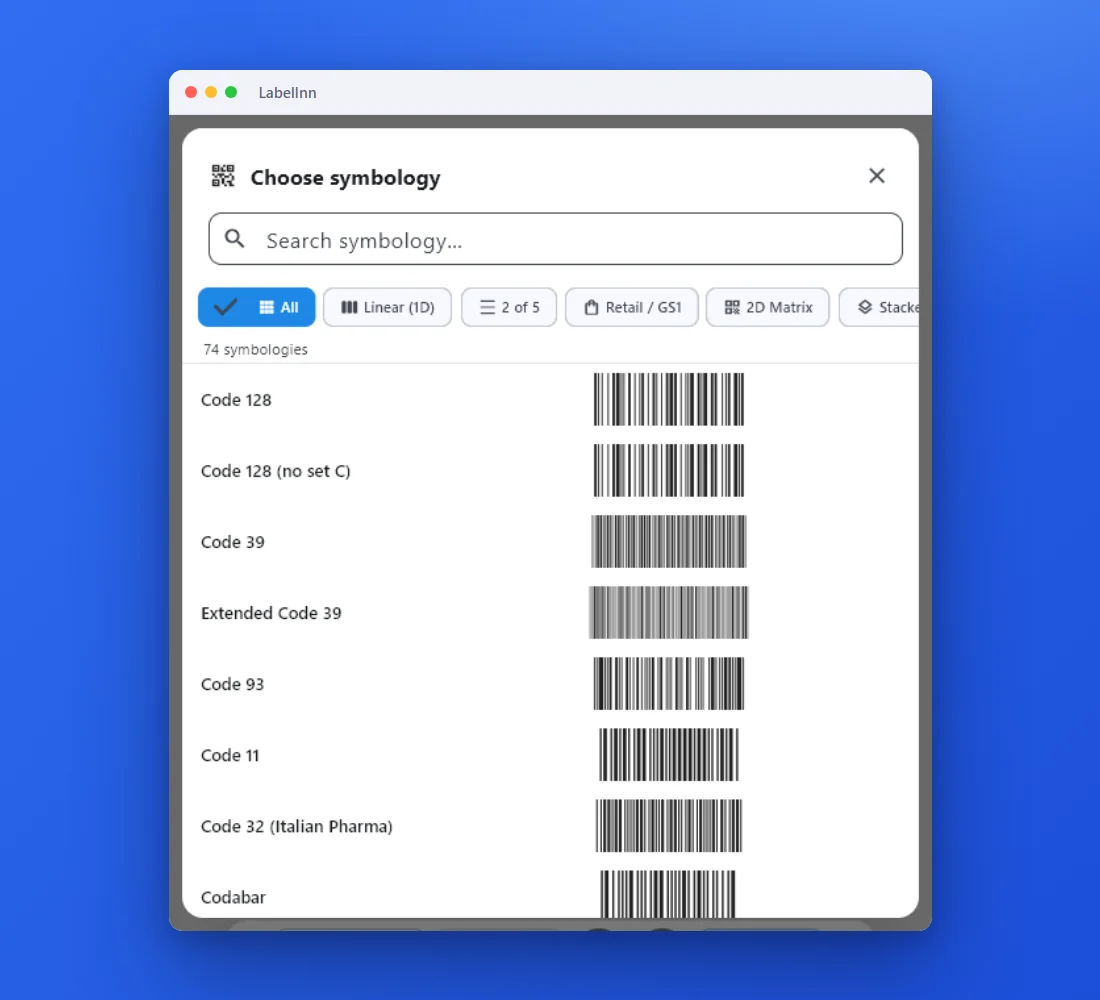 1Choose from 74 symbologiesEvery entry shows a live preview, so you pick the code by sight instead of by name.
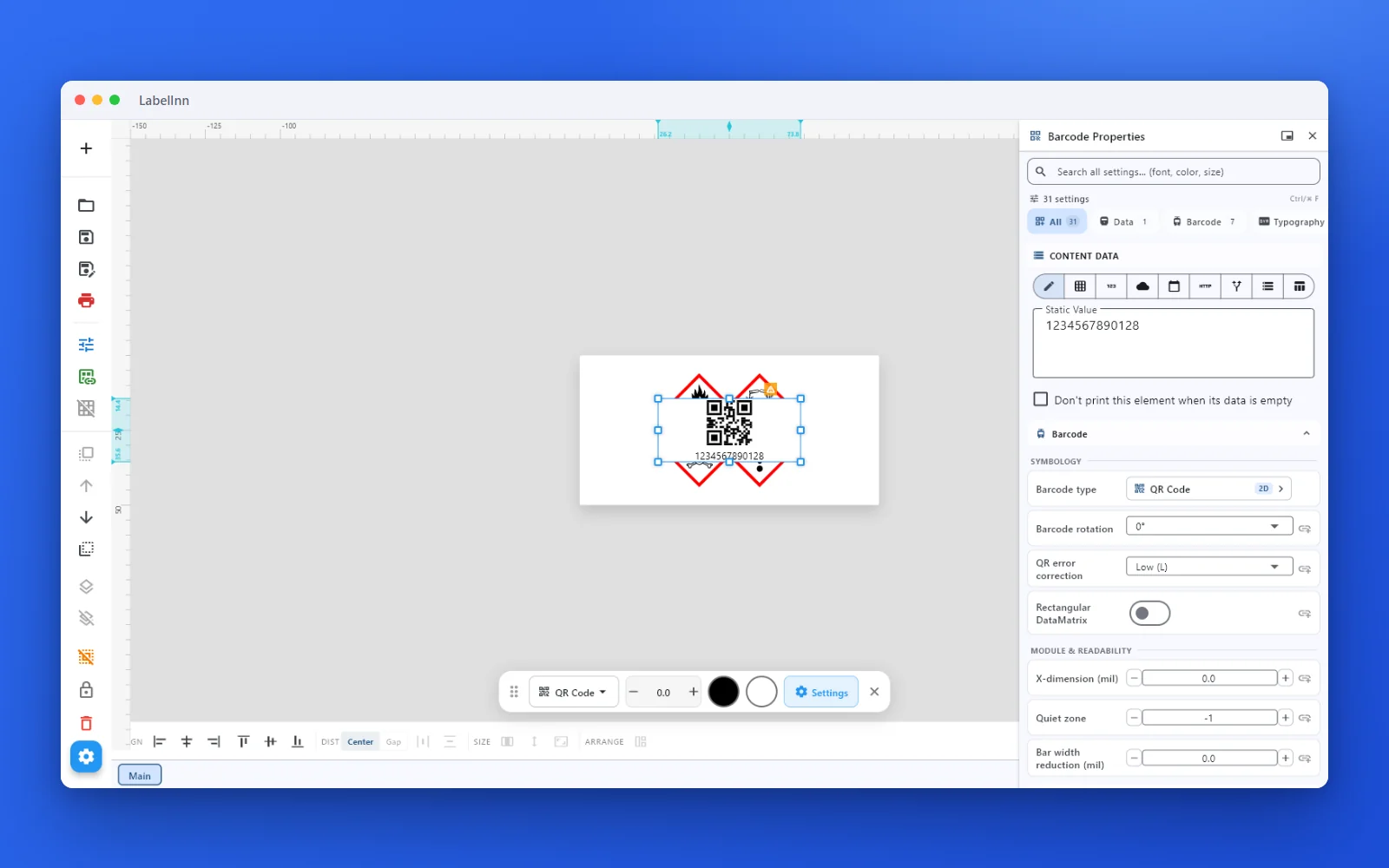 2Set the data and the readability rulesStatic value, spreadsheet column, database field or counter, plus X-dimension and quiet zone.
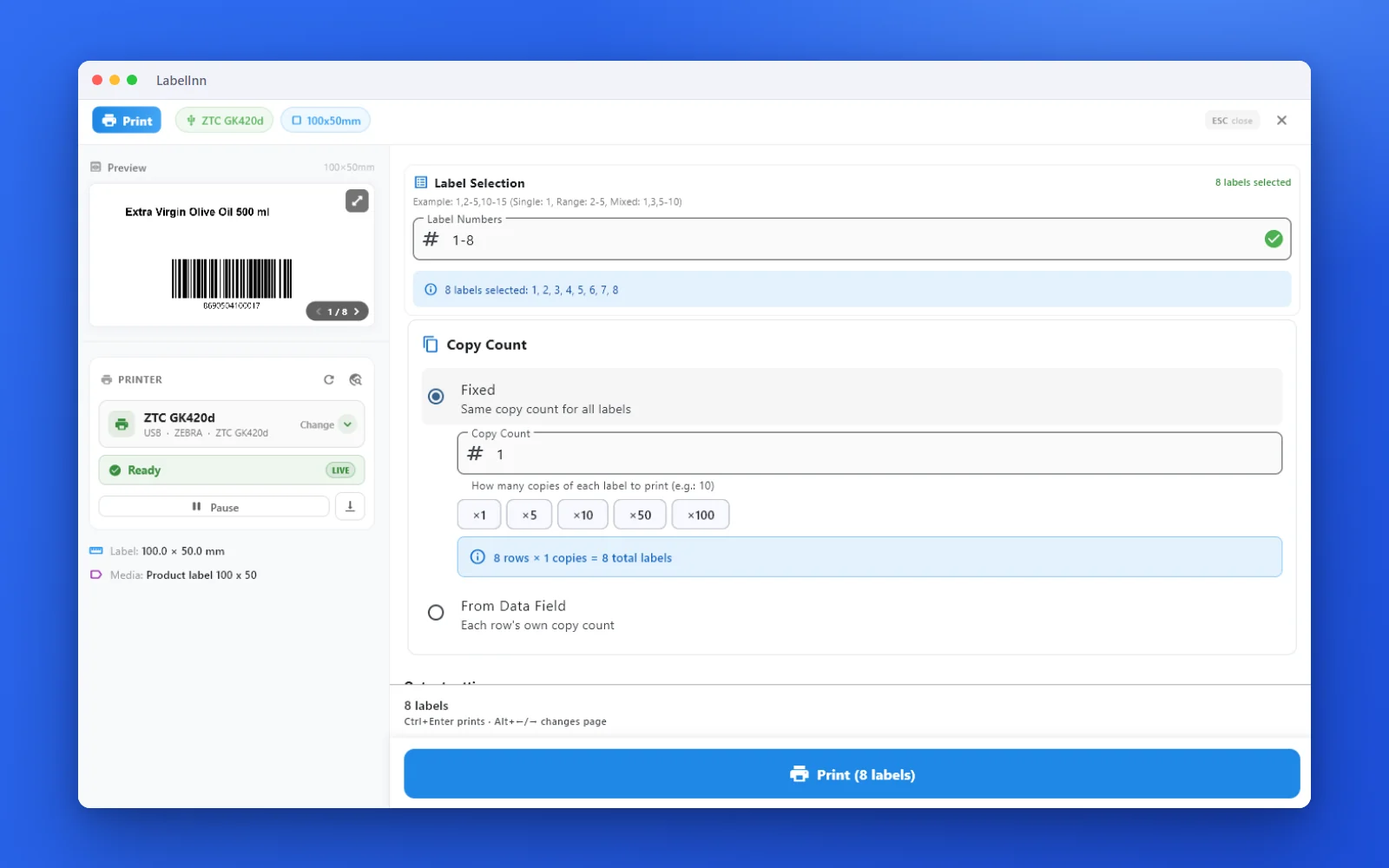 3Preview, then printCheck the real label, choose the printer and the number of copies, and print.
The fixPick the symbology from a preview list, set the module width and quiet zone, and check the real label before you print.Get LabelInn free
QUESTIONS / FAQ
Frequently asked questions
What is a vCard QR code generator?
It turns your contact details — name, phone, email, company and website — into a QR code. Scanning it with a phone camera offers to save you straight to Contacts, so no one has to type your details by hand.
How do I make a QR code that saves my contact info?
Paste a vCard block (BEGIN:VCARD … END:VCARD) into the data box, filling in FN, TEL, EMAIL, ORG and URL. Scanning the resulting code prompts the phone to add the contact.
What is the difference between vCard and MeCard?
Both save a contact. vCard is the richer universal standard (more fields, larger code); MeCard is a compact one-line format that makes a smaller, denser QR when space is tight.
Does a vCard QR code expire?
No. The details are encoded directly in the pattern, so it is a static QR that never expires and needs no account. Only dynamic QR codes that redirect through a third-party server can stop working.
Will it work on iPhone and Android?
Yes. Modern iPhone and Android cameras read vCard QR codes natively — just point and tap the prompt. Older phones can use any free QR scanner app.
Can I print it on a business card or badge?
Yes. Download it as SVG or PNG for a card, or use the free LabelInn app to place it on a full badge with your name and logo and print directly to Zebra, TSC and more.