DISTRIBUTOR
We Print Labels for 200 Products from Excel in One Go
Food Distributor's transformation story with LabelInn Excel integration
01
Customer Profile
Company: Food Distributor
Industry: Distributor (Food products)
Product Range: 200 products
Data Format: Excel (barcode, name, volume, price)
Printer: Zebra ZD421
02
Problem: Separate Label Design for Each Product
Fatma, the label manager at the Food Distributor, had to design a separate label for each product:
"We have 200 products. Each one has a different barcode, different name, different volume, different price. All this data was stored in Excel.
With the old system: I had to design a separate label for each product. I'd copy and paste product information from Excel. Add the barcode. Add the price. Add the volume. It took 2-3 minutes per product.
200 products x 2 minutes = 400 minutes = 6.5 hours! That's just the design. Then there's printing too. It took 8-10 hours total.
The worst part: Sometimes I'd copy the data from Excel incorrectly. I'd write '1 L' instead of '1 Liter', causing inconsistency. Or I'd type the barcode wrong and it wouldn't scan."
Measurable Problems:
- 2-3 minutes per product manual design
- 8-10 hours for 200 products total time
- Data errors - copy-paste mistakes
- Inconsistency - different formats, errors
03
Solution: LabelInn Excel Import + Variable Data Printing
Fatma heard about LabelInn's "Excel integration" feature at a distributor meeting and decided to try it.
Setup (15 minutes):
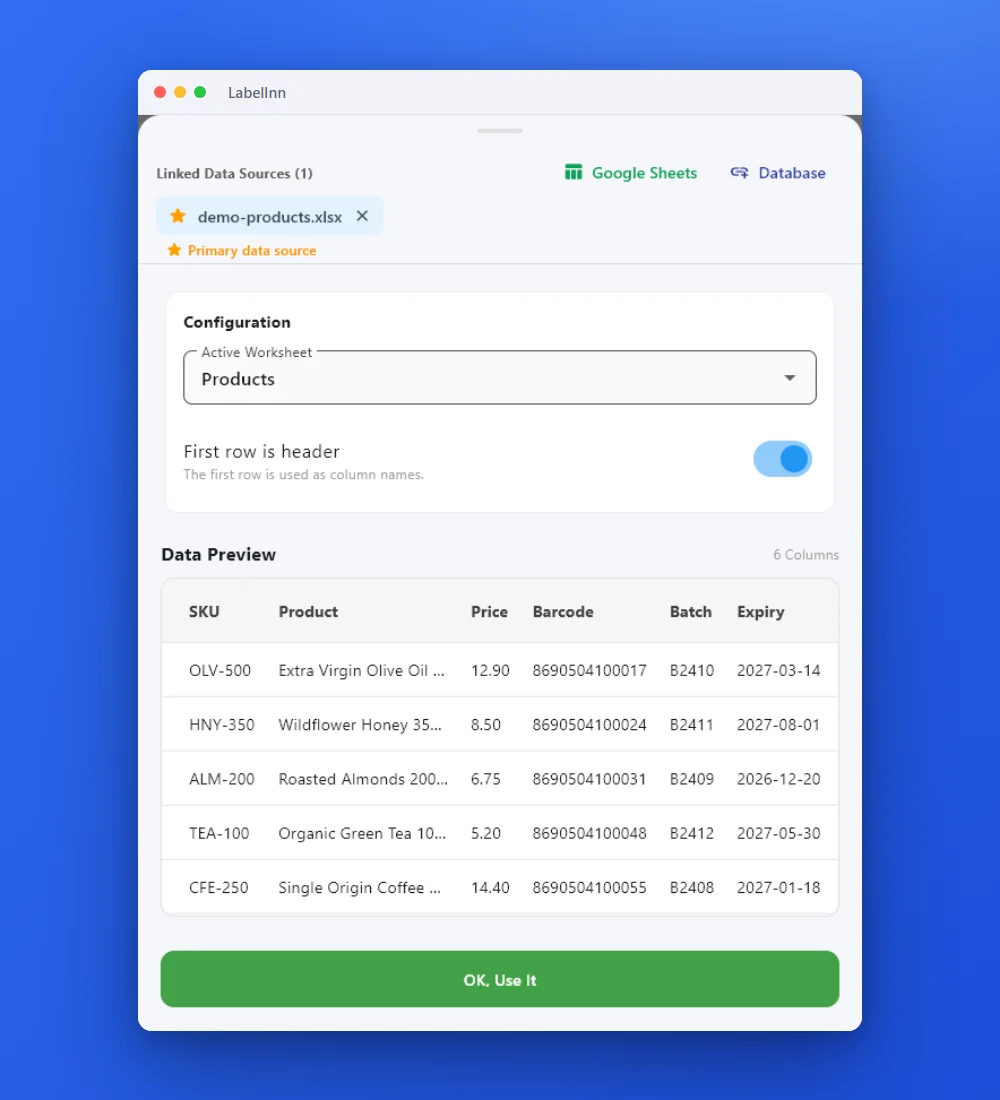
- Imported the Excel file into LabelInn
- Created the label design (barcode, name, volume, price fields)
- Mapped Excel columns to design fields (Barcode → Barcode field, Name → Name field, etc.)
- Connected the Zebra printer
New Workflow:
04
Results
| Metric | Before | After | Improvement |
|---|---|---|---|
| Label design time (200 products) | 8-10 hours | 5 minutes | 98% ↓ |
| Data errors | 10-15/200 | 0 | 100% ↓ |
| Inconsistency | High | None | 100% ↓ |
| Update time (price change) | 4-5 hours | 2 minutes | 95% ↓ |
05
Owner's Testimonial
"LabelInn's Excel integration was a lifesaver. Now I import data from Excel, select the columns, click 'Print'. 200 labels ready in 5 minutes.
My favorite feature: When there's a price change, I just update the price in Excel, click 'Reprint' in LabelInn, and all labels are automatically updated. Done in 2 minutes.
No more data errors. No copy-paste mistakes. No inconsistency. Everything comes automatically from Excel, properly formatted, properly printed.
LabelInn isn't just software, it's a data management solution. Perfectly compatible with Excel."
Fatma Kaya
Label Manager, Food Distributor
KEEP GOING
Related
NEXT STEP / LABELINN
Make It Your Story
Discover how LabelInn can simplify your work. Start with a 14-day free trial.