Free Data Matrix Generator
Create tiny, rugged Data Matrix and GS1 Data Matrix 2D codes for small parts, electronics and pharma UDI — right in your browser. Download as PNG, SVG or PDF, free, no signup, no watermark.
Data Matrix settings
#000000
#FFFFFF
Preview
The free LabelInn app places your Data Matrix on a real label with part numbers, lot codes and text, then prints directly to Zebra (ZPL) and TSC (TSPL) thermal printers — including bulk printing from Excel.
01
What is a Data Matrix code?
A Data Matrix is a two-dimensional (2D) barcode made of black and white square modules arranged in a grid, framed by a solid "L" finder pattern on two edges and a dashed timing pattern on the other two. Because it stores data in both dimensions instead of just in bar widths, a Data Matrix packs a surprising amount of information — up to about 2,335 alphanumeric characters — into a very small square. That density is exactly why it dominates where space is scarce: small parts, printed circuit boards, electronic components, surgical instruments, and pharmaceutical and medical-device UDI labels.
The modern version used everywhere today is Data Matrix ECC 200, which adds Reed-Solomon error correction so the code still scans even when part of it is scratched, smudged or partially covered. Enter your data on the left, and download the finished code as a scalable SVG, a high-resolution PNG, or a print-ready PDF. Everything is generated in your browser with the bwip-js engine — nothing you type is ever uploaded.

02
Why choose Data Matrix over a QR code?
Data Matrix and QR Code are both robust 2D symbologies, but they suit different jobs:
- Smaller footprint. Data Matrix is more space-efficient at small data payloads, so it is the go-to for direct part marking and tiny labels where a QR code would be wasteful.
- Industrial & regulated use. Data Matrix is the standard for electronics traceability and for GS1 / UDI healthcare marking, while QR codes are more common for consumer-facing URLs, Wi-Fi and vCards.
- Fixed error correction. Data Matrix (ECC 200) has built-in Reed-Solomon correction that you do not tune; QR lets you pick a level (L/M/Q/H).
Rule of thumb: reach for Data Matrix for tiny industrial and regulated marking, and reach for a QR code for consumer scanning of URLs and contact data.
03
Data Matrix vs. GS1 Data Matrix
This tool offers two flavours in the type dropdown:
| Type | What it is | Data you enter |
|---|---|---|
| Data Matrix | A plain ECC 200 symbol carrying any text, number, URL or serial | Free-form, e.g. PN-48213-A |
| GS1 Data Matrix | A Data Matrix whose data is structured with GS1 Application Identifiers (GTIN, lot, expiry, serial) — required for pharma and UDI | (AI) notation, e.g. (01)09501101020917(17)281231 |
In GS1 Data Matrix, each (AI) declares what the following digits mean — (01) is the GTIN, (17) is the expiry date (YYMMDD), (10) is the batch/lot, and (21) is the serial number. The generator inserts the invisible FNC1 separators for you when you use the GS1 Data Matrix type, so scanners parse the fields correctly.
04
How to generate a Data Matrix code
- The tool already defaults to Data Matrix. Switch to GS1 Data Matrix in the dropdown if you need GTIN/lot/expiry structure.
- Type your data — a part number or serial for plain Data Matrix, or an
(AI)string for GS1 Data Matrix. - Adjust size, module color, quiet zone and rotation. Keep the quiet zone clear — Data Matrix needs a clean margin on all sides.
- Download as SVG (best for small, crisp printing), PNG or PDF.
05
Printing Data Matrix codes at small sizes
Data Matrix scales down beautifully, but tiny codes only scan if each module survives printing. A few practical tips:
- Print from vector. Download the SVG so modules stay perfectly square at any size — a rescaled low-res PNG blurs the grid and kills readability.
- Match resolution to size. On a 203 dpi thermal printer each module needs enough dots to be distinct; for very small codes, a 300 dpi printer gives noticeably crisper edges.
- Keep the quiet zone. Leave at least a one-module clear margin all around, or scanners may miss the finder pattern.
- Test before a full run. Print one label and scan it with your target reader before committing to thousands.
06
Print Data Matrix to a label with LabelInn
Downloading a PNG is fine for a one-off, but real work usually means putting the code on a full label alongside a part number, lot and description — and printing hundreds of them. The free LabelInn app is built for exactly that. It renders each label natively and sends it driverless as ZPL to Zebra and TSPL to TSC printers over USB, network (TCP 9100) or Bluetooth, so codes print sharp at the printer's native resolution rather than as a scaled bitmap. You can bind the Data Matrix data to an Excel column and bulk-print a code per row, which is ideal for serialized part marking and GS1/UDI runs. Explore all LabelInn features or build a whole label in the browser with the free label maker.
07
Embed this Data Matrix generator on your site
Free to embed — just keep the attribution link. Great for supplier portals, engineering intranets and help centers.
Need a different symbology? Generate any of 17+ types — including QR Code — with the full barcode generator, or design a complete label in the free label maker. See all free tools.
THE PROBLEM, THEN THE FIX
Data Matrix: it looks right on screen, so why will it not scan?
A code that is slightly too small, too tight or the wrong type is the usual reason a scanner refuses it.
The problemThe code is drawn at a size that suits the screen, not the scanner.
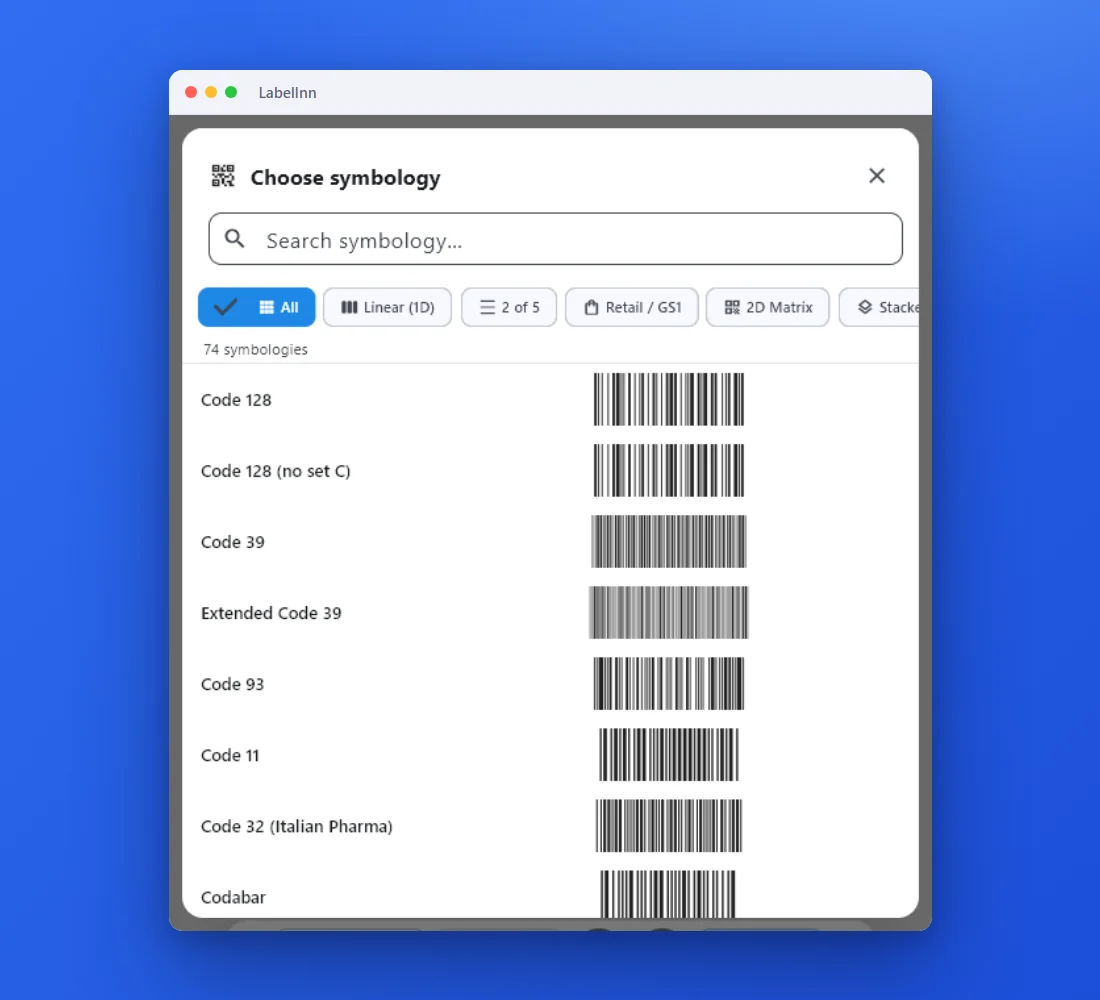 1Choose from 74 symbologiesEvery entry shows a live preview, so you pick the code by sight instead of by name.
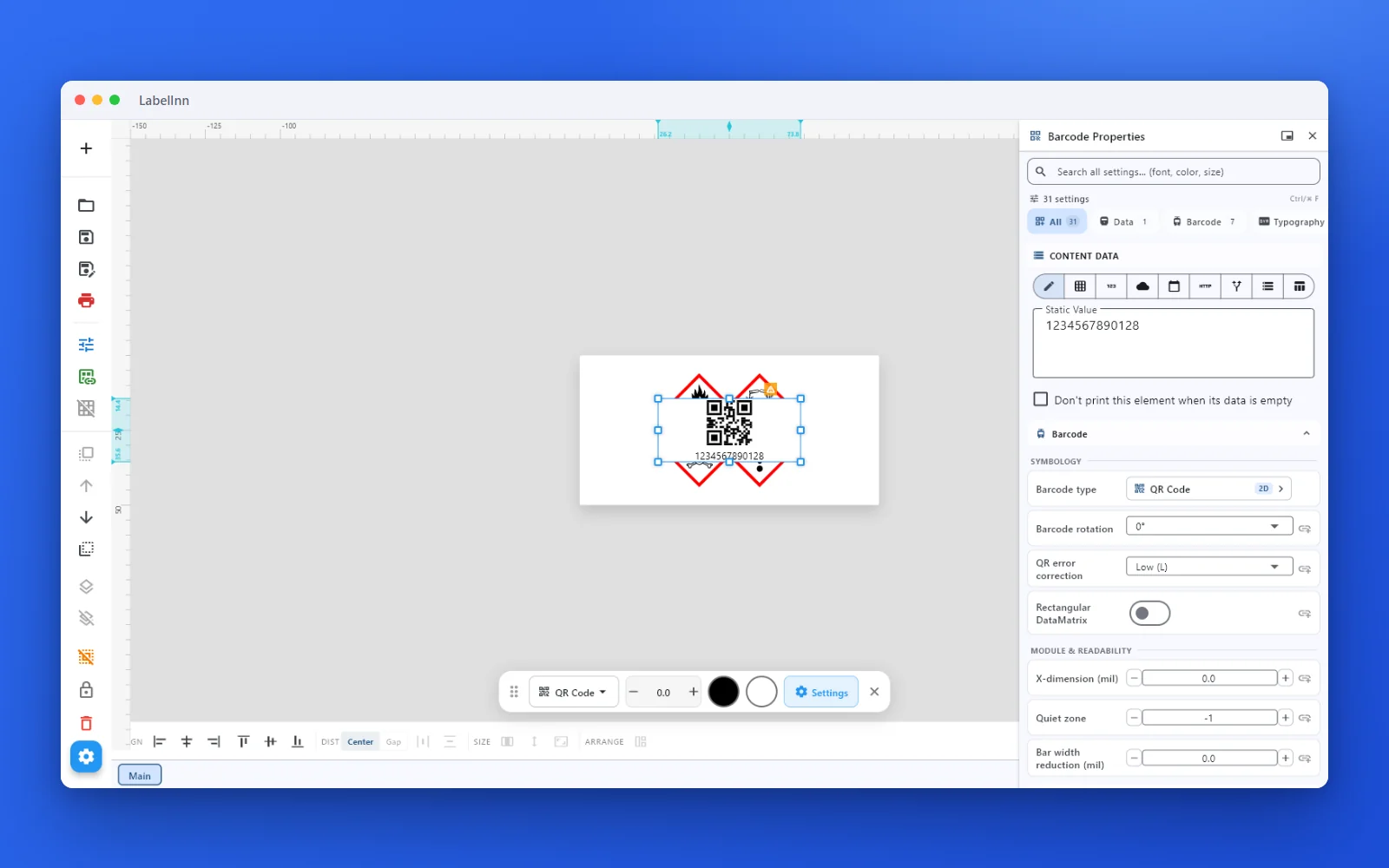 2Set the data and the readability rulesStatic value, spreadsheet column, database field or counter, plus X-dimension and quiet zone.
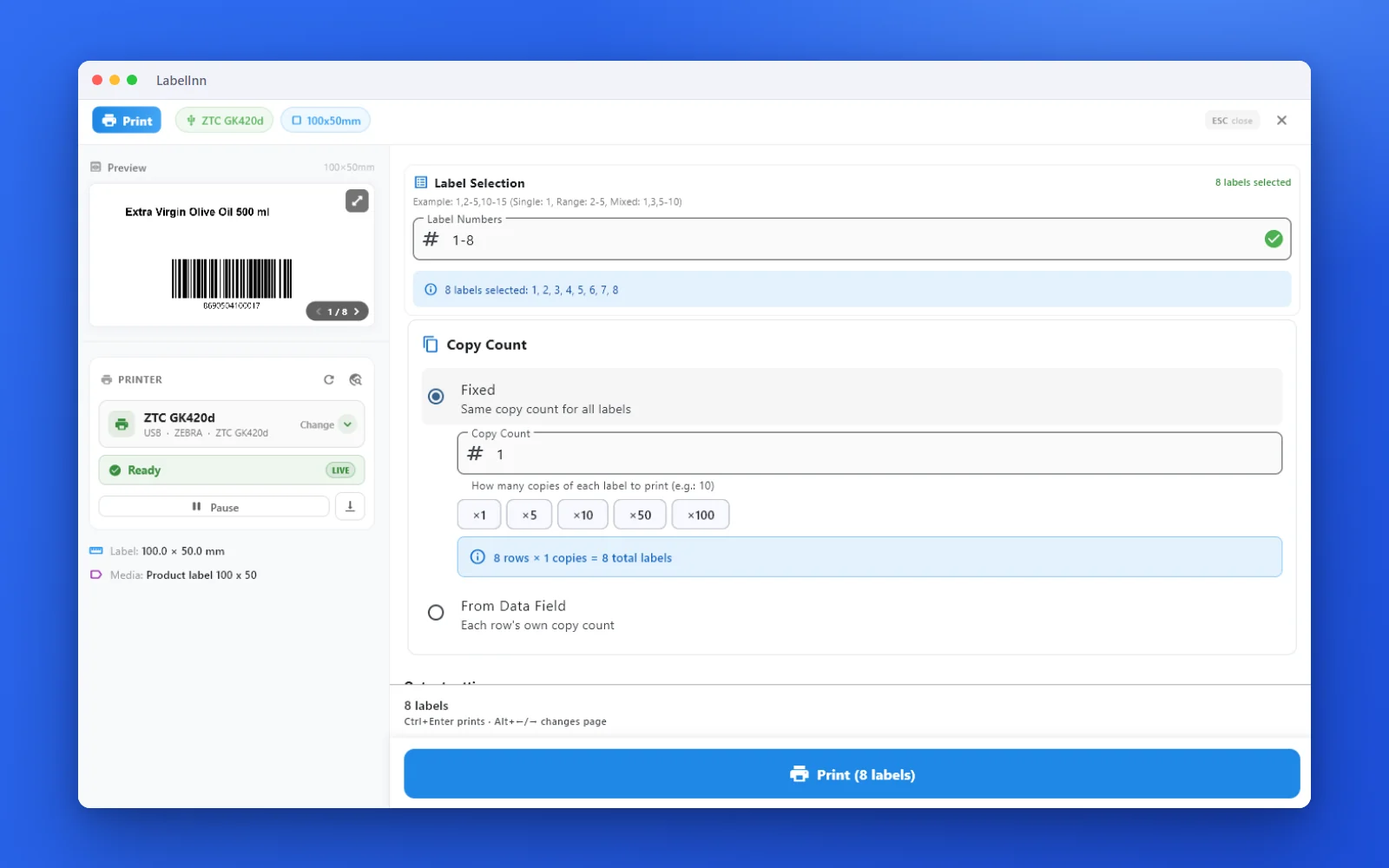 3Preview, then printCheck the real label, choose the printer and the number of copies, and print.
The fixPick the symbology from a preview list, set the module width and quiet zone, and check the real label before you print.Get LabelInn free
QUESTIONS / FAQ
Frequently asked questions
Is this Data Matrix generator free?
Yes — no signup, no watermark, no limits. Codes are generated in your browser, so nothing you type is uploaded, and you can download PNG, SVG or PDF.
What is Data Matrix used for?
It is a compact 2D code for small parts, electronic components, direct part marking, and pharma / medical-device UDI — anywhere space is tight and a 1D barcode won't fit.
What's the difference between Data Matrix and GS1 Data Matrix?
GS1 Data Matrix carries the same square symbol but structures its data with GS1 Application Identifiers like (01) GTIN and (17) expiry. Pick the GS1 Data Matrix type and enter data in (AI) notation.
Does Data Matrix have error correction?
Yes. ECC 200 Data Matrix uses fixed Reed-Solomon error correction, so a partly damaged code still scans. Unlike QR Code, the level isn't adjustable — it's built in.
How do I print a Data Matrix to a Zebra or TSC printer?
Download the image and print it, or use the free LabelInn app to place the code on a full label and print directly as ZPL (Zebra) or TSPL (TSC) — including bulk runs from Excel.