FREE PLAN AVAILABLE / 14-DAY PRO TRIAL
Expiry Dates and Serial Numbers That Print Themselves
Print expiry dates and sequential serial numbers automatically. Today plus an offset, 20 date formats, counters that increment or count down.

HOW IT WORKS
Three screens from data to printed label.
No copy-paste, no hunting for templates. The same flow repeats for every record.

Printer status, quick actions and recent work in one place.

Text, barcodes, QR and images placed on the real media size.

See the label, the printer state and the copy count before it prints.
01
The two fields nobody should be typing
On a food, cosmetics or pharma line, two things change on every run and nothing else does: the date and the number. Yet in most operations someone opens the label file each morning, edits the date by hand, prints, and hopes nobody fat-fingered the year.
That is where mislabelling incidents come from. A wrong use-by date is not a typo, it is a recall.
LabelInn treats both as data sources, not text. A field bound to a date is evaluated at print time. A field bound to a counter advances by itself. Nobody edits the design between runs.
02
Dates: today, plus whatever your shelf life is
A date field can be the current date — re-read every time you print — or a fixed date you pin deliberately. On top of that sits an offset, and the offset is what makes it useful:
- Production date — current date, no offset.
- Use-by / best-before — current date
+14 days,+6 months,+2 years, whatever the product's shelf life is. - Packed-on / batch start — a negative offset, e.g.
−1 dayfor a line that runs past midnight.
Offsets are available in minutes, hours, days, months and years, positive or negative, and they combine. So "today + 18 months − 1 day" is a setting, not a spreadsheet.
20 built-in formats, plus a locale
The date renders through 20 ready-made formats across four groups — and because they are standard patterns, a custom one is just as valid:
| Group | Examples | Typical use |
|---|---|---|
| Date | 23.03.2026 · 23/03/2026 · 2026-03-23 (ISO) · 23 March 2026 · 03/23/2026 (US) | Human-readable use-by |
| Time | 14:30 · 14:30:45 · 02:30 PM | Shift and batch stamps |
| Date + time | 23.03.2026 14:30 · 2026-03-23T14:30:45 (ISO 8601) | Traceability records |
| Compact | 260323 · 20260323 · 2603231430 | Date codes and barcode payloads |
A locale can be set per field, so "23 March 2026" prints in the language the destination market reads — useful when the same product ships to several countries. A prefix or suffix wraps the value, so the field prints EXP 23.03.2026 rather than needing a second text box glued next to it.
03
Serial numbers: start, step, padding
A counter field takes three settings and then stops needing you:
- Start — where the run begins, e.g.
1000. - Step — how much each label advances.
1for normal sequences,5to skip, and a negative step to count down — genuinely useful for remaining-quantity labels. - Pad length — zero-fills to a fixed width, so
1000prints as01000and the barcode stays a constant length.
Prefixes and suffixes complete it: SN-01000-A is one field, not three.
The part that actually saves the recall
A barcode binds to the same sources as a text field. So the printed date and the scanned date come from one binding — they cannot drift apart, because there is nothing to keep in sync. The same is true of the serial number and its barcode.
04
Where this pays off
| Sector | What gets bound |
|---|---|
| Food & beverage | Packed-on date, use-by = today + shelf life, batch counter, compact date code in the barcode |
| Pharma & cosmetics | Manufacture date, expiry = today + 24 months, sequential pack serial, lot number |
| Manufacturing | Build date/time stamp, incrementing unit serial with zero padding, work-order prefix |
| Warehouse | Received date, sequential pallet/carton IDs, countdown labels for remaining quantity |
05
It composes with everything else
Dates and counters are two of ten data source types. A single label can take the product name from an Excel column or a SQL query, the expiry from a date offset, the unit number from a counter, and an image from a URL — all on one design, resolved at print time.
Details on the other sources are on the database label printing and Excel binding pages. If the labels need to be proven afterwards, the operations dashboard keeps the trace.
06
Frequently asked
Can labels print an expiry date automatically?
Yes — bind the field to the current date and add the shelf life as an offset. The value is evaluated when the label prints, so today's run carries today's expiry without anyone touching the design.
Can I print a production date and a use-by date on the same label?
Yes. Each field carries its own binding, so one is today with no offset and the other today plus the shelf life.
Can the counter go backwards?
Yes — a negative step counts down.
Will the barcode match the printed text?
Yes, if you bind both to the same source. That is the point: there is no second copy to fall out of sync.
Set it once, print it every day Download LabelInn, bind one field to "today + your shelf life", and print. The free plan is enough to prove it on your own product and printer. Download Free →
THE PROBLEM, THEN THE FIX
Serial numbers typed by hand are slow and easy to get wrong
Whether the value comes from a sheet, a database or a counter, it should never be typed onto the label.
The problemA serial number or date is retyped for each label.
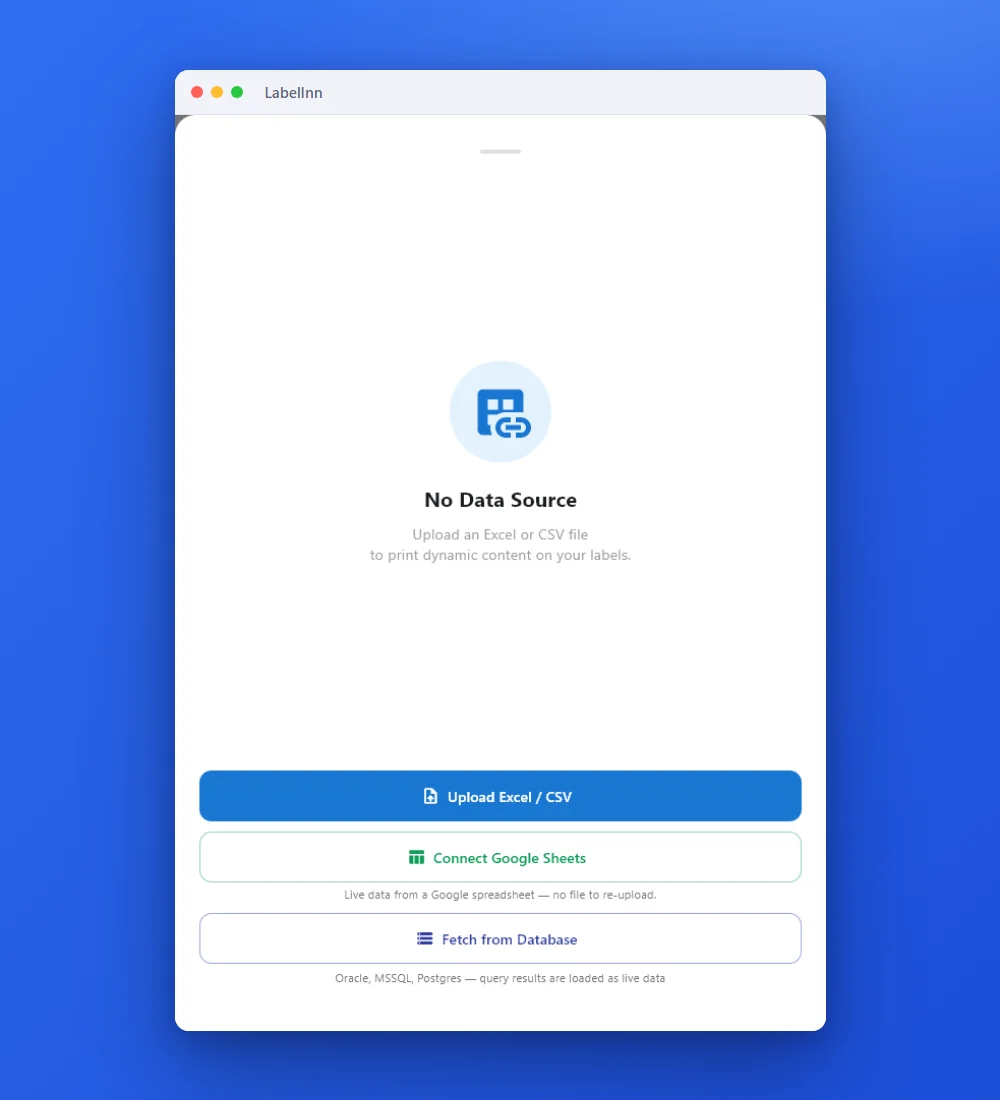 1Point the label at your dataUpload an Excel or CSV file, connect Google Sheets, or fetch from a database.
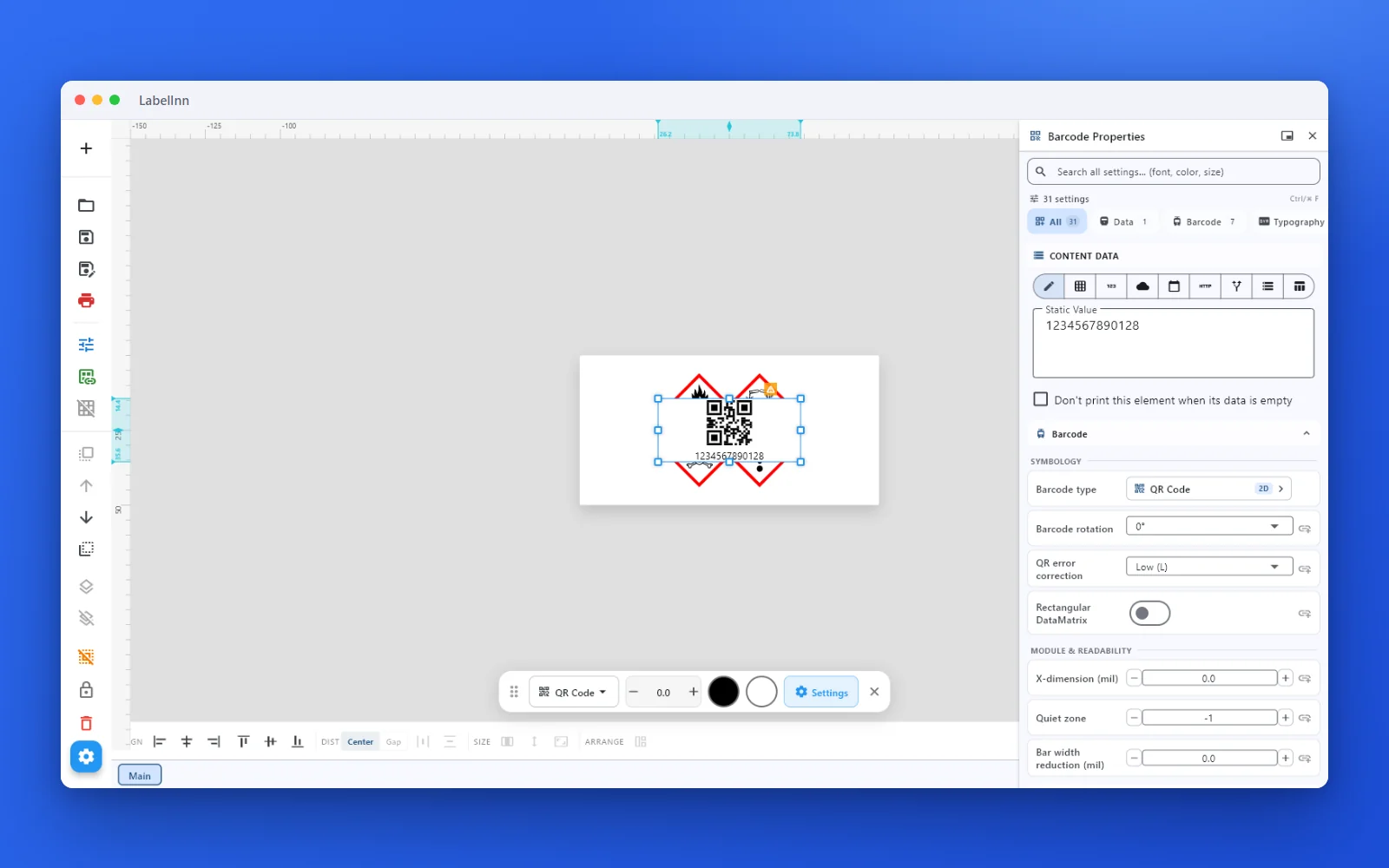 2Set the data and the readability rulesStatic value, spreadsheet column, database field or counter, plus X-dimension and quiet zone.
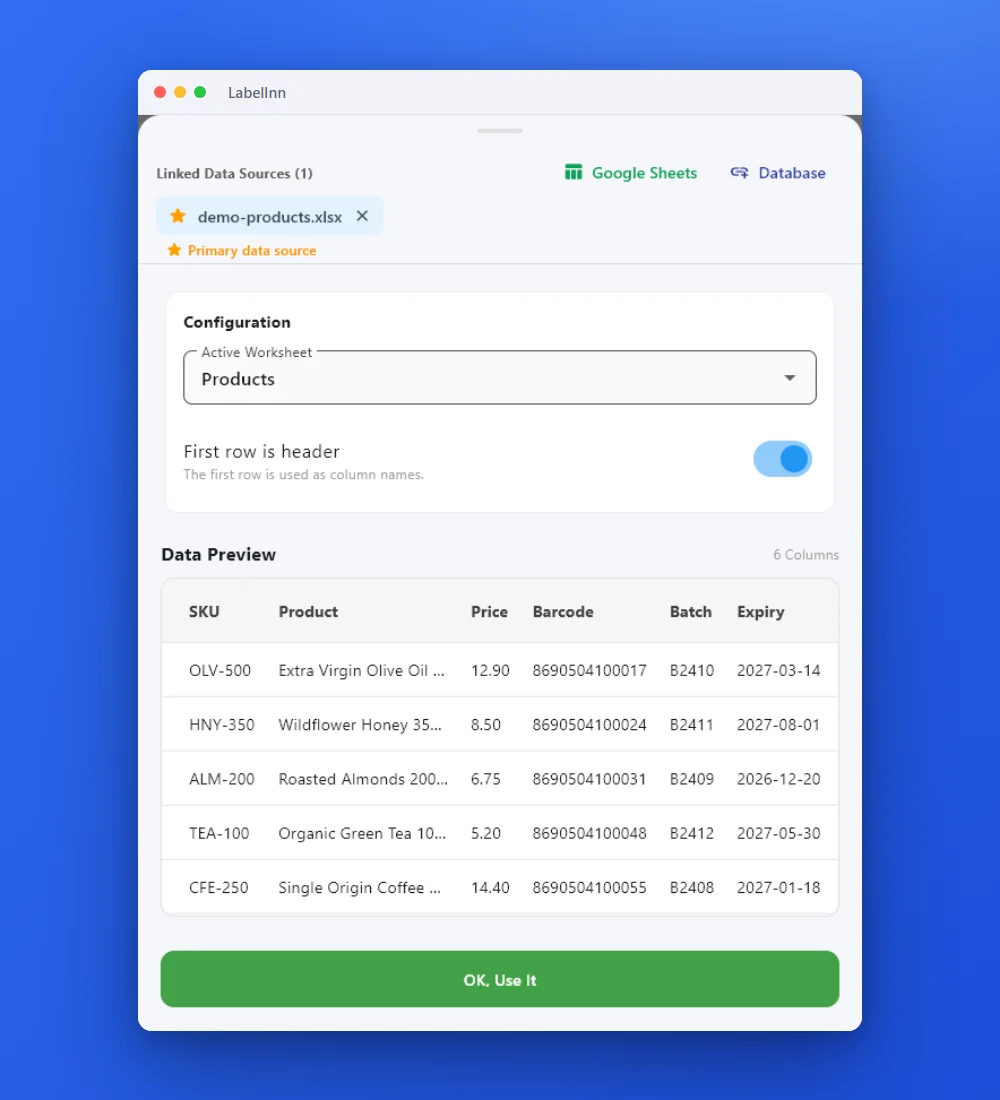 3Check the real rowsThe sheet and its header row are shown before anything prints.
- 4Preview, then printCheck the real label, choose the printer and the number of copies, and print.
The fixThe field is bound to a data source, so each label gets its own value.Get LabelInn free
ANY PRINTER
Design it, bind your data, print on the printer you already own.
Zebra, TSC, Toshiba, Epson and more — over USB, network or Bluetooth, with no driver to install.

PRICING
Start free. Pay when it earns its keep.
NEXT STEP / LABELINN
Print your first label today