FEBRUARY 7, 2026 / E-COMMERCE
E-Commerce Sellers' Shipping Label Nightmare: Don't Get Lost in 30 Different Panels
Are you an e-commerce seller? If you're tired of logging in and out of 10 different panels for each order, we've explained how to print all your shipping labels from a single platform.
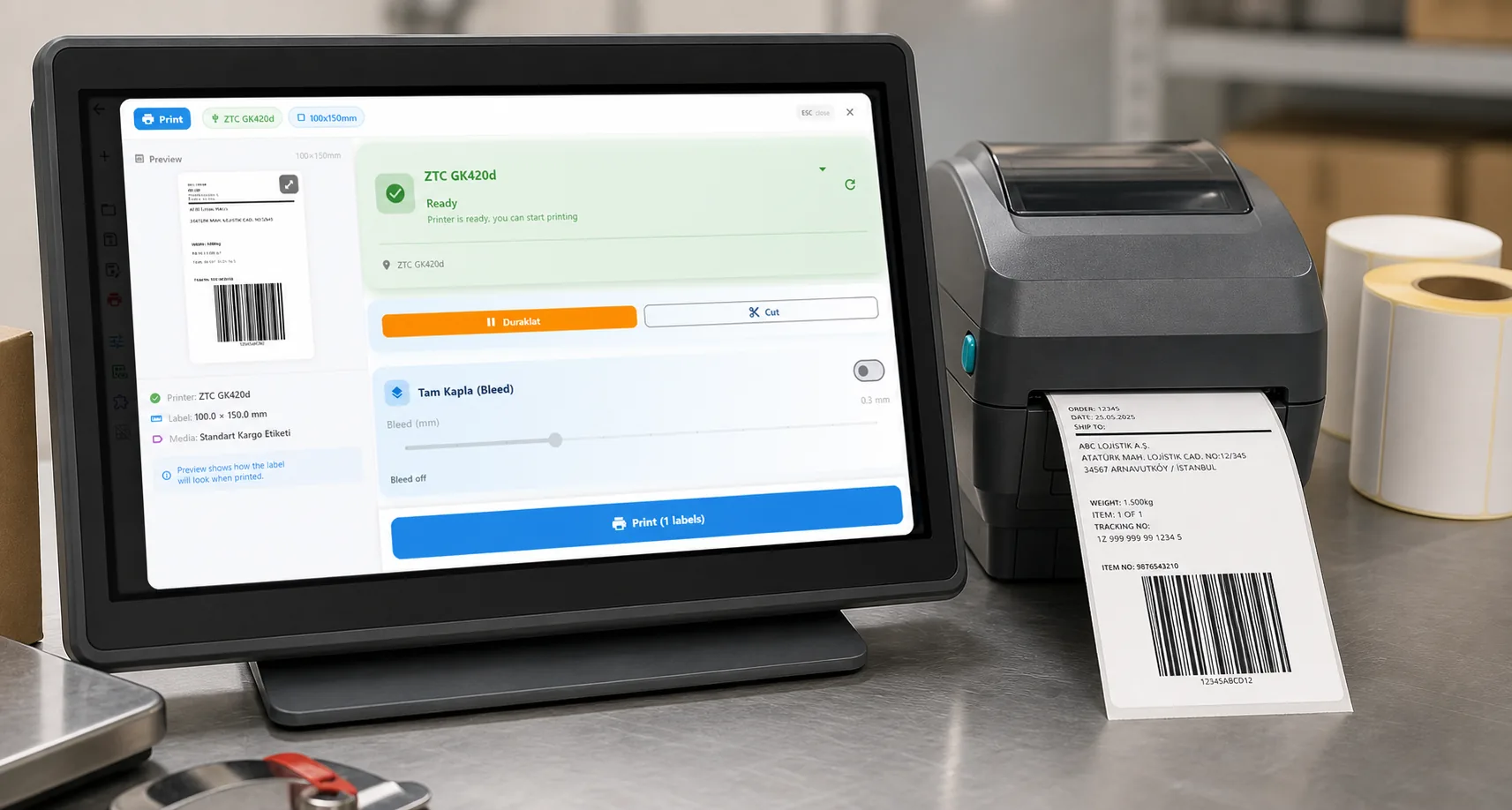
THE PROBLEM

As an e-commerce seller, you know this scene all too well:
You turn on your computer in the morning. 15 orders from Trendyol, 8 from Hepsiburada, 5 from your ikas store, 3 from Shopify. A total of 31 orders. You need to create a shipping label for each one.
01
The "Ritual" You Must Perform for Each Order
For a single order, the average process goes like this:
- Log into the marketplace panel (Trendyol Seller, Hepsiburada Panel, ikas Admin...)
- Find the order filter by date, order number
- Select the shipping connection Use the provider contract approved for this order.
- Go to the shipping company panel separate login, separate password
- Create shipment enter recipient information again
- Download the label usually downloads as PDF
- Open PDF and print deal with printer settings
- Repeat for the next order...
31 orders 8 steps = 248 operations. Every day.
Time Calculation
| Operation | Time |
|---|---|
| Marketplace panel login + finding order | 1 minute |
| Shipping company selection + shipment creation | 2 minutes |
| Label download + printing | 1 minute |
| Total (1 order) | 4 minutes |
| 31 orders | 2 hours 4 minutes |
If you spend 2 hours a day just creating shipping labels, this article is for you.
Printing from 7+ marketplace panels every day? LabelInn pulls all your orders into one screen — print all shipping labels in one click. 14-day free trial, no credit card required. Try free →
02
The Bad Part: It's Not Just Time
1. Error Risk
When you switch panels 30 times, printing the wrong label on the wrong order is inevitable. Wrong address, wrong product, wrong shipping company each one means return and customer loss.
2. Labels are Boring and Generic
The shipping company's standard label: a bland piece of paper with an address and barcode. Your brand is nowhere to be found. Yet that package is the only physical touchpoint your customers have with you.
3. Warehouse Team in the Dark
How is the person preparing the order supposed to know what to pick? No product photo, no barcode number just a product name. If you have 3 different products called "Blue T-Shirt L Size", the chance of packing the wrong product is very high.
03
Solution: One Platform, One Click
[Trendyol] [Hepsiburada] +
[ikas] +[LabelInn] [Printer] → Ship it
[Shopify] +
[Amazon] -
- Connect your marketplace accounts Trendyol, Hepsiburada, ikas, Shopify, WooCommerce, Amazon, PTT AVM, Shopier
- Orders arrive automatically orders from all channels on a single screen
- Select the shipping connection Choose a tested customer API or import the provider PDF.
- Print labels with one click both shipping label and order list
31 Orders = 5 Minutes
| Traditional Method | LabelInn | |
|---|---|---|
| Time | 31 4 min = 2 hours | Bulk select + print = 5 minutes |
| Number of panels | 5 different panels | 1 platform |
| Login | Enter password each time | Auto sync |
| Error risk | High | Auto matching |
04
But It's Not Just Labels...
Add Your Own Ads to Shipping Labels
- Discount code: "Get 10% off your next purchase with COMEBACK10!"
- QR code: Direct to your website, Instagram, or campaign page
- Brand logo: Professional appearance
- Thank you message: "Thanks for choosing us!"
- Review request: "If you liked our product, please rate us"
Order Preparation List
When your warehouse staff (or you) prepare the order:
- Product name and description exactly what will be shipped
- Product photo visual control, zero risk of sending wrong product
- Barcode/SKU number find the right product from stock
- Quantity information how many to send
- Checkboxes verify each product by checking it off
05
Which Platforms Do We Support?
Marketplace Integrations
| Platform | Status |
|---|---|
| Trendyol | ? Full integration |
| Hepsiburada | ? Full integration |
| Amazon | ? Full integration |
| ikas | ? OAuth sync |
| Shopify | ? Full integration |
| WooCommerce | ? Full integration |
| PTT AVM | ? Full integration |
| Shopier | ? Full integration |
Shipping Integrations
| Shipping Company | Status |
|---|---|
| Customer shipping API | Test shipment, label, tracking, and writeback first |
| Yurtii Kargo | ? |
| MNG Kargo | ? |
| Srat Kargo | ? |
| HepsiJet | ? |
| Trendyol Express | ? |
| PTT Kargo | ? |
| DHL | ? |
QUESTIONS / FAQ
Frequently Asked Questions
Can I connect all my marketplace accounts at once?
Yes. You can connect Trendyol, Hepsiburada, ikas, Shopify, Amazon, and all other platforms simultaneously. Orders appear on a single screen.
Can I use different shipping companies at the same time?
You can route orders through different customer-configured connections. Label data must come from the authorized provider response or a mapping you have tested.
I use macOS, will it work?
Yes! LabelInn has a native macOS app. It connects directly to your printer via ZPL without needing drivers.
Is there a bulk printing limit?
No. You can print 10 labels or 1000 labels. You can also do bulk printing by pulling data from Excel.
KEEP GOING
Related Articles
NEXT STEP / LABELINN
Save 2 Hours of Your Day
Free 14-day trial. No credit card required. · All marketplaces on one screen · Bulk label printing · macOS & Windows & Mobile