FREE PLAN AVAILABLE / 14-DAY PRO TRIAL
Epson ColorWorks Label Software for Mac
Design and print colour labels on an Epson ColorWorks from macOS. LabelInn speaks ESC/Label natively over USB or network.
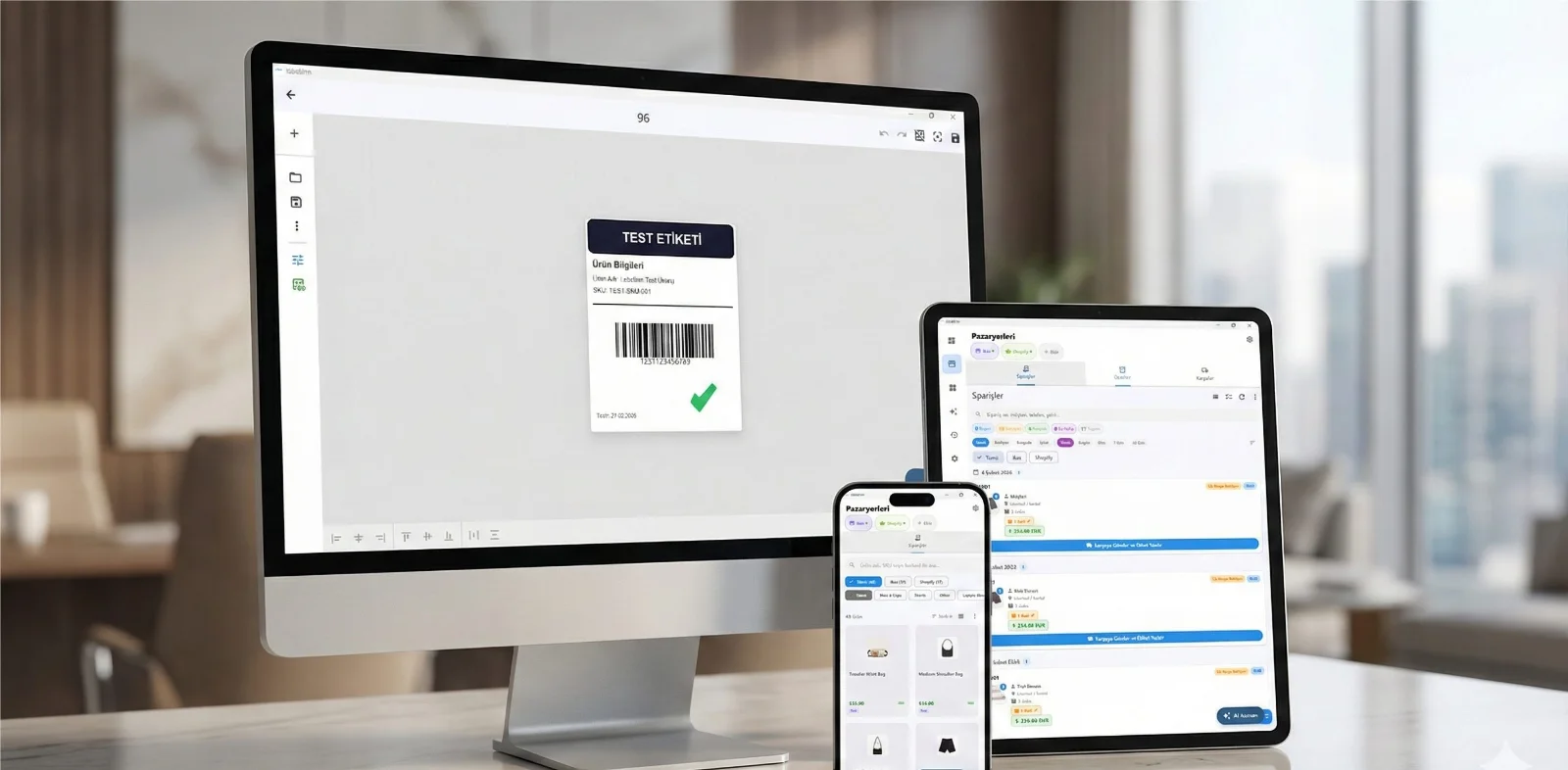
HOW IT WORKS
Three screens from data to printed label.
No copy-paste, no hunting for templates. The same flow repeats for every record.

Printer status, quick actions and recent work in one place.

Text, barcodes, QR and images placed on the real media size.

See the label, the printer state and the copy count before it prints.
01
Why this is hard on a Mac
The ColorWorks range is the reason a lot of companies stop outsourcing pre-printed labels: you print colour in-house, on demand. The catch is the software around it. Epson's design and management tooling leans Windows, and on macOS people fall back to printing a PDF and hoping the sizing survives.
It usually does not. Colour label work is exactly where an off-by-a-few-millimetres scale error is most expensive, because you notice it after a roll of colour media has gone through.
02
What LabelInn does instead
ColorWorks printers speak ESC/Label, not the ESC/POS command set used by Epson's receipt printers — a distinction that trips up a lot of generic software and results in a printer that accepts a job and prints nothing.
LabelInn detects Epson label printers explicitly and drives them in ESC/Label over USB or network, so the page you designed is the label that comes out, at the size you set.
Colour, media and the things that waste a roll
Label size comes from your design and your declared media, not from a print-dialog guess, so a 100 × 150 mm design stays 100 × 150 mm. Images are handled at a resolution appropriate to the printer rather than being upscaled into a blurry block, which matters when the label carries a logo or a product photo.
If the label content is driven by data — batch numbers, ingredients, allergen tables, GHS pictograms — you can bind it to a spreadsheet or a read-only database query and print the batch, rather than editing artwork for each variant.
03
Supported Epson ColorWorks models
Any Epson ColorWorks printer that accepts ESC/Label should work. Commonly used models include:
- Epson ColorWorks CW-C4000
- Epson ColorWorks CW-C6000
- Epson ColorWorks CW-C6500
- Epson ColorWorks CW-C8000
- Epson ColorWorks TM-C3500
This list is not exhaustive and model names belong to their manufacturer. LabelInn is not affiliated with Epson. If your model speaks ESC/Label, try it on the free plan before committing.
04
How to get printing
- Download LabelInn for macOS and open it.
- Add the printer over USB, network (TCP 9100) or Bluetooth. No driver install.
- Set the label size and media type to match your roll, then calibrate.
- Design the label — or bind a spreadsheet column and print one label per row.
05
Frequently asked
Can I use an Epson ColorWorks on a Mac?
Yes. LabelInn is a native macOS app that drives ColorWorks printers in ESC/Label over USB or network, so you can design and print colour labels without a Windows machine.
Which ColorWorks models are supported?
The CW-C4000, CW-C6000, CW-C6500 and CW-C8000, plus the TM-C3500. These accept ESC/Label.
My ColorWorks accepts the job but prints nothing. Why?
A common cause is software treating it as an ESC/POS receipt printer. ColorWorks printers use ESC/Label; sending ESC/POS produces a job that is accepted and silently discarded. LabelInn identifies Epson label printers explicitly and uses ESC/Label.
Can colour labels be driven by data?
Yes. Bind spreadsheet columns or a read-only SQL query to text and barcode elements and print one label per row.
Try it with your own Epson ColorWorks The free plan is enough to add the printer, calibrate it and print a real label. If it does not drive your model, you have lost ten minutes rather than a licence fee. Download for Mac →
ANY PRINTER
Design it, bind your data, print on the printer you already own.
Zebra, TSC, Toshiba, Epson and more — over USB, network or Bluetooth, with no driver to install.
PRICING
Start free. Pay when it earns its keep.
NEXT STEP / LABELINN
Print your first label today