FREE PLAN AVAILABLE / 14-DAY PRO TRIAL
Label Printing Software for Mac Finally, a Real Solution
Label printing software for Mac, no third-party drivers. Native macOS app (Apple Silicon M1-M4) prints Zebra ZPL, TSC & Epson over USB/Wi-Fi. Free.
THE PROBLEM

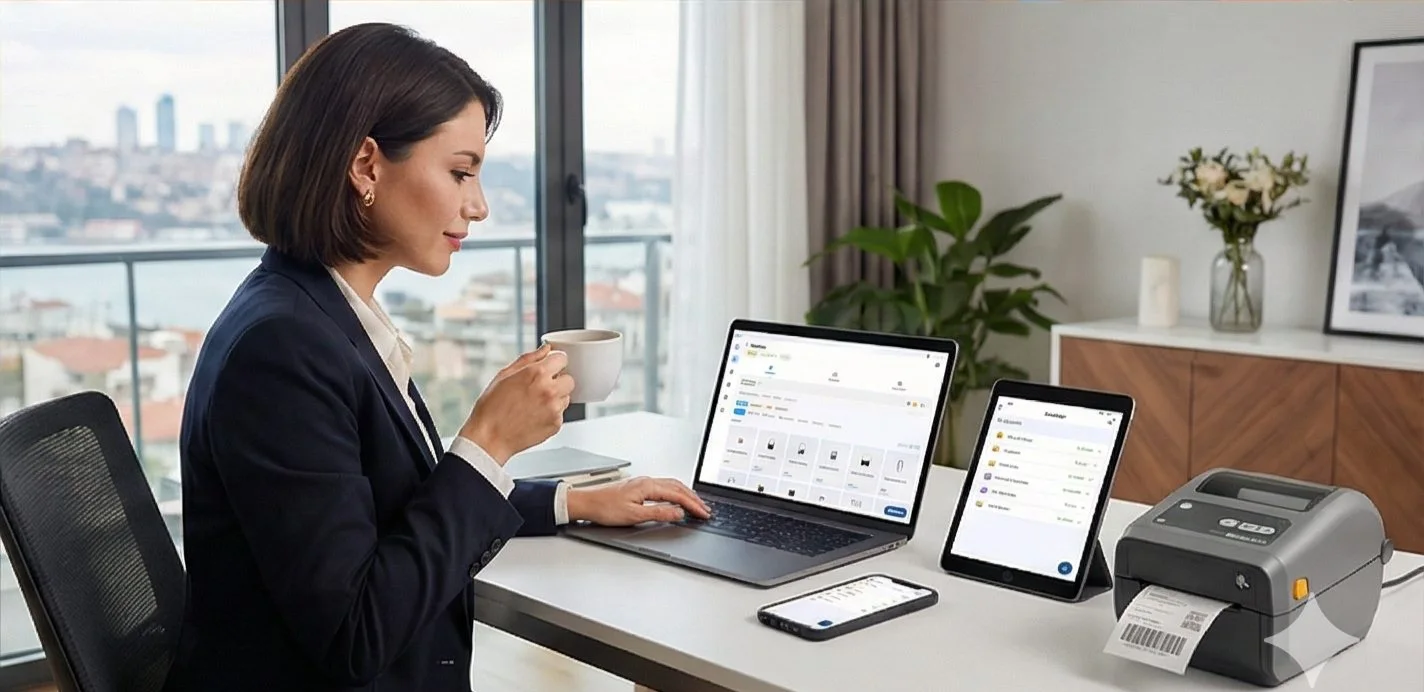
If you've ever searched for label printing software for Mac, you know the frustration. BarTender? Windows only. NiceLabel? Windows only. ZebraDesigner? Windows only. The entire professional label printing industry has ignored Mac users for decades.
That ends now.
LabelInn is a native macOS application built from the ground up to run on your Mac — including full Apple Silicon (M1/M2/M3/M4) support. No virtual machines. No Parallels. No Boot Camp. Just open the app and print.
Download LabelInn for Mac — native macOS app, Apple Silicon compatible, no driver installation needed. Free forever plan + 14-day Pro trial on signup. Download Now → | See Pricing →
HOW IT WORKS
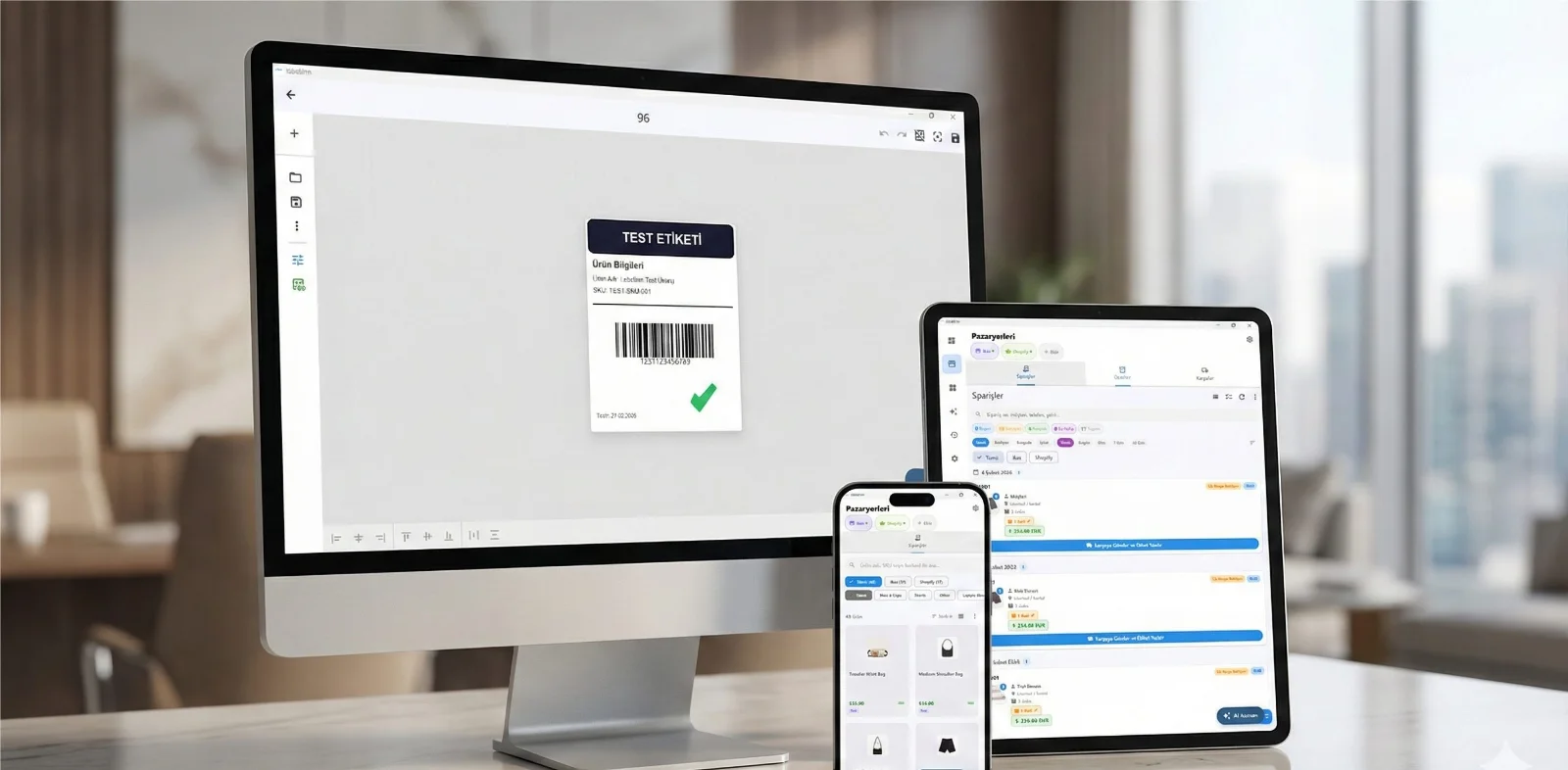
Three screens from data to printed label.
No copy-paste, no hunting for templates. The same flow repeats for every record.

Printer status, quick actions and recent work in one place.
Text, barcodes, QR and images placed on the real media size.

See the label, the printer state and the copy count before it prints.
01
The Mac Label Printing Problem
Here's the reality for Mac users who need professional label printing:
| Software | macOS Support | What Mac Users Must Do |
|---|---|---|
| BarTender | None | Buy Parallels ($99/yr) + Windows license ($139) + a BarTender license (from ~$199/yr) |
| NiceLabel | None | Same — VM + Windows + NiceLabel license |
| ZebraDesigner | None | VM or a separate Windows PC |
| DYMO Label | Limited | Only works with DYMO printers, basic features |
| LabelInn | Native macOS | Download → Open → Print. That's it. |
The cost of running BarTender on a Mac? $733+/year minimum (Parallels + Windows + BarTender Starter). With LabelInn? $0 on the free plan, or $79.90/year for Starter.
02
Why LabelInn Is the Best Label Software for Mac
1. Native macOS App — Built for Your Mac
LabelInn isn't a web app pretending to be desktop software. It's a real native application built with modern frameworks that runs natively on macOS. It's fast, smooth, and respects macOS design conventions. Runs on macOS 11 (Big Sur) and later — Intel and Apple Silicon.
2. Apple Silicon Optimized (M1/M2/M3/M4)
Built as a universal binary — it runs natively on Apple Silicon chips without Rosetta translation. This means faster performance, lower battery consumption on MacBooks, and zero compatibility issues. Whether you have an M1 MacBook Air or an M4 Mac Pro, LabelInn is optimized for your hardware.
3. Driverless Thermal Printing — Plug In and Go
The biggest headache on macOS? Printer drivers. Most thermal printer manufacturers don't even make macOS drivers. LabelInn solves this completely with ZPL direct printing — it sends commands directly to the printer, bypassing the driver layer entirely.
- USB: Plug in your Zebra, TSC, or Xprinter — detected instantly
- Wi-Fi: Enter the printer's IP address — connected in seconds
- Bluetooth: Pair and print from mobile printers
No driver downloads. No CUPS configuration. No Terminal commands. It just works.
4. AI-Powered Label Design
Describe what you need in plain language: "50×30mm product label with EAN-13 barcode, company logo in the top left, product name and price below" — and LabelInn's AI designs it in seconds. On Mac, the AI experience is the same best-in-class quality as on Windows.
5. Full E-Commerce Integration
Connect your online stores and print shipping labels, product labels, and barcode labels directly from your Mac:
- Shopify — Auto-import orders, print shipping labels
- WooCommerce — WordPress integration via API
- Trendyol — Turkey's largest marketplace
- Hepsiburada — Direct API integration
- ikas — E-commerce platform integration
6. Cloud Sync Across Mac, Windows, and Mobile
Design a label on your iMac at the office, print it from your MacBook at the warehouse, and check your print history on your iPhone. All label templates, data connections, and settings sync automatically through the cloud.
03
Supported Printers on macOS
LabelInn for Mac supports 50+ thermal printer models, including:
| Brand | Models | Connection |
|---|---|---|
| Zebra | ZD220, ZD420, ZD620, GK420d, GK420t, GC420d, ZT230, ZT410 | USB, Wi-Fi, Bluetooth |
| TSC | TE244, TTP-244 Pro, TE200, TE210, TE310, TX200 | USB, Wi-Fi |
| Xprinter | XP-360B, XP-365B, XP-420B, XP-470B, XP-DT108B | USB |
| Bixolon | SLP-TX400, SLP-DX220, SRP-770III | USB, Wi-Fi, Bluetooth |
| Brother | QL-800, QL-820NWB, QL-1110NWB | USB, Wi-Fi |
| Epson | ColorWorks series | USB, Wi-Fi |
| Any ZPL printer | Any printer that accepts ZPL commands | USB, Wi-Fi, Bluetooth |
Don't see your printer? LabelInn works with any ZPL-compatible thermal printer. View all supported printers →
04
What You Can Print from Your Mac
Product Labels
Barcode labels, price tags, product identification labels — with data binding from Excel/CSV for batch printing hundreds or thousands of labels at once.
Shipping Labels
Connect an approved order source, import a file, or configure your own API. Print shipping labels using carrier barcodes returned by the authorized shipping system or a tested mapping.
Warehouse & Inventory Labels
Shelf labels, bin location tags, asset tracking labels, pallet labels — designed and printed directly from your Mac.
Custom Labels
Food labels, wine bottle labels, cosmetic product labels, compliance labels — use the visual editor or AI to design any label format.
05
macOS System Requirements
| Requirement | Minimum | Recommended |
|---|---|---|
| macOS Version | macOS 11 (Big Sur) | macOS 14 (Sonoma) or later |
| Processor | Intel Core i5 / Apple M1 | Apple M2 or later |
| RAM | 4 GB | 8 GB or more |
| Storage | 77 MB download; allow extra space for installation | 500 MB free space |
| Internet | Required for activation & AI | Broadband for cloud features |
06
How to Set Up Label Printing on Your Mac
- Download LabelInn from the download page — click "Download for macOS"
- Open the .pkg installer and follow the macOS installation steps
- Launch LabelInn — create a free account or sign in
- Connect your thermal printer via USB, Wi-Fi, or Bluetooth — no driver needed
- Design your first label — use the AI assistant or the visual drag-and-drop editor
- Print — hit Cmd+P and your label prints instantly
Total setup time: under 5 minutes. Compare that to the hours of Virtual Machine + Windows + BarTender + Driver installation on other solutions.
07
Pricing — Mac Label Software That Won't Break the Bank
| Plan | Price | What's Included |
|---|---|---|
| Free | $0 | Unlimited printing, basic templates, 1 printer, 3 AI designs/day |
| Starter | $7.99/month ($79.90/year) | Unlimited printers and labels, Excel/CSV and Google Sheets binding, 250 AI credits/month |
| Pro | $24.90/month ($249.00/year) | Everything in Starter plus database/ERP sources, production API, webhooks, scheduled printing, marketplace actions |
| Enterprise | Custom | Unlimited printers, API access, dedicated support, SLA |
Compare: BarTender on Mac (via Parallels + Windows) = $733+/year minimum. LabelInn = $0 to $79.90/year.
08
Why Competitors Don't Have Mac Versions
You might wonder: why don't BarTender, NiceLabel, or ZebraDesigner support macOS? The reasons are historical:
- Legacy codebases: Built on Windows-only technologies (COM, .NET Framework, Windows GDI) decades ago. Porting to macOS would require a complete rewrite.
- Driver dependency: They rely heavily on Windows printer drivers. macOS has a completely different printing architecture (CUPS).
- Market assumption: They assume all businesses use Windows. In 2026, that's wrong — Mac market share in business continues to grow, especially in SMBs, creative industries, and e-commerce.
LabelInn was built from scratch with a cross-platform architecture. Today you can use the native macOS, Windows and Android apps plus the browser designer with one account. By using driverless ZPL printing, we bypassed the usual printer-driver problem.
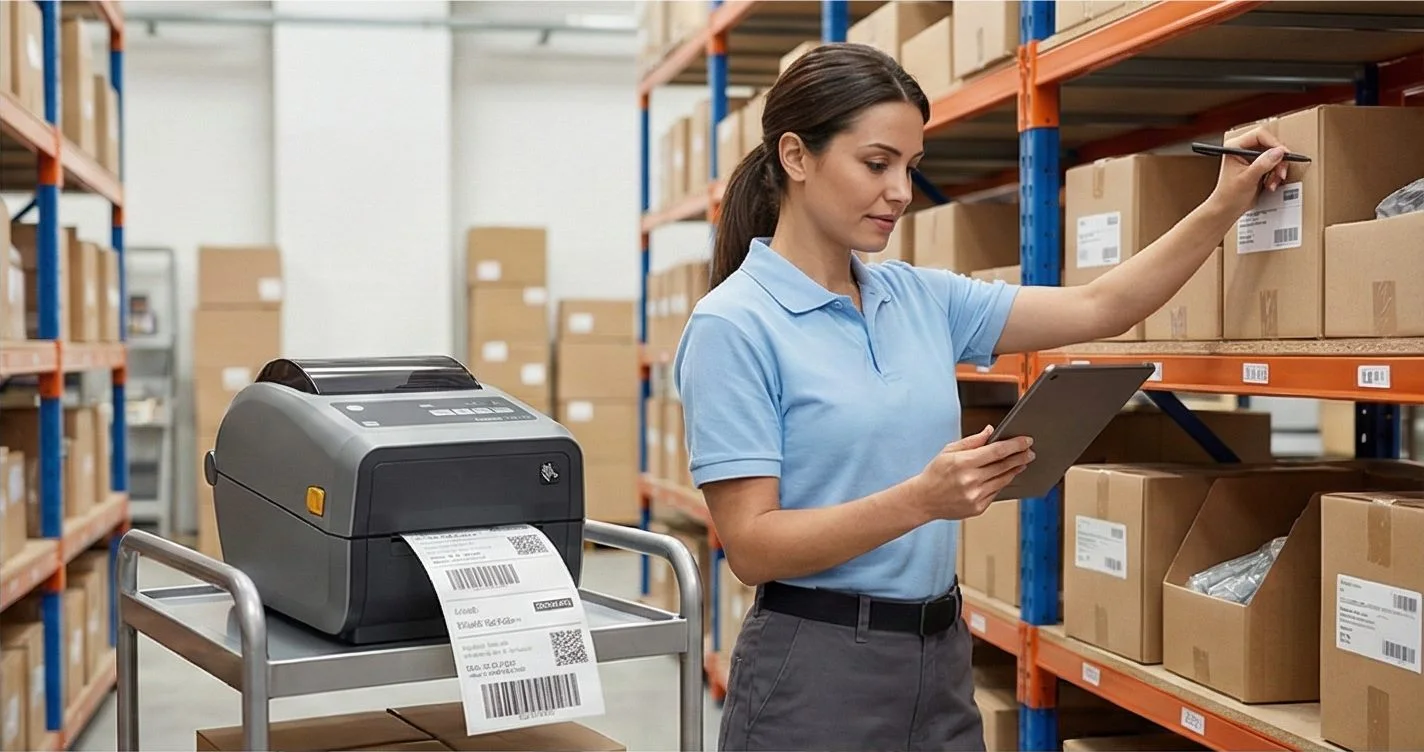
ANY PRINTER
Design it, bind your data, print on the printer you already own.
Zebra, TSC, Toshiba, Epson and more — over USB, network or Bluetooth, with no driver to install.
PRICING
Start free. Pay when it earns its keep.
QUESTIONS / FAQ
Frequently Asked Questions
What is the best label printing software for Mac?
LabelInn is the only professional label printing software with a native macOS application. It supports Apple Silicon (M1/M2/M3/M4), offers driverless thermal printing, AI-powered design, and e-commerce integrations. Unlike BarTender, NiceLabel, and ZebraDesigner — which are all Windows-only — LabelInn runs directly on your Mac.
Can I use a Zebra thermal printer on Mac?
Yes. LabelInn connects to Zebra printers (ZD220, ZD420, GK420d, ZT230, and more) directly from macOS. It uses ZPL direct printing — no driver installation needed. Connect via USB, Wi-Fi, or Bluetooth.
Does BarTender work on Mac?
No. BarTender by Seagull Scientific is Windows-only software. There is no macOS version, and there are no announced plans for one. Mac users need a virtual machine (Parallels Desktop, VMware Fusion) plus a Windows license to run BarTender — adding $238+/year in additional costs.
Does NiceLabel work on Mac?
No. NiceLabel (now part of Loftware) requires Windows. They offer a cloud version with a web interface, but it has limited functionality compared to the desktop app and cannot directly control USB-connected thermal printers.
Does ZebraDesigner work on Mac?
No. ZebraDesigner is Windows-only software provided by Zebra Technologies. Even though you can use Zebra printers on Mac with LabelInn, ZebraDesigner itself won't run on macOS.
Do I need to install printer drivers on my Mac?
No. LabelInn uses driverless ZPL direct printing technology. Connect your thermal printer via USB, Wi-Fi, or Bluetooth and it's ready to print. No driver downloads, no CUPS configuration, no Terminal commands.
Is LabelInn compatible with Apple Silicon M1/M2/M3/M4?
Yes. LabelInn runs natively on Apple Silicon as a universal binary. No Rosetta translation required. It's fully optimized for M1, M2, M3, and M4 processors.
Can I print barcode labels from my Mac?
Yes. LabelInn supports 20+ barcode formats including EAN-13, EAN-8, UPC-A, Code 128, Code 39, QR Code, DataMatrix, and more. Design your barcode label with the visual editor or AI, and print directly from your Mac.
Can I use a DYMO alternative on Mac?
Yes. If you're looking for something more powerful than DYMO Label software, LabelInn works with DYMO printers and adds support for thermal printers (Zebra, TSC, etc.), e-commerce integrations, AI design, and data binding from Excel — features DYMO doesn't offer.
Is LabelInn free on Mac?
Yes, LabelInn has a free plan that includes unlimited printing, basic templates, and 3 AI label designs per day. Paid plans start at $7.99/month for additional features like Excel data import, multiple printers, and e-commerce integrations.
KEEP GOING
Related Pages
NEXT STEP / LABELINN
Start Printing Labels From Your Mac — Today
Stop fighting with virtual machines and Windows workarounds. LabelInn is real Mac software for professional label printing. · Free forever plan · 14-day Pro trial on signup · Native macOS (Apple Silicon) · No drivers needed