GS1-128 Barcode Generator
Generate GS1-128 (formerly UCC/EAN-128) barcodes that carry Application Identifiers like (01) GTIN, (10) lot and (17) expiry — with FNC1 handled automatically. Download as PNG, SVG or PDF, free and with no signup.
Barcode settings
#000000
#FFFFFF
Preview
The free LabelInn app places your GS1-128 barcode on a full shipping or product label with text, logos and prices, then prints directly to Zebra (ZPL) and TSC (TSPL) thermal printers — including bulk printing from Excel where every row is a new lot or expiry date.
01
What is a GS1-128 barcode?
A GS1-128 barcode (formerly known as UCC/EAN-128) is a Code 128 barcode that carries standardized supply-chain data using GS1 Application Identifiers (AIs). Instead of holding one free-text value, it packs multiple structured fields into a single symbol — for example a product's (01) GTIN together with its (10) batch/lot number and (17) expiry date. This generator lets you type that data in simple (AI) notation, handles the required FNC1 character for you, and exports a clean barcode as PNG, SVG or PDF. Nothing you type is uploaded — it is generated entirely in your browser.
Need a plain Code 128 or another symbology instead? Use the full barcode generator for all 17+ types, or the dedicated QR code generator.
02
How (AI) notation and FNC1 work
Application Identifiers are two-to-four digit prefixes that tell a scanner exactly what the following data means. You enter each AI in round brackets, immediately followed by its value, with no spaces:
Reading left to right, that string means: GTIN 09501101020917, lot LOT42, expiry 2028-12-31 (AI 17 uses YYMMDD). You never type the FNC1 character yourself. FNC1 is a non-data function code that (a) marks the symbol as GS1-128 at the very start and (b) acts as a separator after any variable-length AI when another field follows. The generator inserts the leading FNC1 and the separators automatically from your (AI) input, and it enforces the fixed lengths of AIs such as (01) (14 digits) and (17) (6 digits).
03
Common GS1 Application Identifiers
| AI | Meaning | Format |
|---|---|---|
| (00) | SSCC — Serial Shipping Container Code | 18 digits (fixed) |
| (01) | GTIN — Global Trade Item Number | 14 digits (fixed) |
| (10) | Batch / lot number | up to 20 chars (variable) |
| (11) | Production date | YYMMDD (fixed) |
| (17) | Expiry / best-before date | YYMMDD (fixed) |
| (21) | Serial number | up to 20 chars (variable) |
| (30) | Variable count of items | up to 8 digits (variable) |
| (310n) | Net weight, kilograms | 6 digits + decimal (fixed) |
| (37) | Count of trade items in a logistic unit | up to 8 digits (variable) |
| (400) | Customer's purchase order number | up to 30 chars (variable) |
Fixed-length AIs need no separator after them; variable-length AIs (like (10), (21) and (400)) are followed by an FNC1 separator whenever another field comes next. The generator applies these rules for you.
04
When to use GS1-128
- Shipping and logistics units — the GS1 Logistic Label commonly pairs an
(00)SSCC with the pallet's contents. - Food, cosmetics and pharma — encode
(01)GTIN +(10)lot +(17)expiry so retailers and distributors can trace and rotate stock. - Case and carton labels — outer packaging that needs more than a retail EAN/UPC point-of-sale code.
- Warehouse and traceability — one scan captures product, batch, quantity and dates at goods-in.
For plain retail point-of-sale codes on individual consumer units, an EAN-13 or UPC-A is usually the right choice instead — GS1-128 is designed for the wider supply chain, not the checkout beam.
05
How to generate a GS1-128 barcode
- The tool is already set to GS1-128 — leave the type dropdown as is.
- Enter your data in (AI) notation, e.g.
(01)09501101020917(17)281231(10)LOT42. - Adjust size, bar height, quiet zone, colors and rotation for your label.
- Download as PNG, SVG (vector, scales cleanly for print) or PDF.
06
Printing GS1-128 to a label printer
You can download the barcode image and drop it into any document, but for real supply-chain labels it is better to build the whole label. The free LabelInn app lets you place a GS1-128 barcode alongside the human-readable AI text, product name, logo and other fields, then prints directly — with no driver hassle — to Zebra (ZPL) and TSC (TSPL) thermal printers over USB, network (TCP 9100) or Bluetooth. Because it can pull data from Excel, each printed label can carry a different lot, serial or expiry date in a single bulk run, which is exactly what GS1-128 was designed for.
07
Embed this GS1-128 generator on your site
Free to embed — just keep the attribution link. Great for supplier portals, help centers and internal wikis where teams create GS1-128 labels.
Need other symbologies? Use the full barcode generator (17+ types) or the dedicated QR code generator. Want to build the whole label? Try the label maker, or get the free LabelInn app. Also: Free GS1 Digital Link Generator (URL + QR Code) · GS1 Sunrise 2027: What the 2D Barcode Switch Means.
THE PROBLEM, THEN THE FIX
GS1-128: it looks right on screen, so why will it not scan?
A code that is slightly too small, too tight or the wrong type is the usual reason a scanner refuses it.
The problemThe code is drawn at a size that suits the screen, not the scanner.
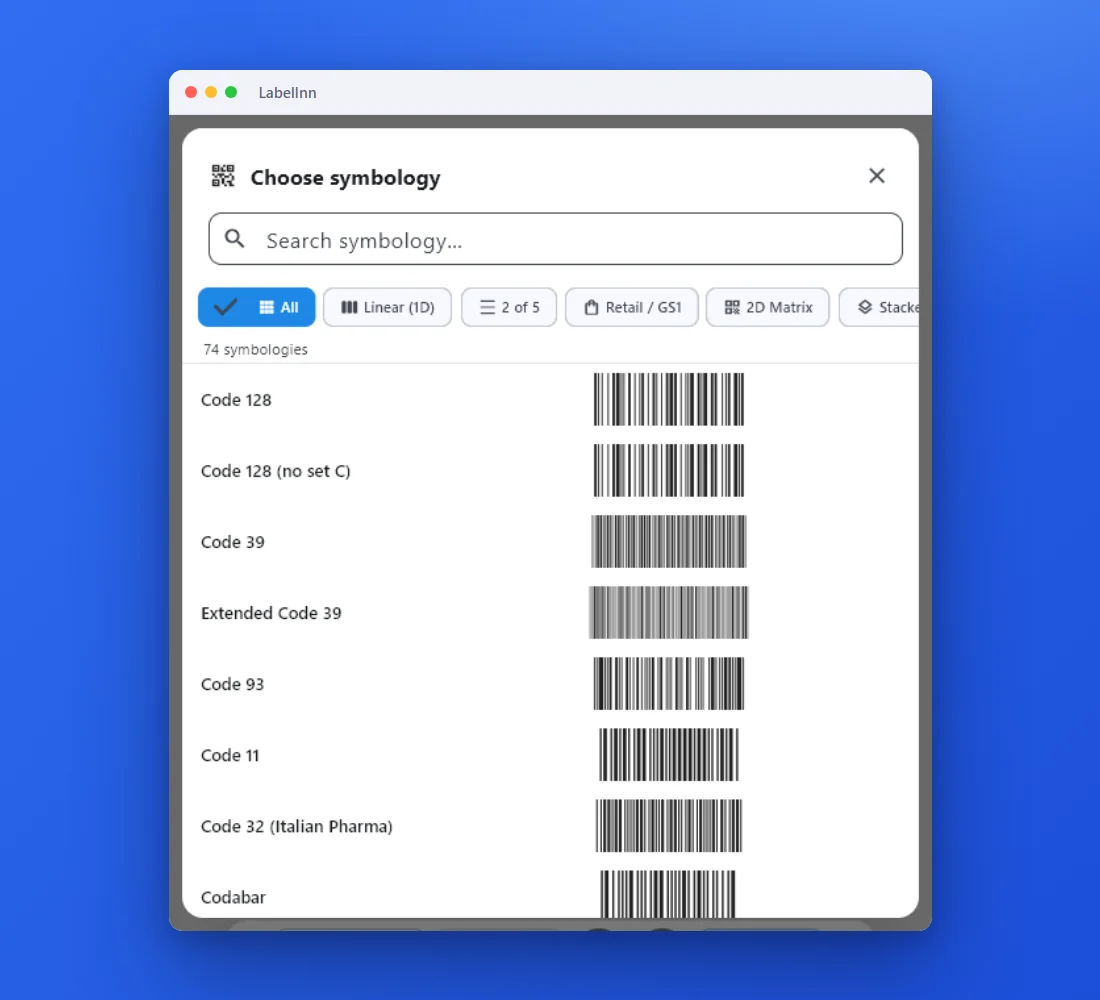 1Choose from 74 symbologiesEvery entry shows a live preview, so you pick the code by sight instead of by name.
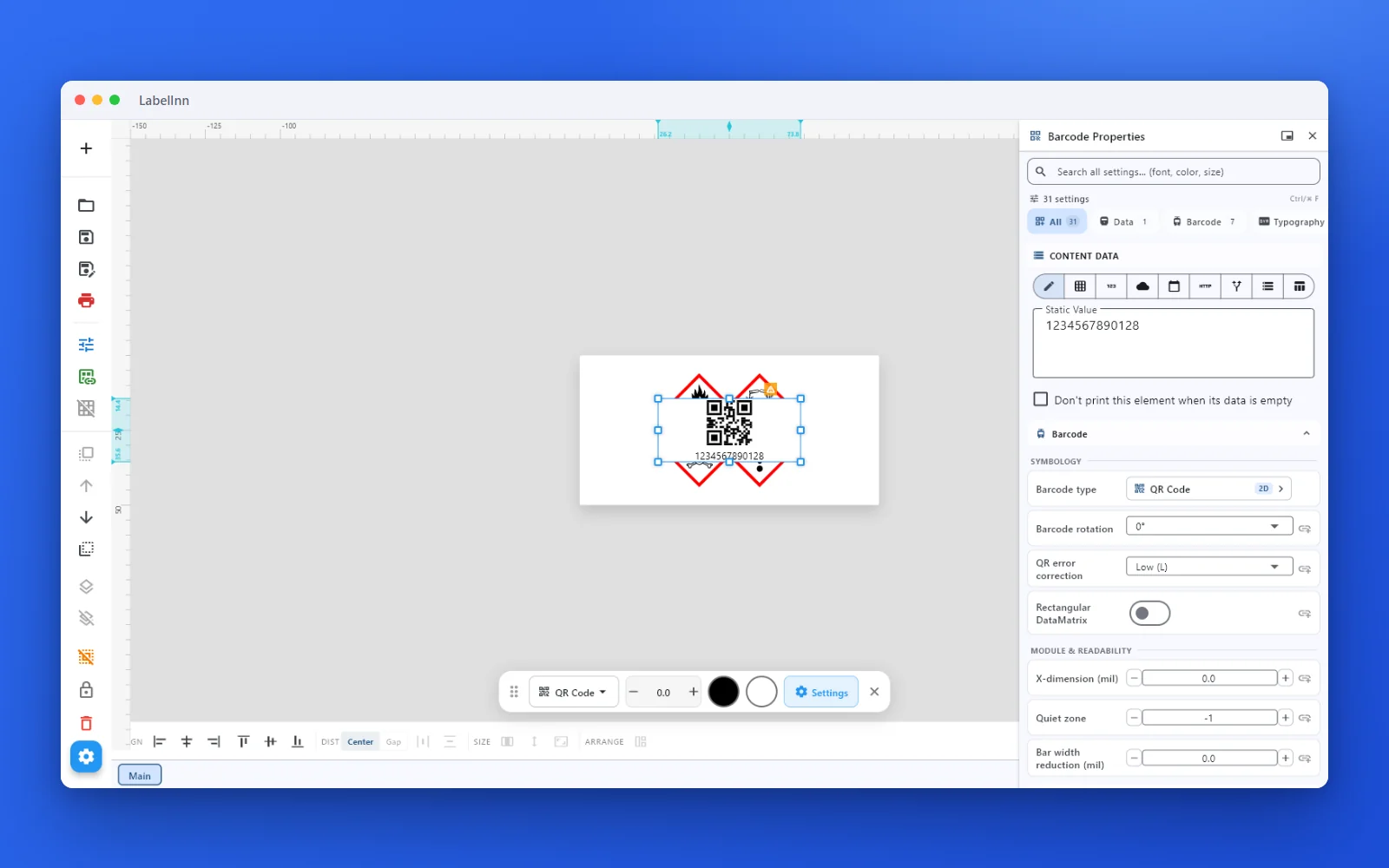 2Set the data and the readability rulesStatic value, spreadsheet column, database field or counter, plus X-dimension and quiet zone.
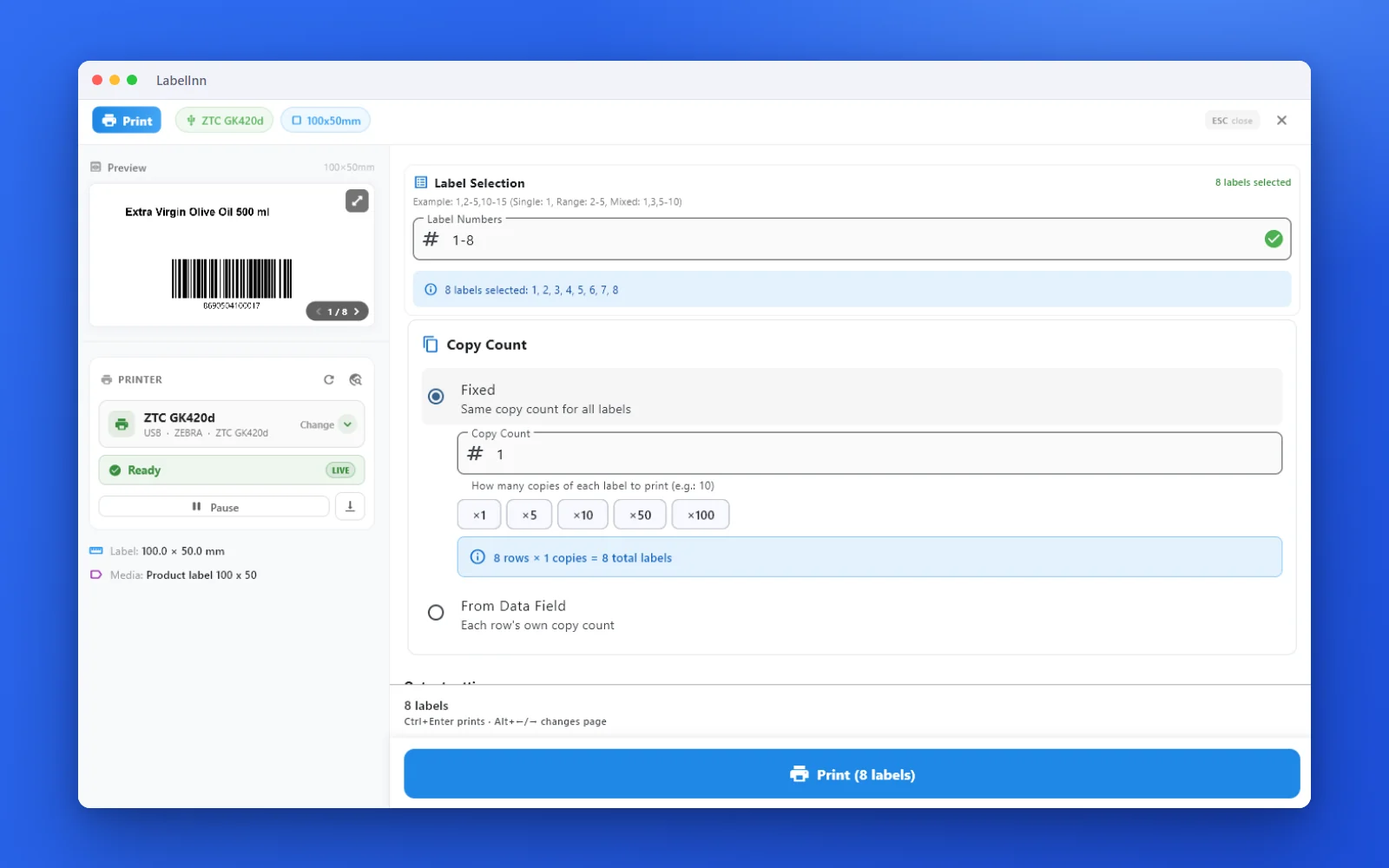 3Preview, then printCheck the real label, choose the printer and the number of copies, and print.
The fixPick the symbology from a preview list, set the module width and quiet zone, and check the real label before you print.Get LabelInn free
QUESTIONS / FAQ
Frequently asked questions
What is a GS1-128 barcode generator?
It creates Code 128 barcodes that carry structured GS1 data — like (01) GTIN, (10) lot and (17) expiry — with the required FNC1 character. GS1-128 was formerly called UCC/EAN-128. Everything runs in your browser and exports PNG, SVG or PDF.
How do I enter Application Identifiers like (01), (10) and (17)?
Type each AI in round brackets followed by its value, e.g. (01)09501101020917(10)LOT42(17)281231. The generator reads the notation, adds FNC1 and validates fixed-length AIs.
Do I need to add FNC1 myself?
No. FNC1 marks the symbol as GS1-128 and separates variable-length fields. The generator inserts the leading FNC1 and any separators automatically from your (AI) input.
Is GS1-128 the same as Code 128?
It uses the same Code 128 bar patterns, but GS1-128 is an application standard: it always starts with FNC1 and its data must use GS1 Application Identifiers. Plain Code 128 can hold any free text.
How do I print it to a Zebra or TSC printer?
Download the image, or use the free LabelInn app to place the GS1-128 barcode on a full label and print directly to Zebra (ZPL) and TSC (TSPL) printers — including bulk runs from Excel.