Free Code 128 Barcode Generator
Create high-density Code 128 barcodes for logistics, shipping, warehouse and asset tracking — full-ASCII, automatic subset switching and check digit. Download as PNG, SVG or PDF, free with no signup and no watermark.
Code 128 settings
#000000
#FFFFFF
Preview
The free LabelInn app places your Code 128 barcode on a real label with text, SKUs and prices, then prints directly to Zebra (ZPL) and TSC (TSPL) thermal printers — including bulk printing hundreds of unique codes straight from Excel.
01
What is a Code 128 barcode?
Code 128 is a high-density linear (1D) barcode that encodes the full ASCII character set (values 0-127) — digits, uppercase and lowercase letters, and symbols. That completeness, combined with a compact numeric mode, is why Code 128 is the workhorse barcode of logistics, shipping, warehousing and asset tracking. Type your data above and this generator builds a scannable Code 128 barcode instantly in your browser; nothing you enter is uploaded anywhere.
Under the hood it runs the full bwip-js symbology engine, so the barcode is standards-correct: it automatically switches between the three character subsets to stay as short as possible and always appends the required check character. Download the result as a crisp vector SVG, a high-resolution PNG, or a print-ready PDF.
02
Why Code 128 is the shipping and warehouse workhorse
- Full-ASCII, not just numbers. Unlike EAN/UPC (numeric retail codes) or Code 39, Code 128 encodes letters, digits and punctuation, so it fits real-world SKUs, serial numbers, license plates and location codes.
- High density. Its numeric Subset C packs two digits into one symbol character, producing a much shorter, narrower barcode than Code 39 for the same numeric payload — ideal for small cartons and shelf labels.
- Self-checking. A mandatory Modulo-103 check character makes misreads extremely unlikely, which matters on fast conveyor and handheld scanning lines.
- Universally supported. Every warehouse scanner, WMS and label printer reads Code 128, and it is the basis of the GS1-128 supply-chain standard.
03
Code 128 subsets: A, B and C
Code 128 defines three interchangeable character sets, and a single barcode can shift between them mid-symbol to stay compact. You never choose these by hand — the generator selects and switches them for you — but it helps to know what they do:
| Subset | Encodes | Best for |
|---|---|---|
| Code 128 A | ASCII control characters, digits, uppercase letters, symbols | Legacy codes needing control chars |
| Code 128 B | Digits, uppercase and lowercase letters, symbols | Mixed-case alphanumeric SKUs, asset tags |
| Code 128 C | Pairs of digits (00-99) — two per character | Long numeric codes; maximum density |
04
Common uses for Code 128
| Use case | Typical data |
|---|---|
| Shipping & parcel labels | Tracking numbers, carrier references, order IDs |
| Warehouse & WMS | Bin/location codes, license plates (LPN), pick tickets |
| Asset & equipment tracking | Serial numbers, asset tags, maintenance IDs |
| Internal product / SKU labels | Alphanumeric SKUs, batch and lot references |
| Supply chain (as GS1-128) | GTIN (01), batch (10), expiry (17), serial (21) |
05
How to generate a Code 128 barcode
- The type is already set to Code 128 — or pick another symbology from the dropdown.
- Type your data: a tracking number, SKU, serial number or location code. Any ASCII characters are allowed.
- Adjust size, bar height, quiet zone and colors so the barcode matches your label and scanner.
- Download as PNG, SVG or PDF — the check character is added automatically.
Scanning tip: keep the quiet zone (blank margin) on each side at least 10× the width of the narrowest bar, and give shipping barcodes enough bar height so a handheld scanner can read them at a glance.
06
Printing Code 128 to a thermal label printer
You can download the image and drop it into any label, but the cleanest path is the free LabelInn app. It places the Code 128 barcode on a real label alongside text, logos and prices, then prints driverless — sending native ZPL to Zebra and TSPL to TSC printers over USB, network (TCP 9100) or Bluetooth. Because the barcode is rendered as sharp vectors, it stays razor-crisp at any label size and DPI, and you can bulk-print hundreds of unique Code 128 codes straight from an Excel column. See the full thermal printer software for supported models.
07
Embed this Code 128 generator on your site
Free to embed — just keep the attribution link. Great for help centers, supplier portals, WMS documentation and intranets.
Need other symbologies? Use the full barcode generator for EAN, UPC, GS1, Data Matrix and PDF417, or the dedicated QR code generator. Designing full labels? Try the free label maker, or explore all LabelInn features.
THE PROBLEM, THEN THE FIX
Code 128: it looks right on screen, so why will it not scan?
A code that is slightly too small, too tight or the wrong type is the usual reason a scanner refuses it.
The problemThe code is drawn at a size that suits the screen, not the scanner.
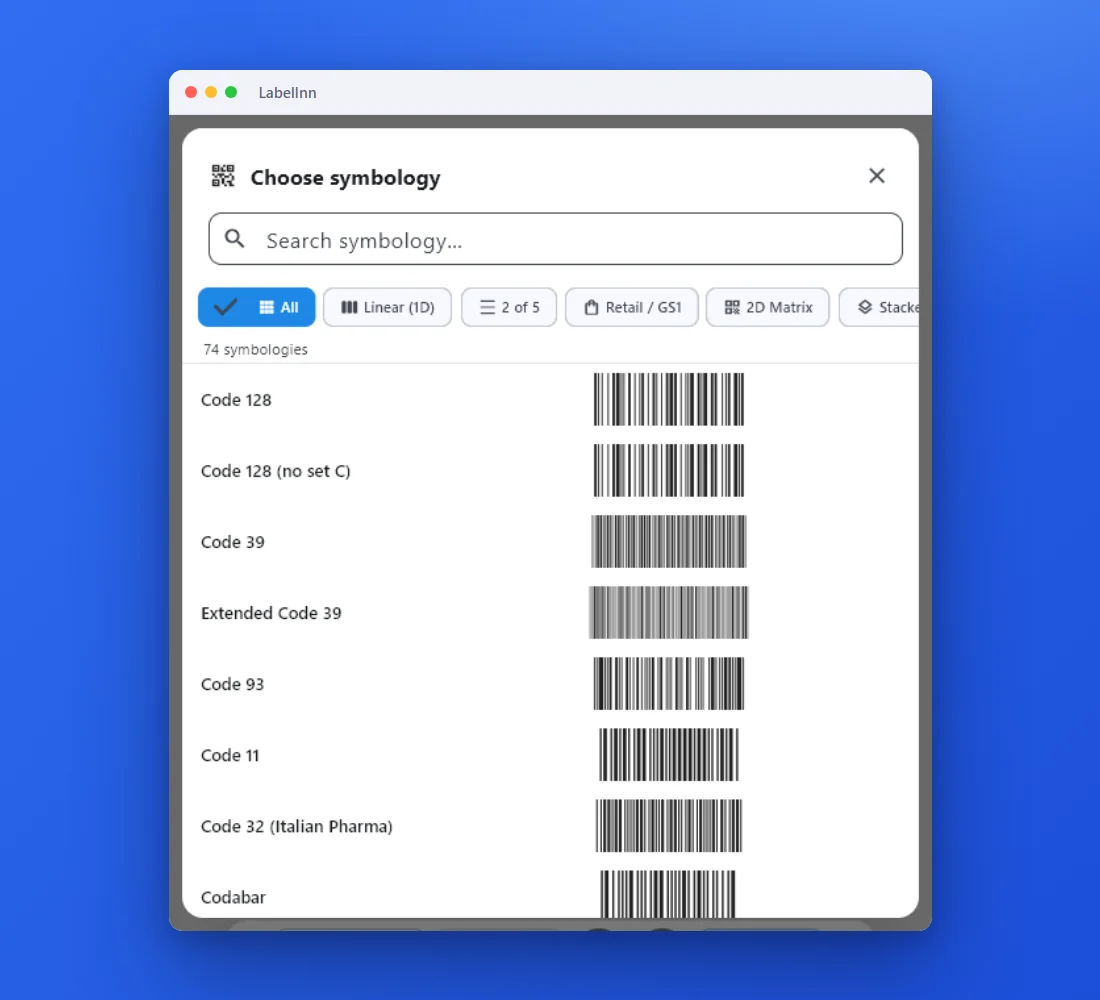 1Choose from 74 symbologiesEvery entry shows a live preview, so you pick the code by sight instead of by name.
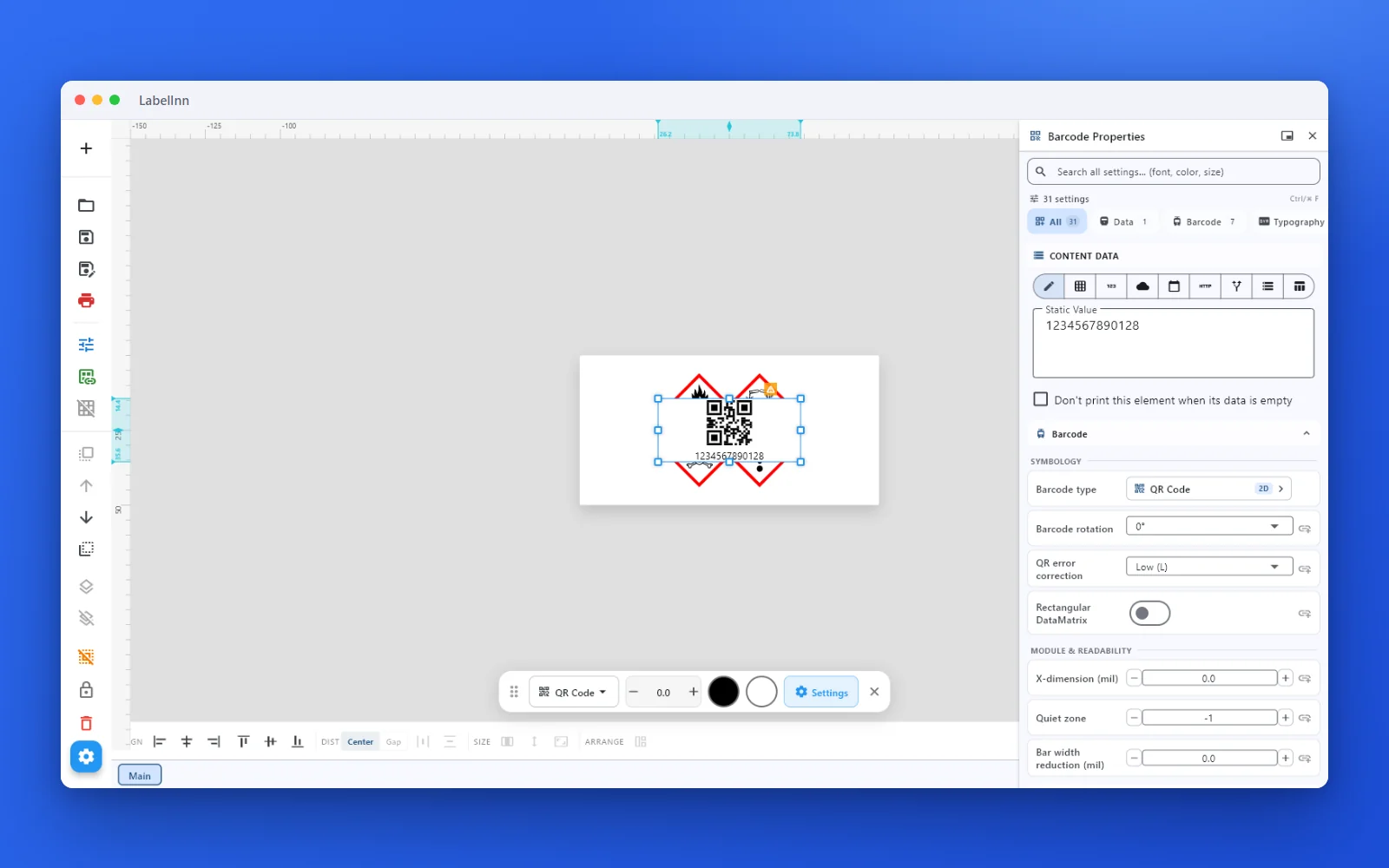 2Set the data and the readability rulesStatic value, spreadsheet column, database field or counter, plus X-dimension and quiet zone.
 3Preview, then printCheck the real label, choose the printer and the number of copies, and print.
The fixPick the symbology from a preview list, set the module width and quiet zone, and check the real label before you print.Get LabelInn free
QUESTIONS / FAQ
Frequently asked questions
Is this Code 128 barcode generator free?
Yes — no signup, no watermark, no limits. Everything runs in your browser, so nothing you type is uploaded.
What characters can Code 128 encode?
The full ASCII set (0-127): digits, uppercase and lowercase letters, and symbols. That is why it suits alphanumeric SKUs, serial numbers and shipping references.
Do I have to choose subset A, B or C?
No. The generator automatically selects and switches between subsets to produce the shortest valid barcode, and adds the Modulo-103 check character for you.
What is the difference between Code 128 and GS1-128?
GS1-128 is Code 128 with a leading FNC1 and GS1 Application Identifiers such as (01) GTIN or (17) expiry. Use plain Code 128 for internal codes; switch to GS1-128 in the dropdown when a partner requires standardized AI data.
How do I print Code 128 to a Zebra or TSC printer?
Download the image and print it, or use the free LabelInn app to place the barcode on a full label and print directly in native ZPL or TSPL — including bulk runs from Excel.