AUGUST 8, 2026 / COMPLIANCE
Food, Expiry Date and Lot Code Labels
Print food labels with automatic expiry dates, lot codes and allergen text. Date maths at print time, ~140 barcode types, full audit trail.

THE PROBLEM

Food labelling is where a typo stops being cosmetic. A wrong use-by date is a safety issue, a missing allergen is a legal one, and a lot code that cannot be traced back turns a small recall into a total one.
Your printer almost certainly already works. Native ZPL, TSPL/TSPL2, TPCL, ESC/Label, EZPL and PPLB — the languages behind 50+ printer brands. Compatible brands →
HOW IT WORKS
Three screens from data to printed label.
No copy-paste, no hunting for templates. The same flow repeats for every record.

Printer status, quick actions and recent work in one place.

Text, barcodes, QR and images placed on the real media size.

See the label, the printer state and the copy count before it prints.
01
Dates should be computed, not typed
The most common food-label error is a hand-typed date. A date field can instead be derived at print time: today plus a shelf life, formatted to the convention you use. The operator confirms the product, not the arithmetic.
- Production date + shelf life in days, weeks or months
- Separate use-by and best-before rules on the same label
- Locale-correct formatting, so 03/04 is never ambiguous
02
Lot and batch codes that survive an audit
A lot code is only useful if it is unique and reconstructable. Codes can be fixed per run, pulled from a data source, or serialised with server-side allocation — which is what stops two packing lines issuing the same code during the same shift.
03
Allergens and ingredient text
Allergen emphasis and ingredient lists come from your data rather than being retyped per label, so a recipe change updates every label that uses it instead of surviving in a stale template on someone's desktop.
04
Traceability is the audit trail
Every printed label writes an immutable record: what was on it, which template version produced it, who printed it, on which printer, when. During a recall the question "which batches carried this date code" becomes a query rather than an archaeology project.
05
Practical notes
- Thermal transfer is preferable to direct thermal for chilled or long-shelf-life goods — direct thermal fades
- GS1-128 with application identifiers encodes lot and date in a single scannable field
- Print from a spreadsheet for batch runs, or automatically from a production system
THE PROBLEM, THEN THE FIX
Retyping batch and expiry dates is how mistakes get printed
A date typed by hand on every label is a date that is wrong on one of them.
The problemBatch number and expiry date are edited on the label for each run.
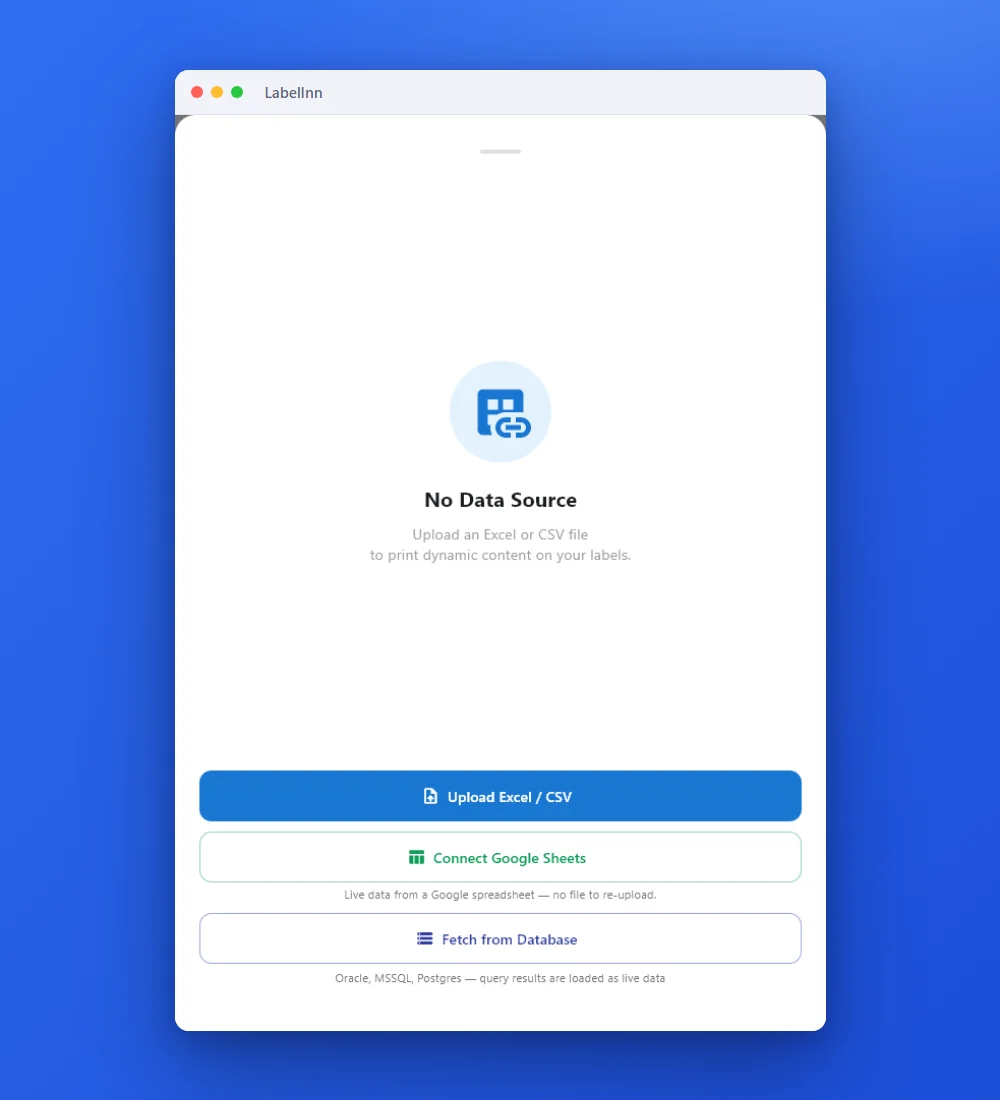 1Point the label at your dataUpload an Excel or CSV file, connect Google Sheets, or fetch from a database.
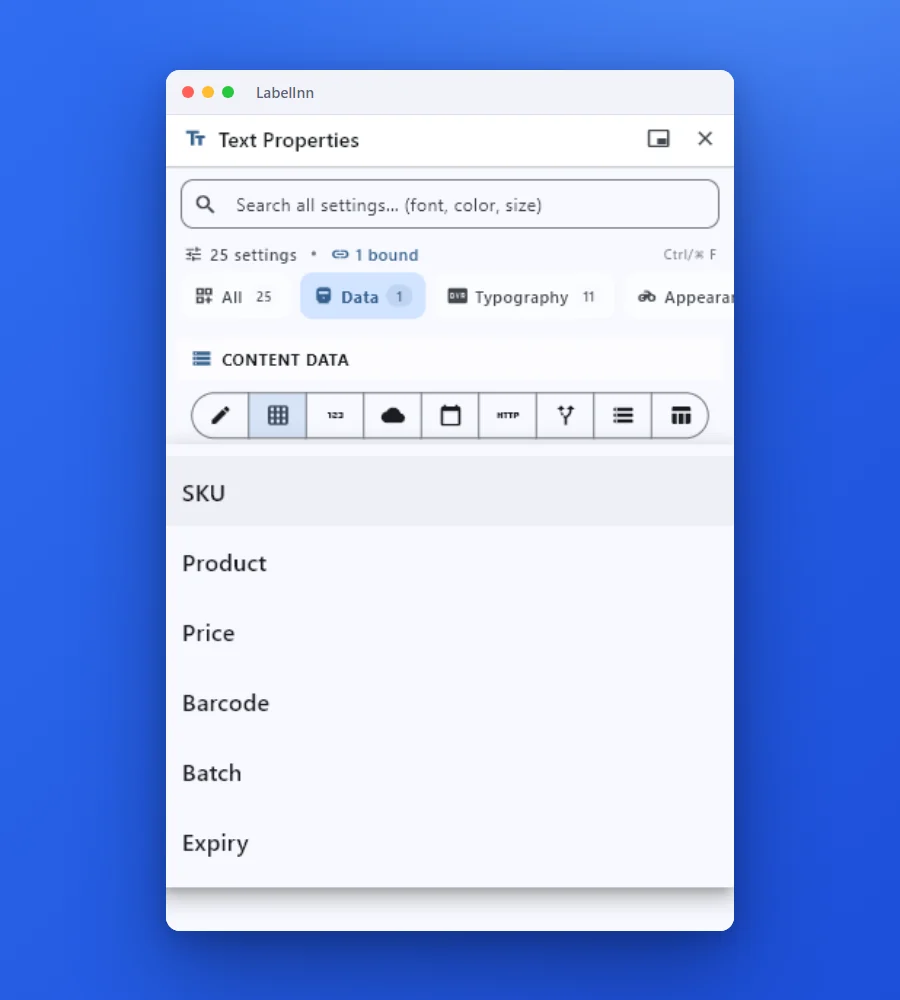 2Pick a column for each fieldChoose the column from the field data-source dropdown. The mapping is saved with the design.
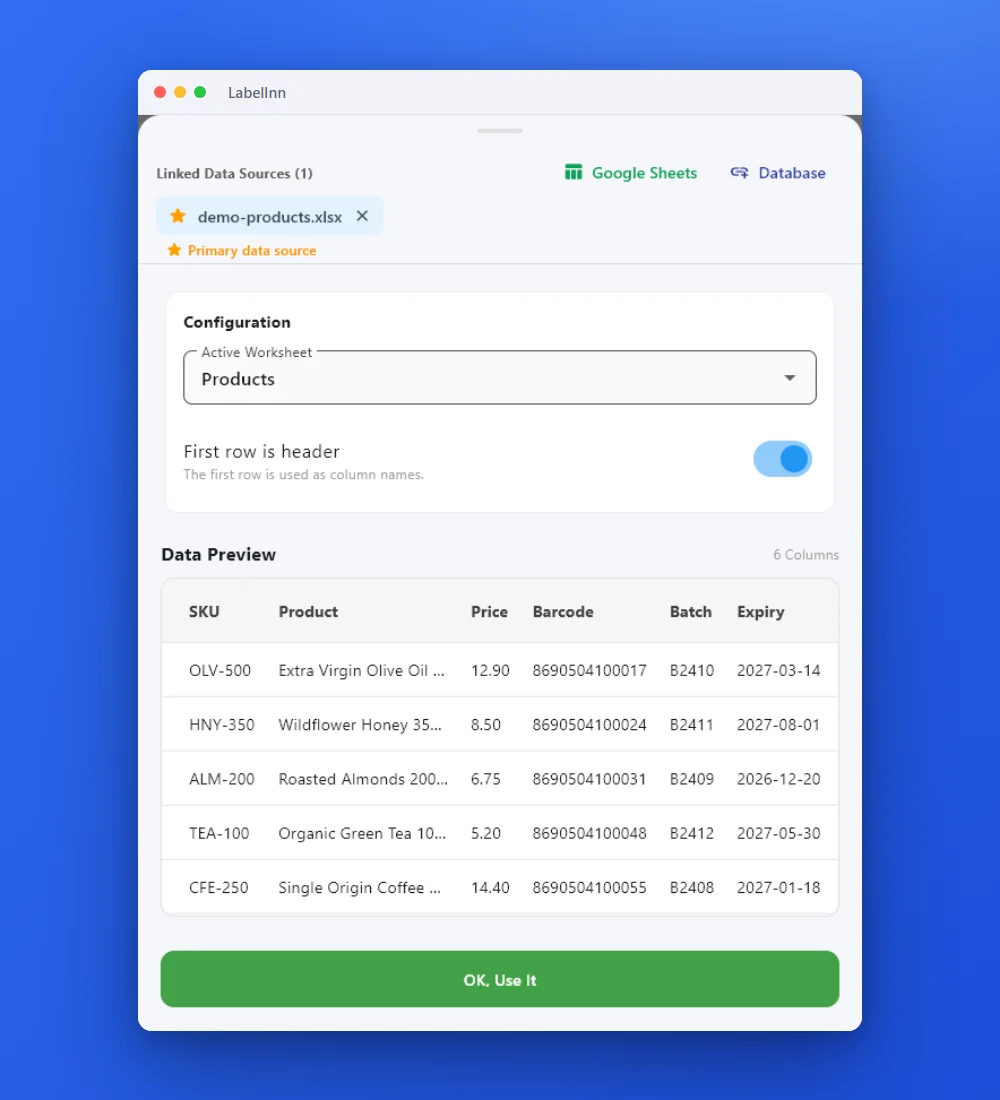 3Check the real rowsThe sheet and its header row are shown before anything prints.
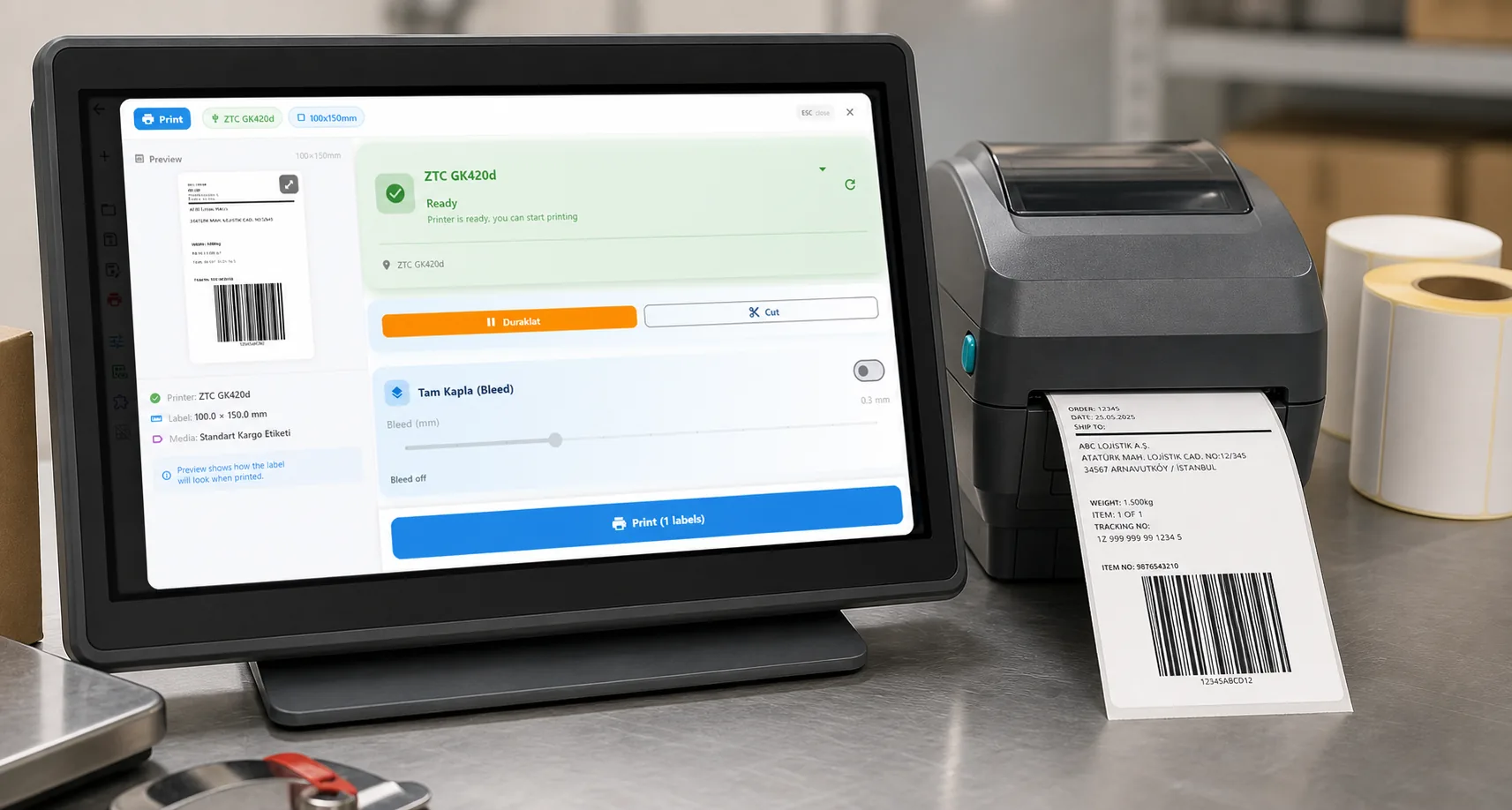
- 4Preview, then printCheck the real label, choose the printer and the number of copies, and print.
The fixKeep them in a sheet; the preview shows each label before it prints.Get LabelInn free
ANY PRINTER
Design it, bind your data, print on the printer you already own.
Zebra, TSC, Toshiba, Epson and more — over USB, network or Bluetooth, with no driver to install.
PRICING
Start free. Pay when it earns its keep.
KEEP GOING
Related
NEXT STEP / LABELINN
Stop typing dates by hand