FREE PLAN AVAILABLE / 14-DAY PRO TRIAL
Toshiba TEC Label Printer Software for Windows
Toshiba BV400, B-FV4 and B-EX printers on Windows 10 and 11. Sends TPCL directly — no BarTender licence, no spooler in the path.
HOW IT WORKS
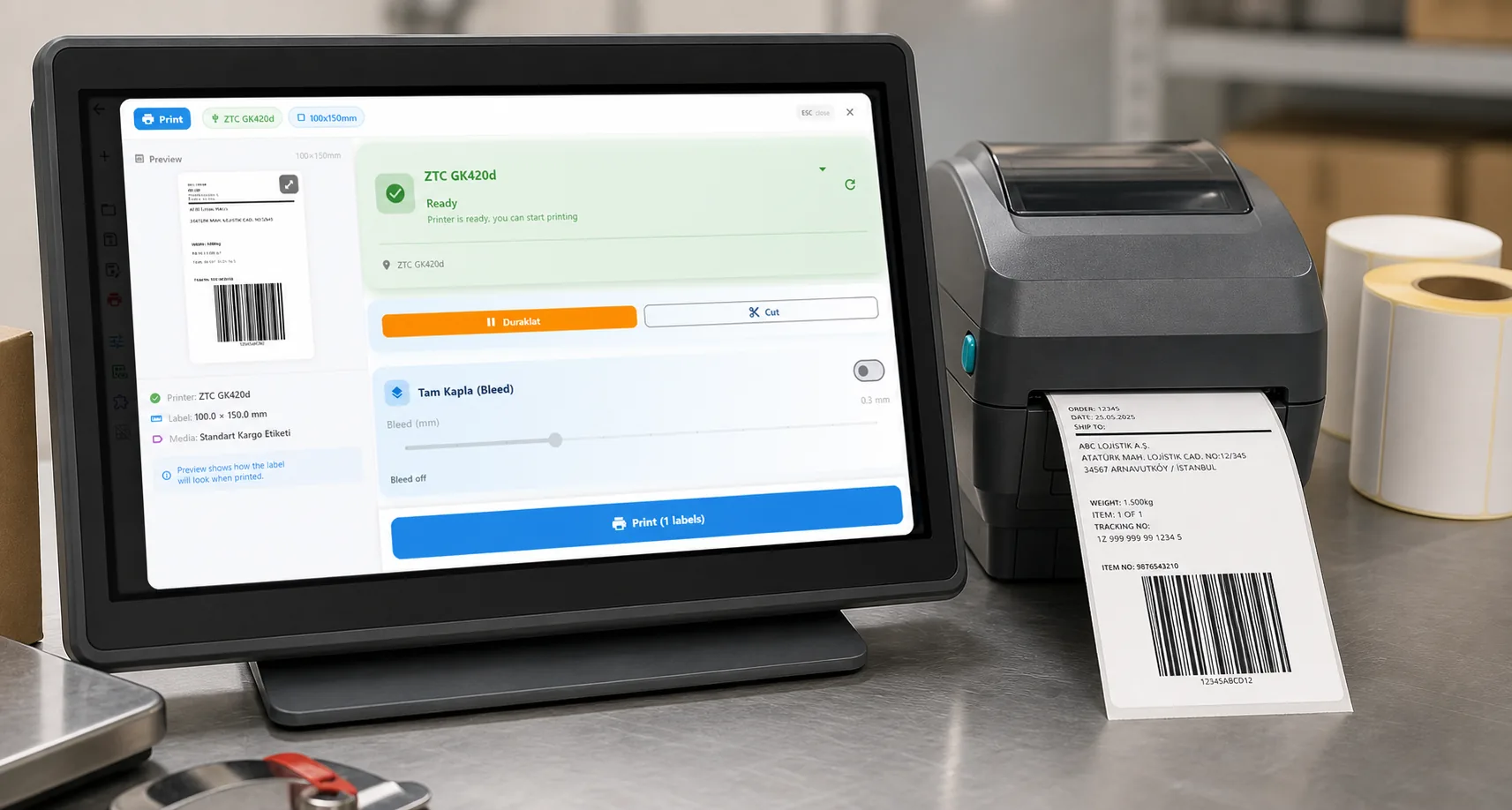
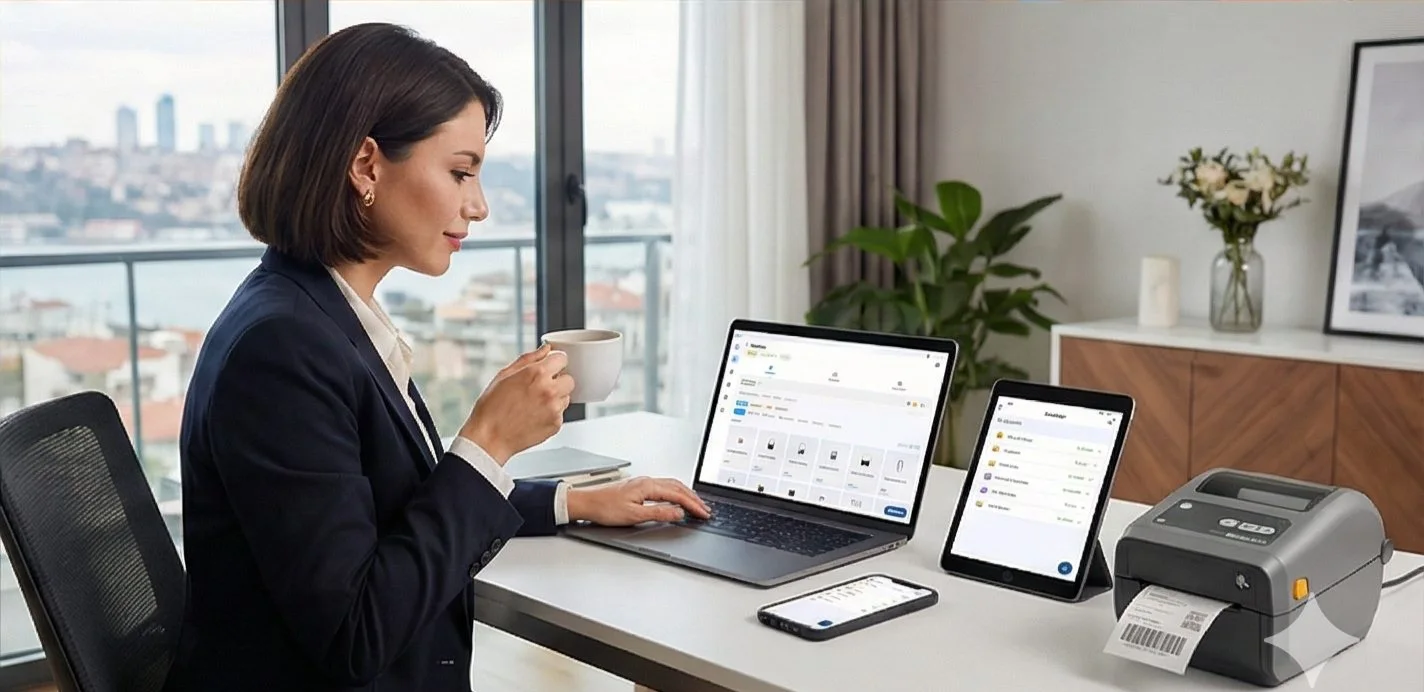
Three screens from data to printed label.
No copy-paste, no hunting for templates. The same flow repeats for every record.

Printer status, quick actions and recent work in one place.

Text, barcodes, QR and images placed on the real media size.

See the label, the printer state and the copy count before it prints.
01
Why this is hard today
Toshiba TEC printers are usually paired with an OEM edition of BarTender that is feature-limited, and upgrading means a per-printer licence. The alternative — the generic Windows driver — leaves you fighting label size and sensor settings.
02
What LabelInn does instead
LabelInn generates TPCL and sends it over USB or network without going through the spooler. Media size, sensor mode and darkness are set as TPCL commands, so a roll change does not become a driver-configuration session.
TPCL, not ZPL
Generic label software that assumes ZPL will produce absolutely nothing on a Toshiba — no error message, no output. If a tool has no Toshiba or TPCL option, it cannot drive the printer.
03
Supported Toshiba TEC models
Any Toshiba TEC printer that accepts TPCL should work. Commonly used models include:
- Toshiba BV400
- Toshiba BV410
- Toshiba B-FV4-G
- Toshiba B-EX4T2-G
- Toshiba B-EX4T1
- Toshiba B-852
This list is not exhaustive and model names belong to their manufacturer. LabelInn is not affiliated with Toshiba TEC. If your model speaks TPCL, try it on the free plan before committing.
04
How to get printing
- Download LabelInn for Windows and open it.
- Add the printer over USB or network. No vendor driver install.
- Set the label size and sensor mode to match your roll, then calibrate.
- Design the label — or bind a spreadsheet column and print one label per row.
05
Frequently asked
Do I need BarTender for a Toshiba printer?
No. LabelInn drives Toshiba TEC printers directly using TPCL, with no per-printer licence.
Which Toshiba models work?
BV400, BV410, B-FV4-G, B-EX4T2-G, B-EX4T1 and similar TPCL units.
Why does my Toshiba print blank?
Most often it is receiving ZPL instead of TPCL, or the media size does not match the roll.
Windows 11 supported?
Yes, Windows 10 and 11, 64-bit.
Try it with your own Toshiba TEC The free plan is enough to add the printer, calibrate it and print a real label. If it does not drive your model, you have lost ten minutes rather than a licence fee. 11015;️ Download for Windows →
THE PROBLEM, THEN THE FIX
Printing to a label printer from Windows without driver headaches
Choose the LabelInn printer in any app, set the media in its preferences, print.
The problemThe default driver treats a label roll like a sheet of paper.
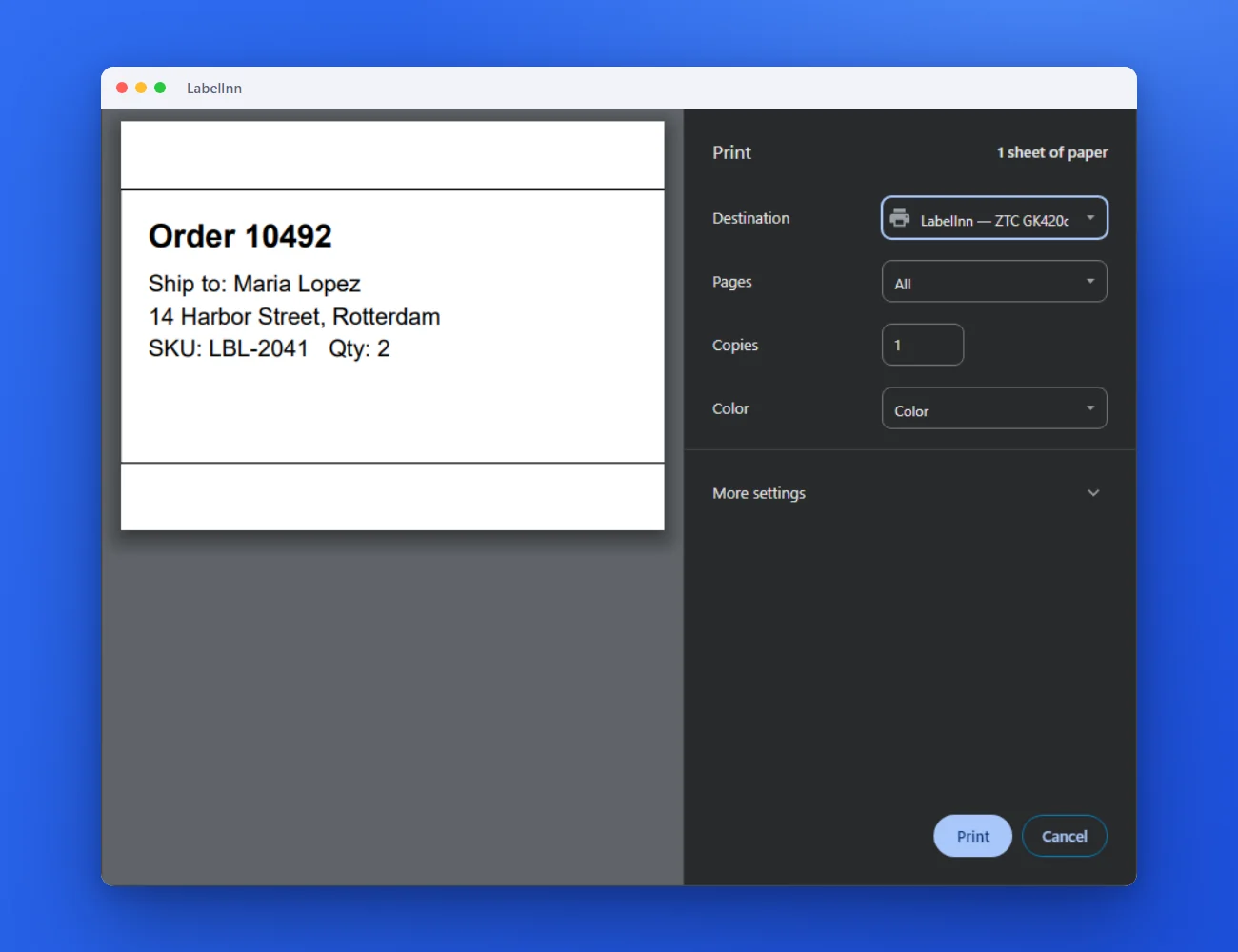 1Pick the LabelInn printer in any appIt shows up next to your other printers in Word, Chrome or whatever you print from.
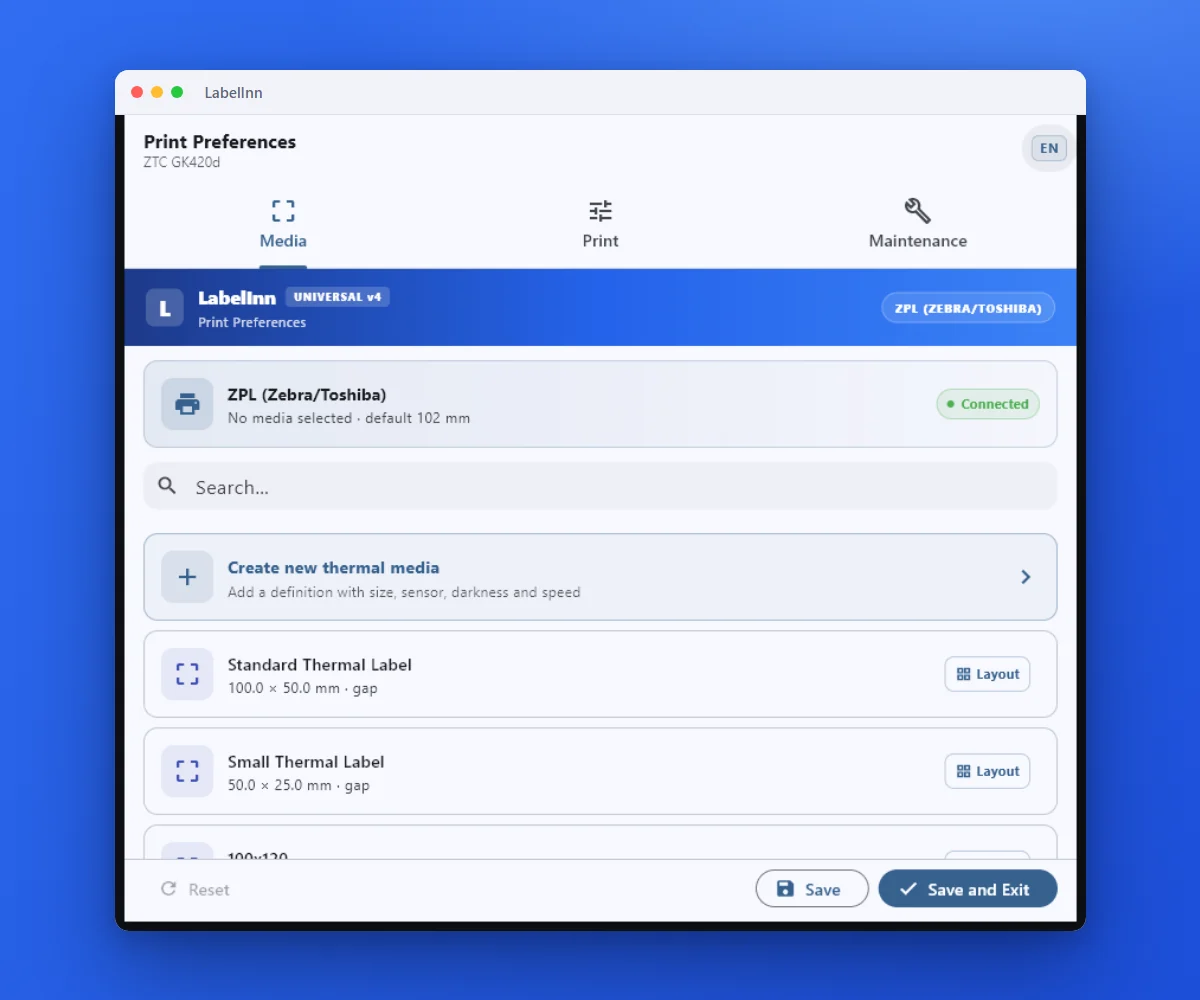 2Pick the label size in the driverOpen Preferences on the LabelInn printer and choose the media. Word, Chrome or any app then prints to that size.
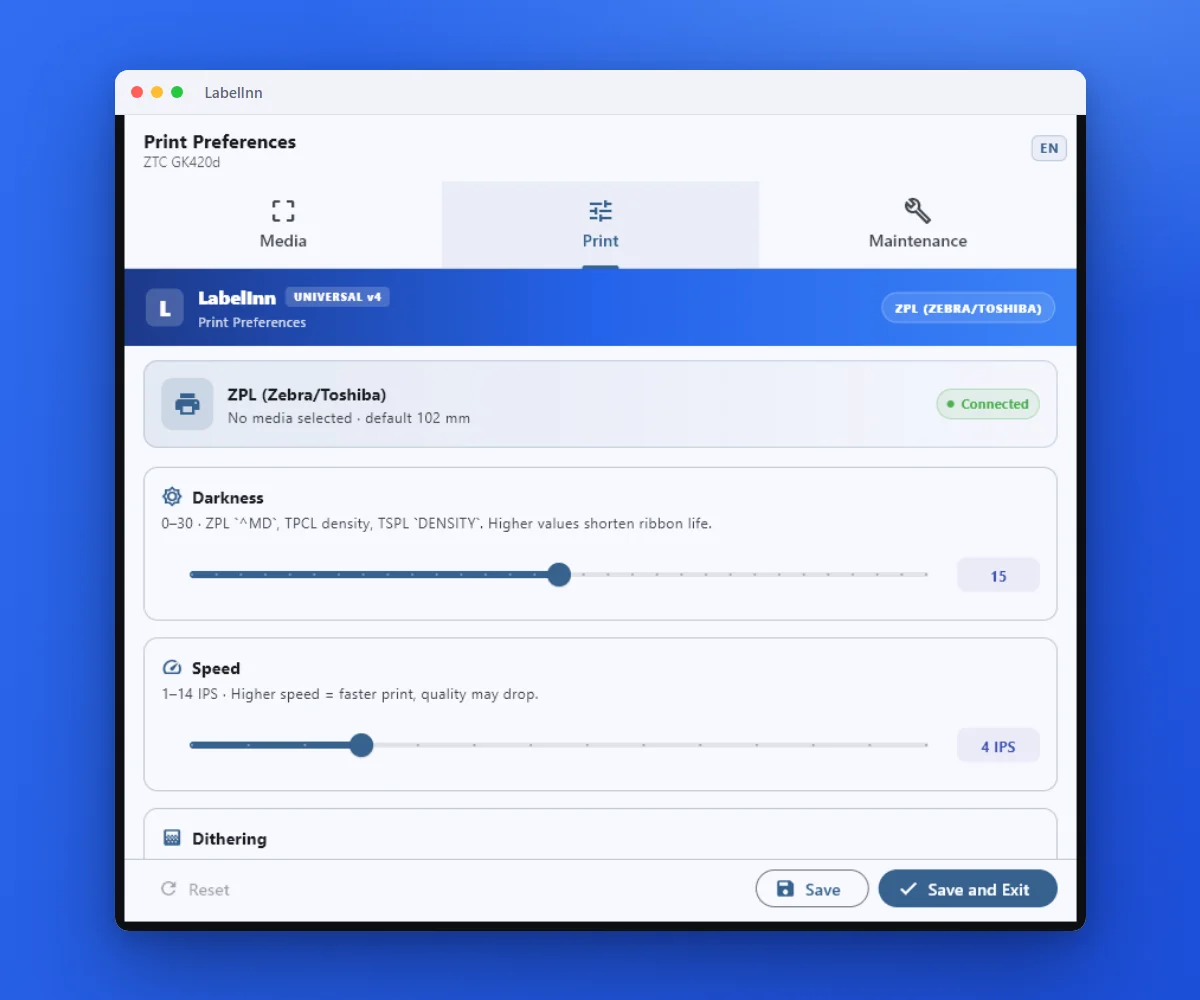 3Darkness, speed and sensor modeThe print settings live in the driver, so every application prints with the same result.
The fixOne set of preferences, applied to every job.Get LabelInn free
ANY PRINTER
Design it, bind your data, print on the printer you already own.
Zebra, TSC, Toshiba, Epson and more — over USB, network or Bluetooth, with no driver to install.
PRICING
Start free. Pay when it earns its keep.
NEXT STEP / LABELINN
Print your first label today