FEBRUARY 7, 2026 / GUIDE
Bulk Label Printing from Excel: Step by Step Guide (2026)
THE PROBLEM
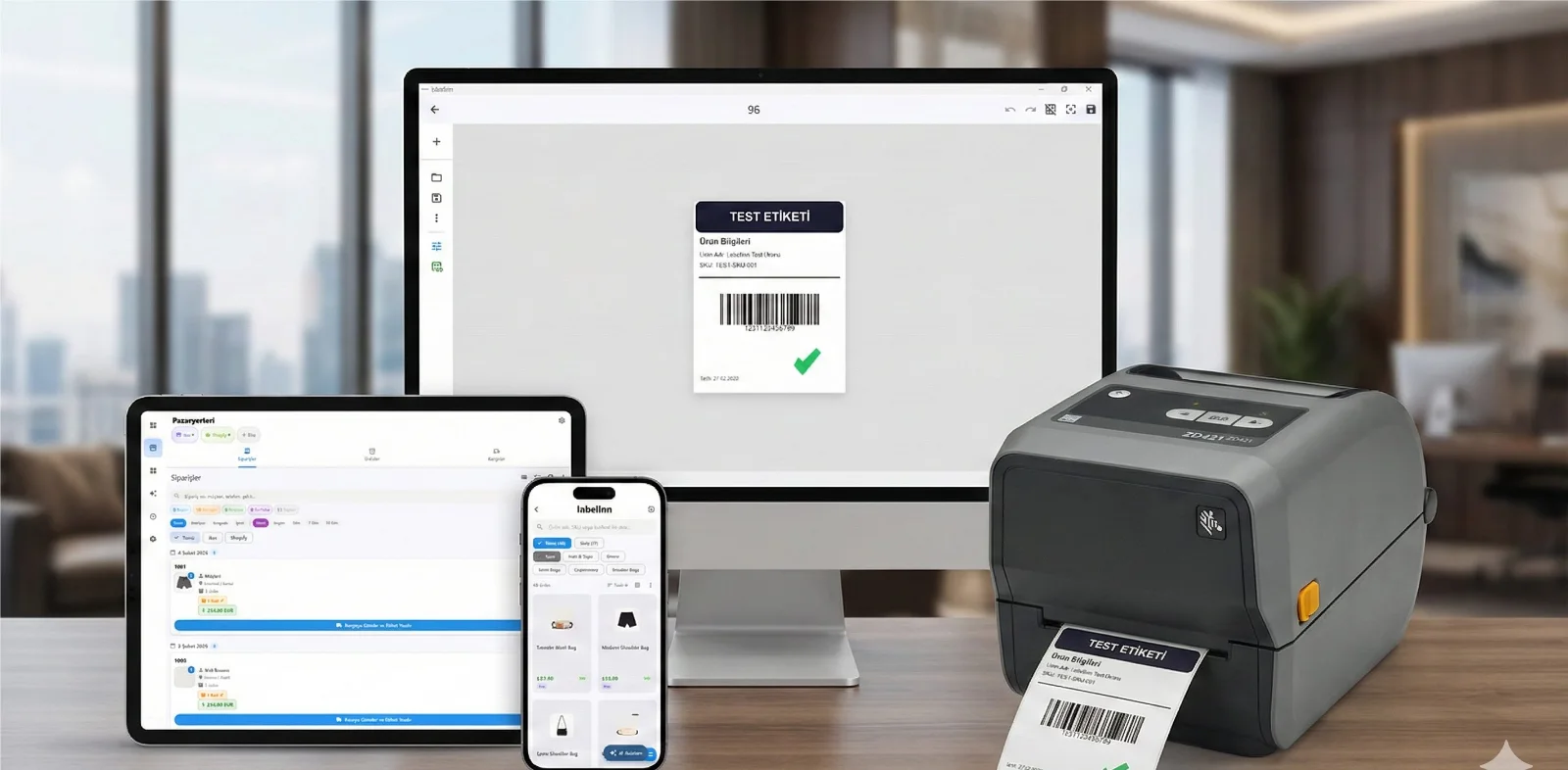
You have an Excel or CSV file with hundreds of products, addresses, or inventory data. Are you going to design a label for each one separately? No. Design the label template once, bind the data, and print them all with one click.
01
What Is Label Printing from Excel Used For?
Usage Scenarios
| Scenario | Excel Data | Label Output |
|---|---|---|
| Product labels | Product name, price, barcode no | Separate label for each product (with barcode) |
| Shelf labels | Product, shelf code, price | Label for each shelf in store |
| Address labels | Name, surname, address, postal code | Envelope or box label |
| Inventory labels | Asset no, department, date | Tracking label for each equipment |
| Cargo labels | Recipient name, address, order no | Label for each shipment |
| Event badges | Participant name, company, role | Badge for each participant |
02
Traditional Method: Word Mail Merge
Most people use Word's "Mail Merge" feature. But this method has serious limitations:
- Cannot create barcodes only text and simple images
- Cannot add QR codes
- No thermal printer support only A4 paper
- Complex setup data source selection, field mapping, format settings
- Limited label sizes cannot go beyond predefined Avery templates
- Works differently on macOS not as seamless as Windows
Need to print labels from Excel or CSV? LabelInn imports your spreadsheet and prints hundreds of labels in one click — barcodes included, no Mail Merge. Try free for 14 days →
03
Bulk Label Printing from Excel with LabelInn
If you just want the short version and the supported formats, see print labels from Excel. If your rows live somewhere other than a spreadsheet, LabelInn binds the same fields to a CSV export, a SQL database or the REST API.
Step 1: Prepare Your Excel File
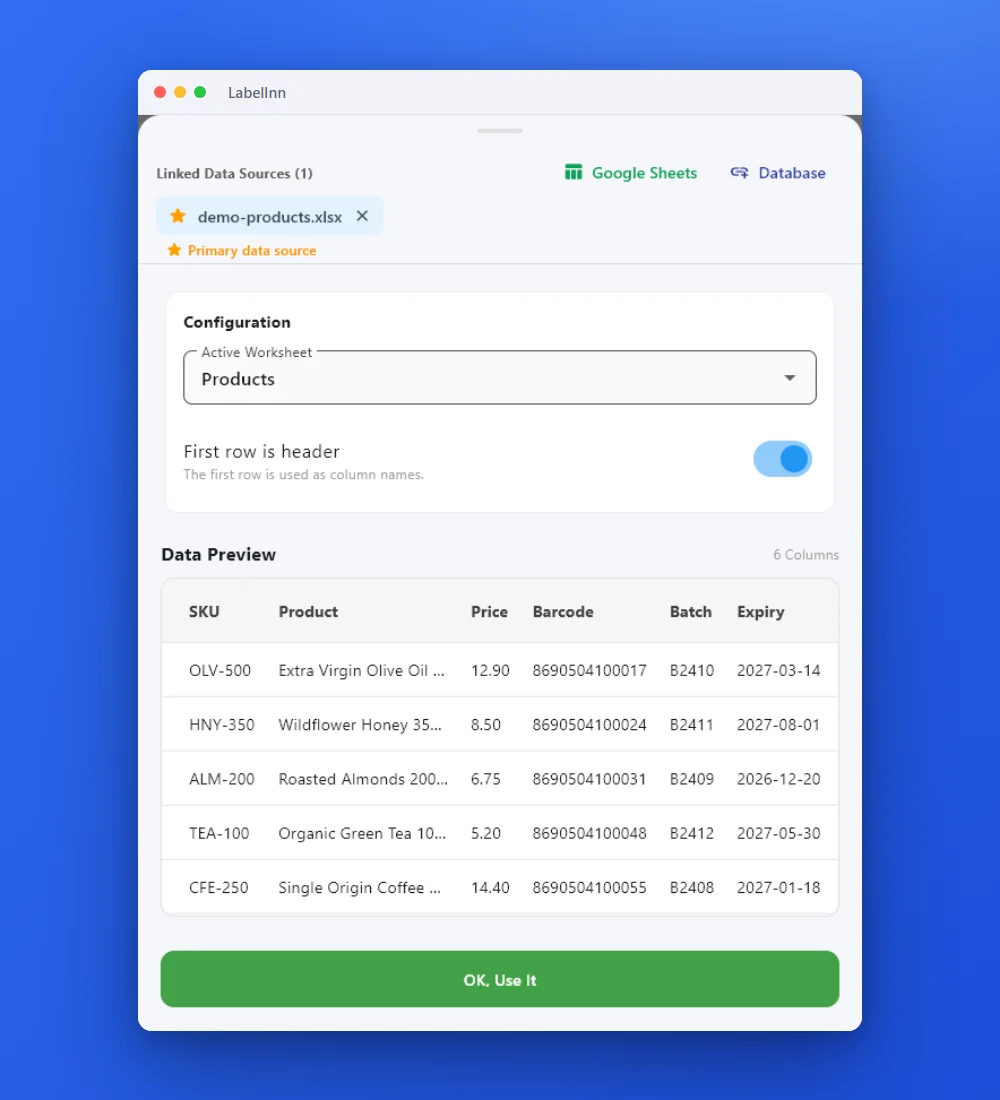
First row must be column headers. Each row will be one label.
| Product Name | Barcode | Price | Category | Shelf |
|---|---|---|---|---|
| Organic Olive Oil 500ml | 8690123456789 | $24.99 | Food | A-3 |
| Natural Flower Honey 450g | 8690123456790 | $18.99 | Food | A-4 |
| Lavender Soap 100g | 8690123456791 | $3.99 | Cosmetics | B-1 |
| Handmade Candle Set | 8690123456792 | $12.99 | Home | C-2 |
Step 2: Design Label Template
Or let AI do it: "Create a 6040mm product label. Product name at top, EAN-13 barcode in center, price in large font at bottom. With border."
Step 3: Connect Excel
Step 4: Preview and Print
04
Word Mail Merge vs LabelInn
| Word Mail Merge | LabelInn | |
|---|---|---|
| Barcode creation | ? No (font trick) | ? 20+ barcode formats |
| QR code | ? No | ? Yes |
| Thermal printer support | ? No | ? Direct with ZPL |
| Custom label size | Limited (Avery templates) | ? Any size (mm) |
| AI label design | ? No | ? Yes |
| macOS support | Partial | ? Native |
| Data binding ease | Complex (7-8 steps) | Simple (3 steps) |
| Image/logo adding | Difficult | Drag-and-drop |
05
Advanced: Conditional Printing
Print different labels based on Excel data:
- Filter: Print labels only for products in "Food" category
- Quantity: If Excel has "Quantity" column, print that many labels for each product
- Template switching: Different label designs for different categories
06
Common Mistakes (and Solutions)
| Error | Cause | Solution |
|---|---|---|
| Leading 0 in barcode disappeared | Excel number format | Convert column to text format |
| Turkish characters corrupted | CSV encoding issue | Save with UTF-8 encoding |
| Some rows not creating labels | Empty row or cell | Delete empty rows in Excel |
| Price cut after comma | Number format | Enter prices as text: "$24.99" |
QUESTIONS / FAQ
Frequently Asked Questions
I'm using Google Sheets, is it supported?
Yes. Export from Google Sheets as "File Download CSV", then upload to LabelInn as CSV. Direct Google Sheets connection is also supported in the latest update.
What's the maximum number of rows supported?
There is no software limit. Tested with Excel files with 10,000+ rows. Print time depends on your printer speed.
Can I print different quantities of labels for each row?
Yes. Add a "Quantity" column in Excel. LabelInn will print the specified number of labels for each row.
Can I print multiple labels on one A4 page?
Yes. You can print in a grid layout on A4 paper (e.g.: 37 = 21 labels/page). Also compatible with Avery label sheets.
KEEP GOING
Related Articles
NEXT STEP / LABELINN
Printing Labels from Excel Has Never Been This Easy
Print 1 label or 10,000 labels. 14 days free. · Upload Excel/CSV file · Automatic data matching · Barcode, QR code, logo support · macOS & Windows