Hardware: Any Zebra, TSC, or Xprinter thermal printer (100×150mm labels)
SHIPPING / MARKETPLACES / WINDOWS AND MAC
Best Shipping Label Software for Small Business 2026
Shipping label software for small businesses. Import label data or connect an authorized store, ERP, WMS, or shipping API, then map, preview, and print on thermal printers.
FREE PLAN · NO CREDIT CARD · WINDOWS / MAC / LINUX / WEB

Order sources
Shopify
WooCommerce
Trendyol
Hepsiburada
ikas
+ Your shipping API · PDF · Excel
THE PROBLEM
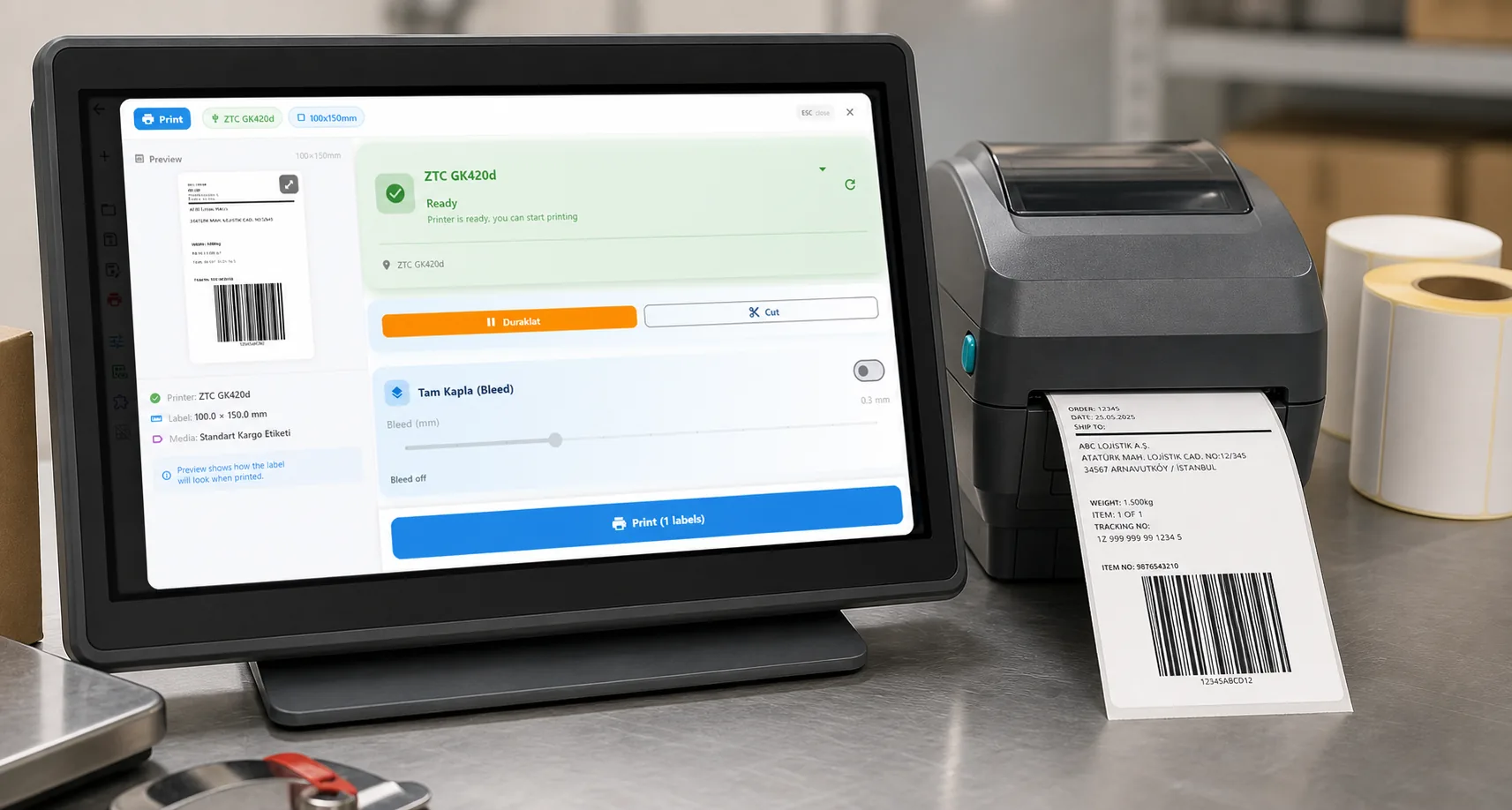
Every e-commerce seller knows the pain: orders come in, you copy address details into label software, find the right format for the carrier, print, and hope it scans at the carrier drop-off. Multiply that by 50 orders a day and it's hours of work.
The right shipping label software eliminates all of that. Orders sync, labels print, done.
Stop copy-pasting addresses. LabelInn auto-syncs orders from Shopify, Trendyol, Hepsiburada, and more. Print shipping labels in one click. Try Free →
HOW IT WORKS
Three screens from data to printed label.
No copy-paste, no hunting for templates. The same flow repeats for every record.
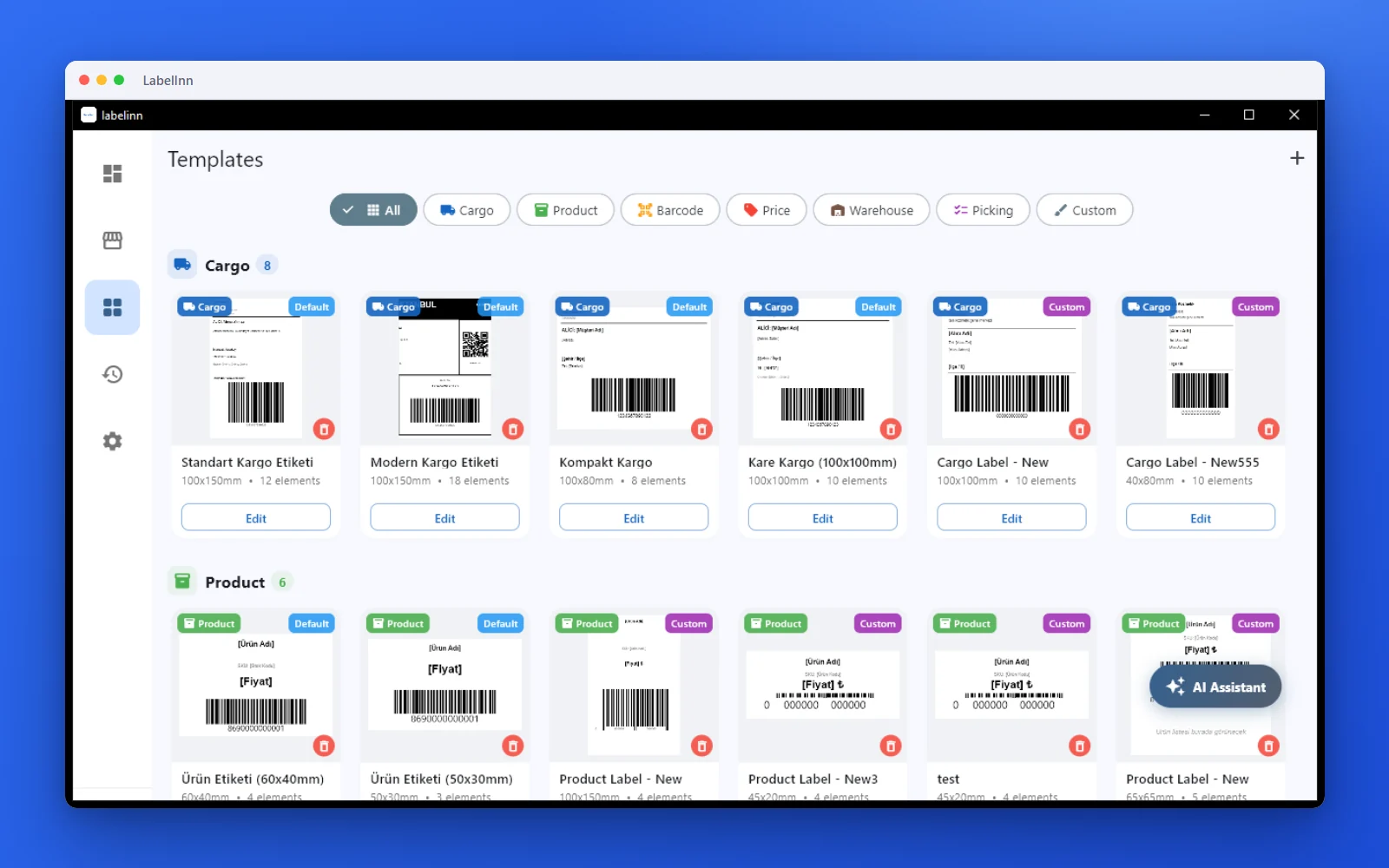
Pick a cargo label from the gallery or design one on a blank canvas.

Recipient, address, tracking barcode: map once, every label fills itself.
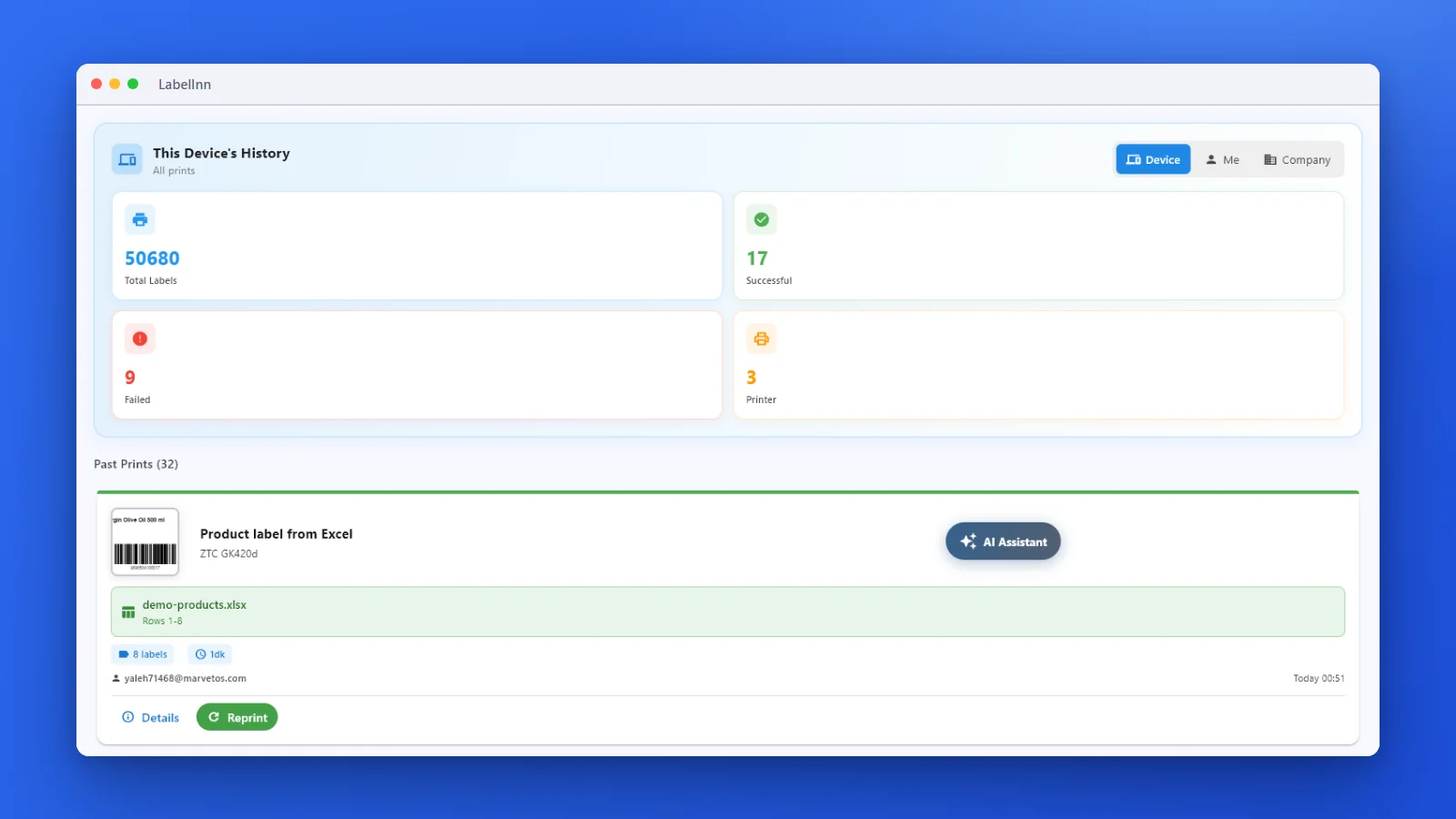
Every job is recorded. See what failed and reprint in one click.
01 / WORKFLOW
The Modern Shipping Label Workflow
Here's what shipping label printing looks like with LabelInn:
| Task | Old Way | With LabelInn |
|---|---|---|
| Get new orders | Log into marketplace, export CSV | Instant auto-sync |
| Enter recipient info | Manual copy-paste | Auto-populated from order |
| Map shipping data | Find the right template, adjust manually | Preview a customer-defined mapping |
| Print labels | One at a time | Batch print all at once |
| Update tracking | Manually enter in marketplace | Write back after an approved test |
| Time per order | ~3–5 minutes | ~10 seconds |
02 / SOURCES
Order Sources & Shipping Outputs
Marketplaces (Order Source)
| Platform | Region | Integration Type |
|---|---|---|
| Shopify | Global | API — real-time sync |
| WooCommerce | Global | API — real-time sync |
| Trendyol | Turkey | API — real-time sync |
| Hepsiburada | Turkey | API — real-time sync |
| ikas | Turkey | API — real-time sync |
Shipping Connection Paths
| Connection path | Coverage | Label handling |
|---|---|---|
| Customer shipping API | Any region where your account is authorized | Map the provider response or a normalized 4×6 / 100×150mm template |
| Downloaded shipping PDF | Any provider | Import, crop, preview, and print without claiming an API integration |
| Internal fulfillment system | Any region | Use your own tracking, barcode, and template contract |
03 / AUTOMATION
Auto-Print Straight From Your Store or ERP
Beyond the dashboard, LabelInn can print shipping labels with zero clicks. Auto-print shipping labels from your store, ERP, or WMS via one REST API or a no-code workflow. POST an order to POST /v1/print/jobs (idempotency keys, batch + scheduled jobs, webhooks) and the label drops on your thermal printer — or wire the same thing visually with Make.com, Zapier, or the built-in workflow engine.
One API, every printer. Trigger labels from any system that can make an HTTP request — no manual export, no copy-paste. See the API →
THE PROBLEM, THEN THE FIX
Typing recipient details into a label for every order does not scale
The label is the easy part. Repeating it for every order is where the hours go.
The problemEvery order means opening the label, retyping the address and printing one.
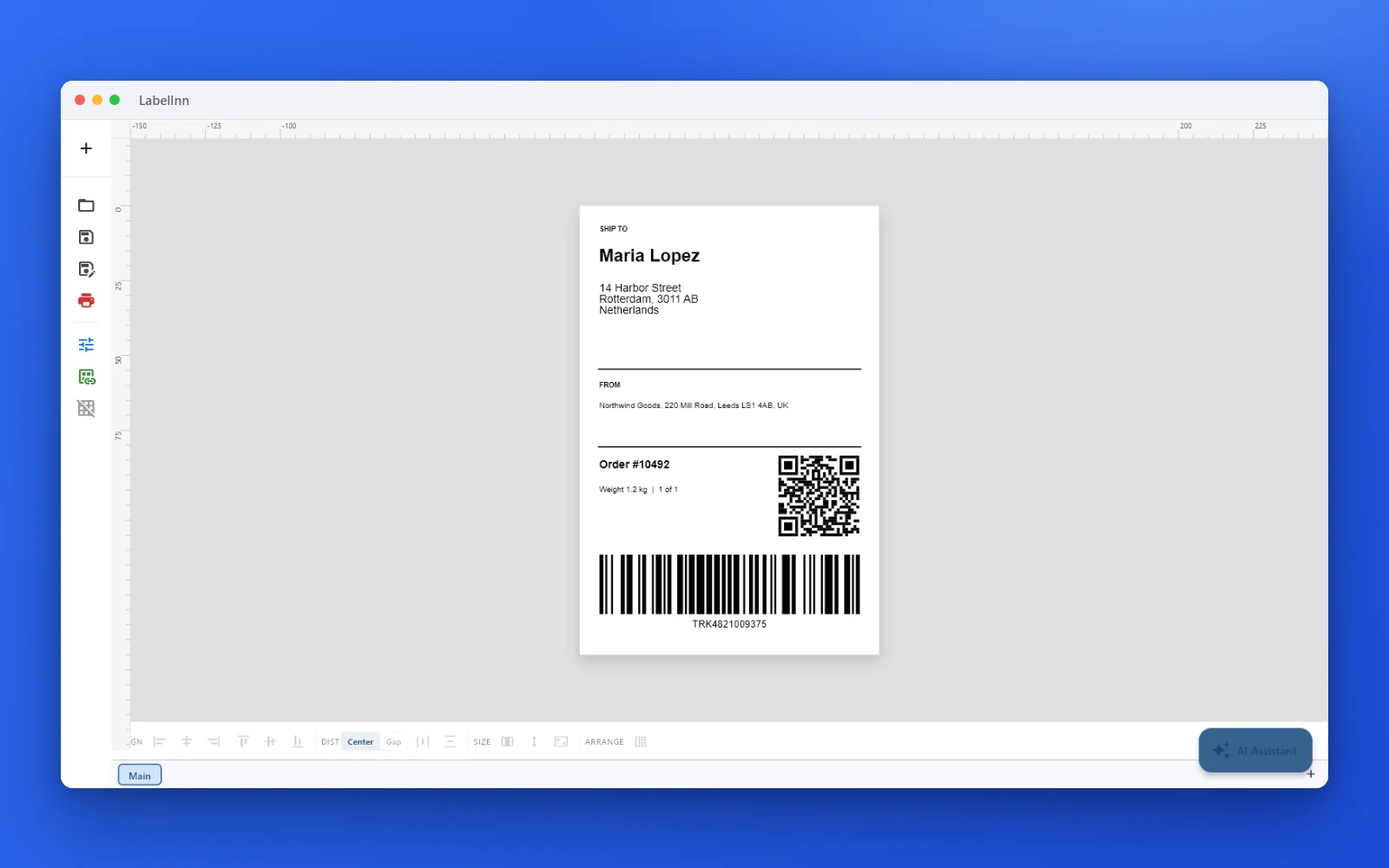 1A shipping label, ready to printRecipient, sender, order number, a QR code and a Code 128 tracking barcode on a 100 x 150 mm label.
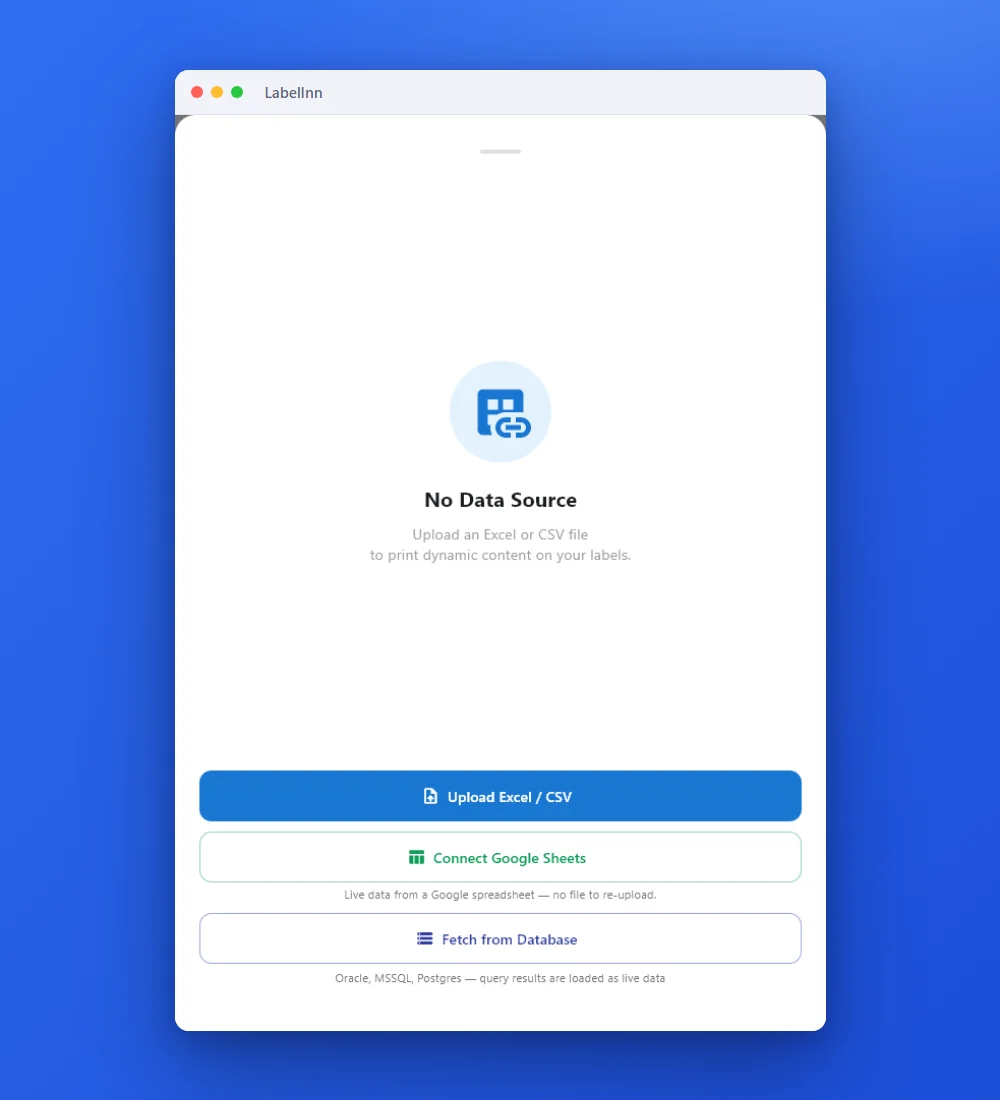 2Point the label at your dataUpload an Excel or CSV file, connect Google Sheets, or fetch from a database.
 3Preview, then printCheck the real label, choose the printer and the number of copies, and print.
The fixDesign the label once; each row of your order data becomes its own label.Get LabelInn free
04 / LABEL BASICS
What Makes a Good Shipping Label?
A compliant shipping label needs:
- Recipient name and full address — clearly readable
- Sender address — for returns
- Tracking barcode — Code 128 or carrier-specific format
- Carrier routing code — so it gets sorted correctly at the hub
- Order/reference number — for your records
- Correct label size — 100×150mm thermal or 4×6 inch
These fields must come from your approved shipping contract or carrier-provided label. LabelInn lets you map and preview them, but it does not invent carrier routing data.
05 / SETUP
Ideal Setup for E-Commerce Shipping
Software: LabelInn (free or Starter plan for marketplace sync)
Connection: Connect an approved order source, import a file, or configure your own API; test with non-production data before enabling writes
Daily workflow: Open LabelInn → see today's orders → select all → print → done
Building on top of LabelInn? API, MCP, workflows and connectors are all part of the platform. Explore the developer platform →
ANY PRINTER
Design it, bind your data, print on the printer you already own.
Zebra, TSC, Toshiba, Epson and more — over USB, network or Bluetooth, with no driver to install.
PRICING
Start free. Pay when it earns its keep.
QUESTIONS / FAQ
Frequently Asked Questions
What is the best shipping label software for small business?
LabelInn. It connects to Shopify, WooCommerce, Trendyol, and Hepsiburada, auto-syncs orders, and prints labels directly to thermal printers. Free plan available; Starter is $7.99/month.
Can I print Trendyol and Hepsiburada shipping labels automatically?
Yes — LabelInn integrates with both platforms via API. New orders sync in real-time. Select and print in one click. Tracking numbers update automatically.
What printer do I need for shipping labels?
A thermal label printer that handles 100×150mm (4×6 inch) labels. Recommended: Xprinter XP-420B (~$100), TSC TE244e (~$170), or Zebra ZD220 (~$300). LabelInn works with all three without drivers.
Does shipping label software work on Mac?
Yes — LabelInn is one of the very few shipping label apps with native macOS support. Works on Apple Silicon (M1/M2/M3/M4) without any emulation or workarounds.
REST API
Canonical POST /v1/print/jobs with idempotency keys, batch jobs, and webhooks. See the API →
MCP for AI agents
Claude, GPT and Copilot can design and physically print through our MCP server. AI agent printing →
Visual workflow engine (cloud + edge)
Node-graph Router / Design / Print flows with a customizable operator print dialog. Workflow automation →
GHS/CLP + tamper-evident audit trail
Compliant hazard-label engine plus a SHA-256 hash-chained, e-signature audit log (FDA 21 CFR Part 11 / EU Annex 11 style). Compliance →
Enterprise database connectivity
Read-only Oracle, Microsoft SQL Server, PostgreSQL and MySQL — credentials stay on-prem. Connectors →
No-code Make.com & Zapier
Wire your store, ERP and printers together without writing a line of code. Integrations →
KEEP GOING
Related
NEXT STEP / LABELINN
Stop Wasting Hours on Shipping Labels
Connect your store, plug in your printer, print your first label in under 10 minutes. 14-day free trial. · Auto-sync from all major platforms · Batch print 100 labels in seconds · Custom APIs, PDFs, and mapped formats